
Invoices that pass the customer's incoming-invoice check.
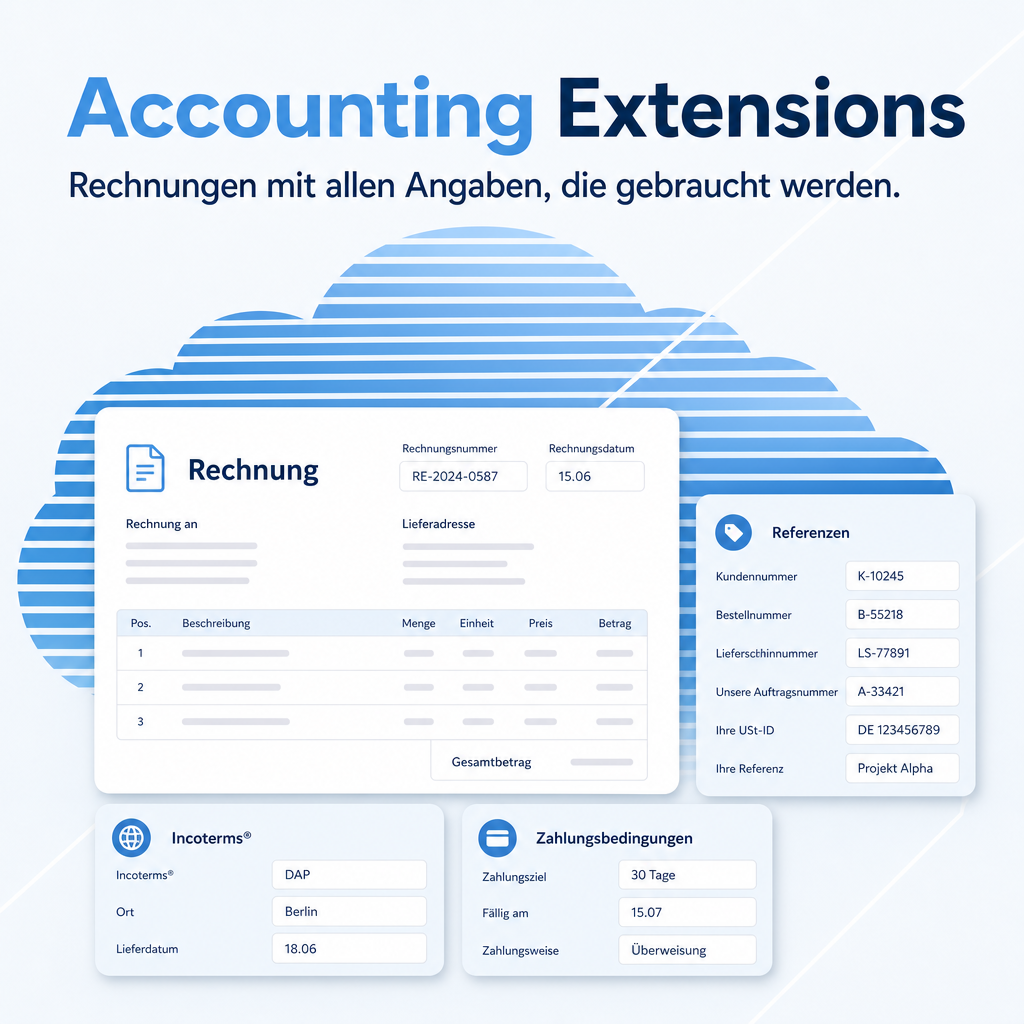
A large customer does not pay an invoice that lacks their order number. Accounting Extensions puts the references on the document that decide whether it clears without a query — order and delivery note number, incoterm and place of delivery — and calculates the discount amount and discount date into the payment terms instead of leaving that to whoever writes the text.
The help for this module is findable — for people and for AI
One help page in German and English, shipped inside the module. With Help Docs installed you search them in full text — and an AI assistant reads the same content through a machine-readable module card.
"eq_account")
Full-text search and module card come from Help Docs (eq_helper). This module ships the content — no extra configuration.
Features
Order and delivery note number on the invoice
Two dedicated fields carry the references through to the printed document. In companies that match invoice against order and goods receipt, this is what separates a paid invoice from one that comes back with a question.
Payment terms that do their own arithmetic
Placeholders for date and amount are replaced with the actual values when the invoice is printed. The customer reads the concrete discount amount and the exact date it applies until — nobody works it out by hand, and nobody gets it wrong.
Incoterm and place of delivery
Both are captured on the invoice and printed. In export business and in dealings with forwarders these are not decoration — they are the terms the documents are checked against.
Header text and additional information
A formatted introduction above the lines and a second text block below them. Both can be stored as a default and overridden per invoice — for the standing legal notices as well as the one-off remark.
Large invoices stay usable
How many lines the form loads at once is configurable. A collective invoice with several hundred positions opens instead of stalling the browser.
Telling apart partners with the same name
The partner search shows the address alongside the name, and the selection can be limited to companies. Two contacts called „Müller GmbH“ stop being a coin toss.
Frequently Asked Questions
Do the references fill themselves from the order?
When the invoice is created from a sales order, the order reference comes along. The delivery note number is available as its own field so it can be set for collective invoices covering several deliveries.
Does it work with the FastReport document templates?
Yes. The additional fields, including the resolved payment terms, are available to the document templates, so a FastReport layout can print them.
Which Odoo editions are supported?
The module runs on Odoo Community and Odoo Enterprise, version 19.0 — self-hosted or on Odoo.sh. Odoo Online, the hosted SaaS edition, does not accept apps from the store, so no third-party module can run there.
Which other modules does it require?
It requires account, base, base_setup, sale_stock, eq_res_partner. Odoo resolves and installs these dependencies itself when you install the module.
Under which license is the module published?
The module is published under the LGPL-3 open-source license.
Will it keep working after an Odoo update?
Yes, within 19.0.x. A move to the next major Odoo version is delivered as a new module version.
Where do I get support?
Write to support@equitania.de or use our support portal at support.equitania.de.
Can I see the module in action first?
We do not run a public demo instance. Write to support@equitania.deand we will walk you through it.
Support · Kontakt
We are happy to support you · Wir unterstützen Sie gerne.


Weiherstraße 13
75173 Pforzheim
Deutschland · Germany
Telefon: +49 7231 16 604 0
Telefax: +49 7231 16 604 200
Homepage: www.ownerp.com · odoo2fast.report
Support: support.equitania.de
E-Mail: support@equitania.de
EN · All information on this page is provided for product description purposes only and is not legally binding. It constitutes neither a guarantee of quality nor an assurance of any particular scope of functions, fitness for a particular purpose or specific results; only the contractual agreements and the scope of delivery of the version actually installed are authoritative. Screenshots show example configurations.