Deploy
A new instance ready to work in minutes — and closed to prying eyes before go-live.
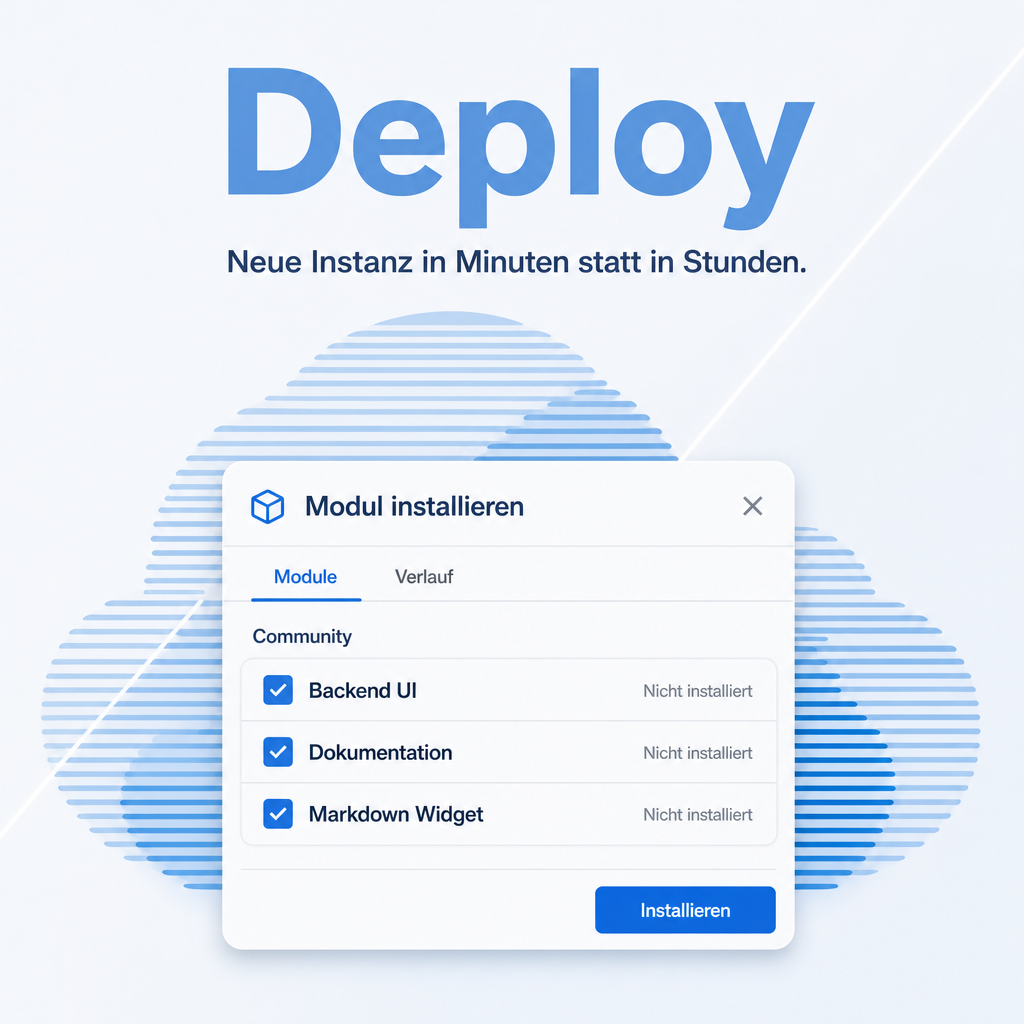
Setting up a fresh Odoo means hunting down and installing the same set of modules again, then remembering which switches to flip before it goes public. Deploy does both: the Equitania standard modules install themselves, a setup wizard offers proven additions matched to your edition, and a hardening block turns off the pages and headers that tell a stranger which Odoo version and which apps you run. It is the main module of the Deploy bundle.
Modules in this bundle
This is the main module of the Deploy bundle (package: DACH). It includes:
The help for this module is findable — for people and for AI
Two help pages in German and English, shipped inside the module. With Help Docs installed you search them in full text — and an AI assistant reads the same content through a machine-readable module card.
"eq_deploy")
Full-text search and module card come from Help Docs (eq_helper). This module ships the content — no extra configuration.
Features
The base set installs itself
Installing Deploy brings a matched set of standard modules along. The part of the setup that never varies stops being manual work.
A wizard that knows your edition
The wizard detects whether Enterprise or Community is running and offers only what makes sense there — with the detection overridable, and with a visible reason next to anything it excludes. On Community it additionally pre-selects the modules that remove third-party branding from interface, emails and portal.
Missing modules do not break the run
Additions that are not present are listed as unavailable and skipped, rather than aborting the installation. The wizard can be run again at any time; what is already installed is recognised and left alone.
Hardening switches for go-live
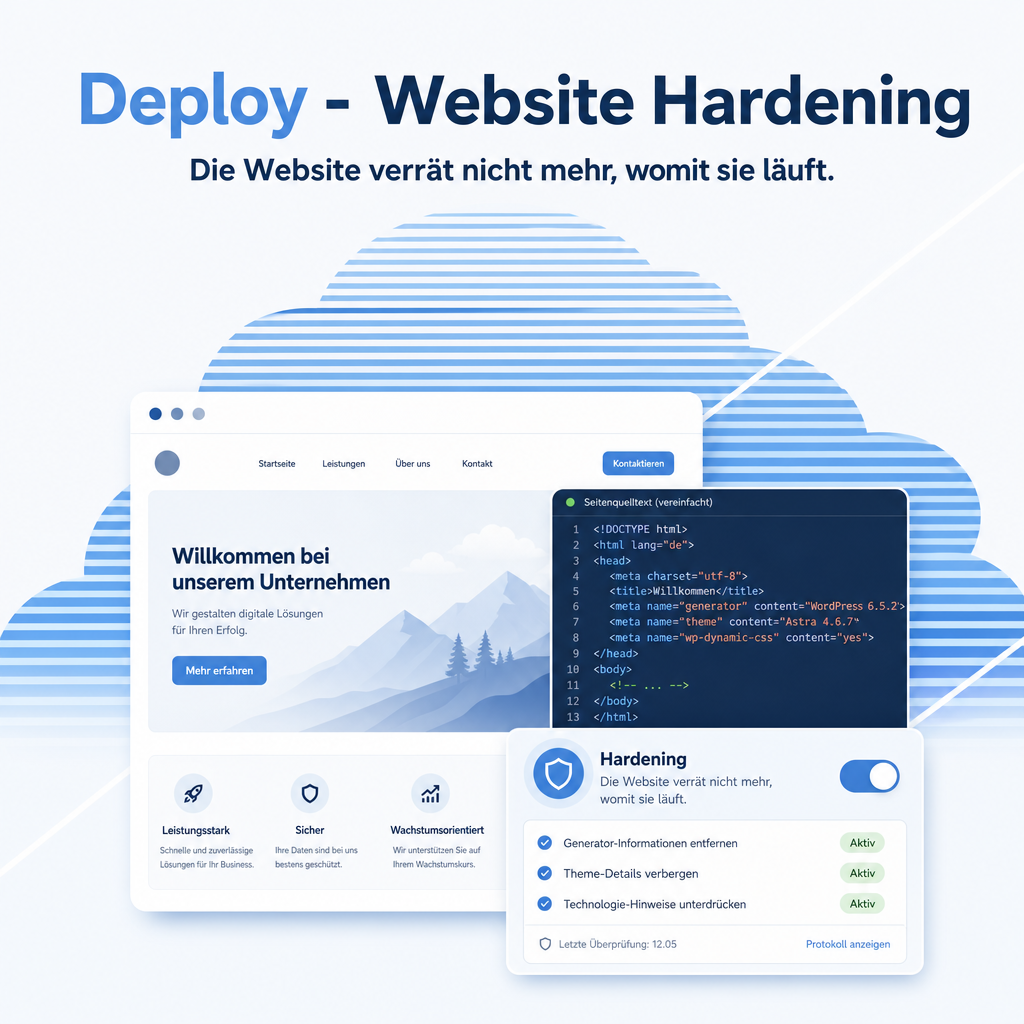
A settings block turns off the information a stranger uses to find a matching exploit: the public instance info page, the software identifier in the page source, and access to the database manager, through which whole databases can be created, backed up and deleted.
Administrators only
The wizard is available to administrators with settings rights. A tool that installs modules and opens or closes public endpoints does not belong in everyone's menu.
Frequently Asked Questions
Will it install things I did not ask for?
The base set comes with the module itself — that is its purpose. Everything beyond that is shown in the wizard with a checkbox per module and installed only when selected. Modules with a heavyweight prerequisite, such as the Website app, are only offered once that prerequisite is present, so the wizard never pulls in a whole app unasked.
Are the hardening switches on by default?
No. They ship off, so installing the module changes nothing about who can reach what. You switch them on deliberately before going live.
Which Odoo editions are supported?
The module runs on Odoo Community and Odoo Enterprise, version 19.0 — self-hosted or on Odoo.sh. Odoo Online, the hosted SaaS edition, does not accept apps from the store, so no third-party module can run there.
Which other modules does it require?
It requires base, base_setup, web, auth_signup, eq_base. Odoo resolves and installs these dependencies itself when you install the module.
Under which license is the module published?
The module is published under the LGPL-3 open-source license.
Will it keep working after an Odoo update?
Yes, within 19.0.x. A move to the next major Odoo version is delivered as a new module version.
Where do I get support?
Write to support@equitania.de or use our support portal at support.equitania.de.
Can I see the module in action first?
We do not run a public demo instance. Write to support@equitania.deand we will walk you through it.
Support · Kontakt
We are happy to support you · Wir unterstützen Sie gerne.


Weiherstraße 13
75173 Pforzheim
Deutschland · Germany
Telefon: +49 7231 16 604 0
Telefax: +49 7231 16 604 200
Homepage: www.ownerp.com · odoo2fast.report
Support: support.equitania.de
E-Mail: support@equitania.de
EN · All information on this page is provided for product description purposes only and is not legally binding. It constitutes neither a guarantee of quality nor an assurance of any particular scope of functions, fitness for a particular purpose or specific results; only the contractual agreements and the scope of delivery of the version actually installed are authoritative. Screenshots show example configurations.