Layout Kategorie / Layout Category
Structured documents instead of one long line list.
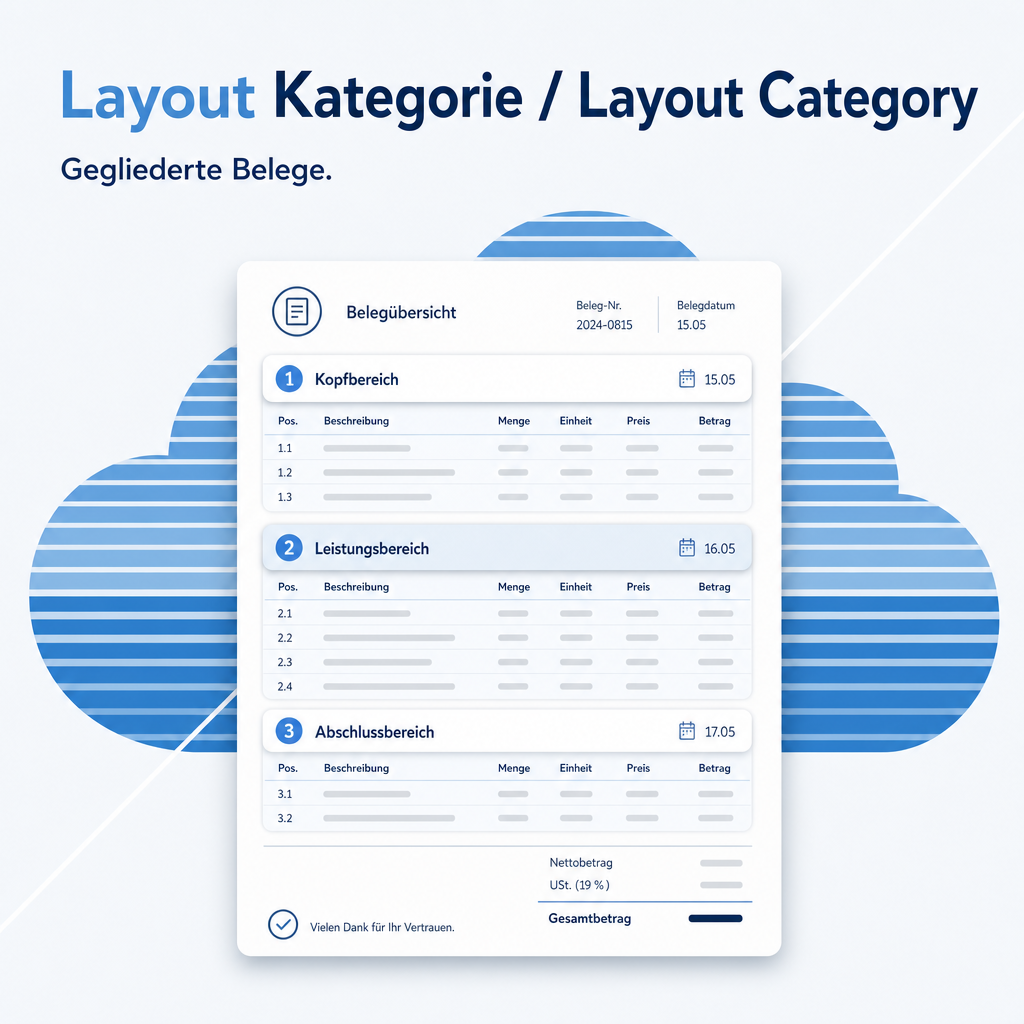
Quotations with many lines are hard for a customer to read. This module groups the lines of quotations, orders and invoices into named sections and gives every line its own position number. A quotation can be built the way the customer thinks about it — material, assembly, maintenance — each as its own block. The position number keeps enquiries unambiguous: „please remove position 7“ means the same to both sides, even after the document has been reordered. Section and number are carried over when the quotation becomes an invoice.

Part of the Odoo2Fast.Report Bundle
This module is part of the Odoo2Fast.Report collection. The full description is available on the main module page.
Go to Odoo2Fast.Report Core SystemThe help for this module is findable — for people and for AI
One help page in German and English, shipped inside the module. With Help Docs installed you search them in full text — and an AI assistant reads the same content through a machine-readable module card.
"eq_fr_layout_category")
Full-text search and module card come from Help Docs (eq_helper). This module ships the content — no extra configuration.
Support · Kontakt
We are happy to support you · Wir unterstützen Sie gerne.


Weiherstraße 13
75173 Pforzheim
Deutschland · Germany
Telefon: +49 7231 16 604 0
Homepage: www.equitania.de · www.ownerp.com · odoo2fast.report
E-Mail: support@equitania.de
EN · All information on this page is provided for product description purposes only and is not legally binding. It constitutes neither a guarantee of quality nor an assurance of any particular scope of functions, fitness for a particular purpose or specific results; only the contractual agreements and the scope of delivery of the version actually installed are authoritative. Screenshots show example configurations.