KPI Cockpit AI
Ask your KPI board. Adapt it with your yes.
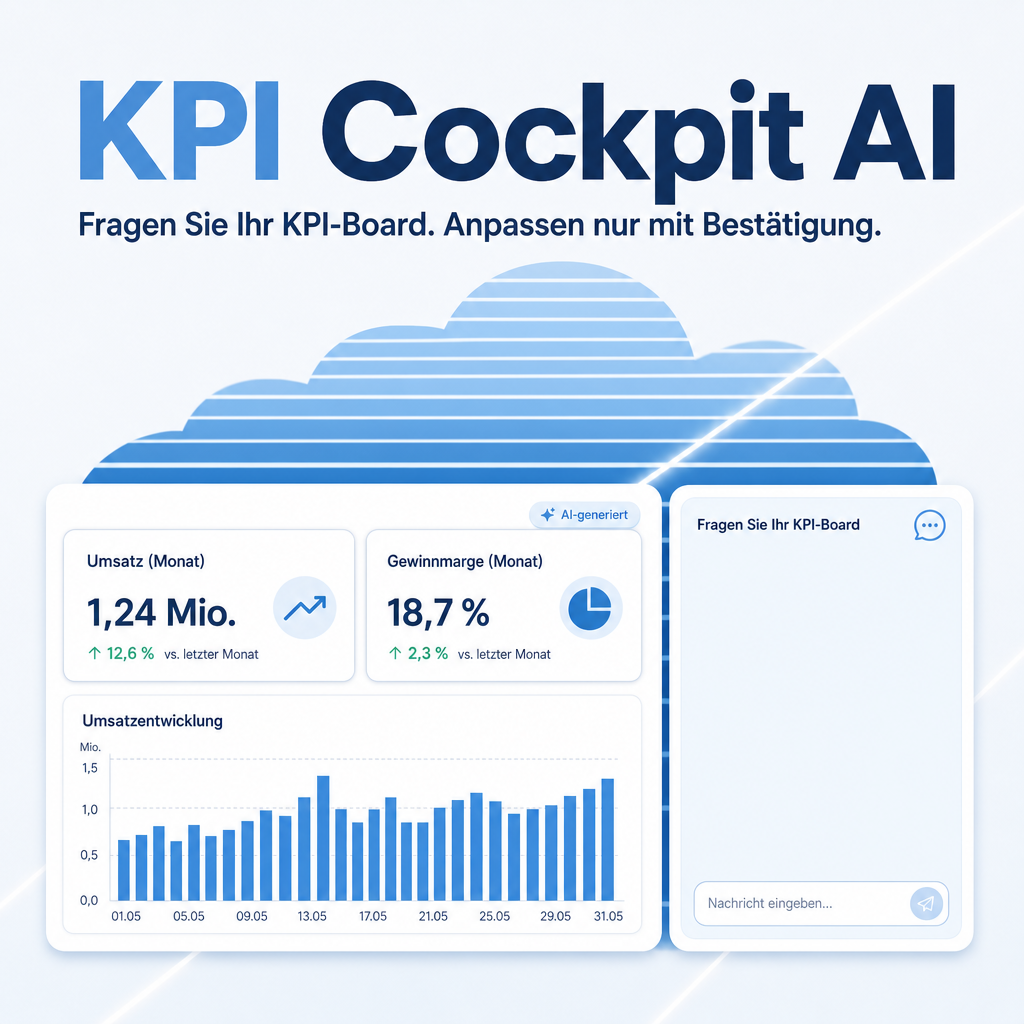
KPI Cockpit AI connects the KPI Cockpit to the EQ Chatbot. Ask about a board and get figures, explanations and the records behind them. Cockpit administrators can let the chatbot create and change widgets, always after an explicit yes. Everything runs under your own access rights, and every widget made with AI is marked as such. Requires the EQ Chatbot.
The help for this module is findable — for people and for AI
Help pages ship with the module, in German and English. Full-text search finds them from inside Odoo.
|
People search
AI-generated
AI marking and rights
Every widget that the AI assistant created or changed is marked.
|
AI asks
eq.helper.doc.get_capability_card(
"eq_kpi_cockpit_ai") The module card lists the chat tools with their parameters, the guardrails and who may use them, so an assistant knows what it may do before it acts.
“Which tools does the assistant have?”
|
Full-text search and the module card are provided by the module Help Docs (eq_helper). This module ships the content — no extra configuration.
Features
Ask a question, get answers you can check
A click on "Ask AI" in the board header puts the board and the period into the chat input; you finish the question and send it yourself. The assistant reads the board with your rights, explains what a figure counts, names the exact filter behind it and lists the records that drive it — the same records a click on the tile opens.
- Figures of a board for any period, with previous value and change
- Definition and exact filter of every figure
- Records behind a figure or one chart bar, biggest first, up to 25
Adapt boards in a conversation — only after your yes
Cockpit administrators describe what they want, for example a tile for open quotations or a line instead of bars. The assistant shows the complete definition and saves only after an explicit yes. A new or changed widget is test-computed first; if that fails, nothing is saved. Boards shipped by a module are never changed directly: the assistant copies them first.
- Create and change widgets, copy boards
- Confirmation before every change
- Module updates and AI changes never overwrite each other
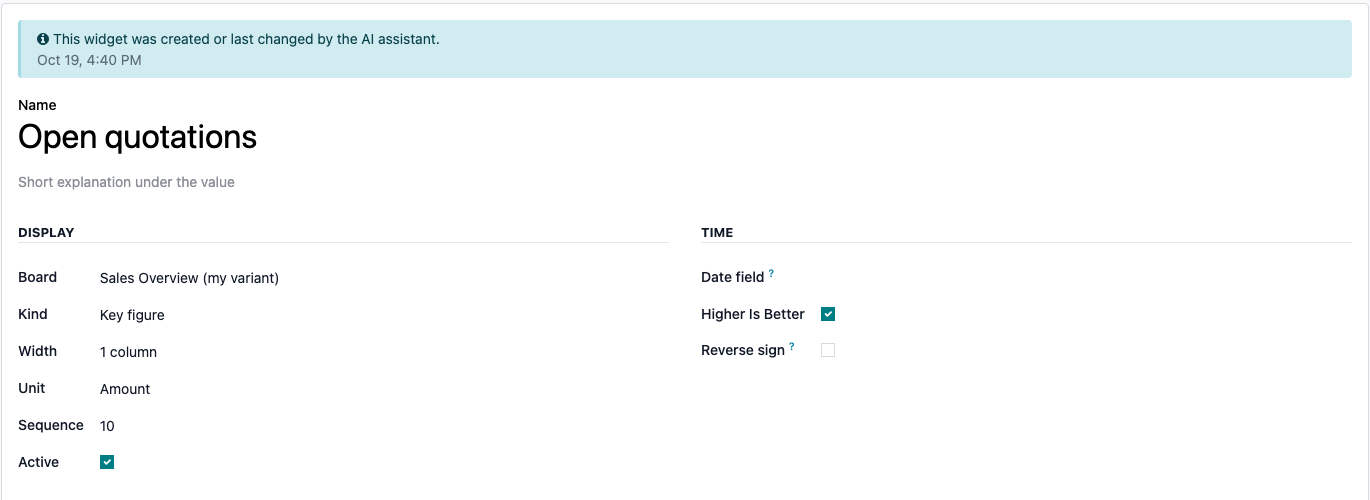
Marked as AI-generated, under your own rights
Every widget the assistant created or changed is marked "AI-generated" with the date, in its form and on its card. The marking is stored, so the widget list can show it as a column. The assistant works with the rights of the user who chats and sees nothing that user may not see.
- No new rights: same access rights, record rules and companies as the cockpit
- Change tools offered only to cockpit administrators
- Language model and prompt come from your EQ Chatbot configuration
Frequently Asked Questions
Which Odoo editions are supported?
The module runs on Odoo Community and Odoo Enterprise, version 19.0 — self-hosted or on Odoo.sh. Odoo Online, the hosted SaaS edition, does not accept apps from the store, so no third-party module can run there.
What do I need besides this module?
The KPI Cockpit (eq_kpi_cockpit) and the EQ Chatbot with its tool registry (eq_chatbot, eq_ai_odoo_tools, both Equitania). Odoo installs these modules automatically. In the chatbot configuration you set up a language model and release a prompt: without a released prompt nobody can chat.
Does the module need additional Python packages?
Yes — eq-chatbot-core>=4.3.0,<5.0.0. Odoo installs module dependencies by itself, but not Python packages: your administrator installs those once on the server. Without them the module cannot be installed.
How are these packages installed?
Self-hosted (own server, Docker): install the package into the same Python environment Odoo runs in and restart the service — pip install "eq-chatbot-core>=4.3.0,<5.0.0". In a Docker setup, add the same line to your image so it survives a container rebuild.
Odoo.sh: add eq-chatbot-core>=4.3.0,<5.0.0 to a requirements.txt in your repository — either in the branch root or in the folder that contains your addons. Odoo.sh installs it on the next build; a pip install typed into the shell would be lost with the next one. The installation appears in the build log (~/logs/pip.log).
The package is published on PyPI and needs no license key of its own.
Who can ask, and who can change boards?
Every user of the EQ Chatbot who may open a board can ask about it. The "Adapt with AI" button and the change tools are for the group "KPI Cockpit / Administrator" only; other users do not get the change tools offered.
Does the assistant change anything without asking?
No. It shows the complete planned definition and asks for a yes. Only then does it save, and only if the new widget computes without an error. On an error nothing is saved.
Can it change the boards that come with the modules?
No. A board shipped by a module is never changed directly. The assistant proposes a copy and continues on the copy, so module updates and AI changes never overwrite each other.
Which language model answers, and where does my data go?
The model and the prompt come from your EQ Chatbot configuration; this module has no settings of its own. To answer, the assistant passes the figures and record names it read to that model. Choose a provider that fits your data protection requirements.
What is the technical name?
eq_kpi_cockpit_ai.
Will it work after an Odoo update within the same major version?
Yes, within 19.0.x. Major version upgrades are delivered as a new module version.
Do you provide support?
Yes. Contact support@equitania.de or the support portal https://support.equitania.de.
Support · Kontakt
We are happy to support you · Wir unterstützen Sie gerne.

Weiherstraße 13
75173 Pforzheim
Deutschland · Germany
Telefon: +49 7231 16 604 0
Telefax: +49 7231 16 604 200
Homepage: www.ownerp.com
Support: support.equitania.de
E-Mail: support@equitania.de
EN · All information on this page is provided for product description purposes only and is not legally binding. It constitutes neither a guarantee of quality nor an assurance of any particular scope of functions, fitness for a particular purpose or specific results; only the contractual agreements and the scope of delivery of the version actually installed are authoritative. Screenshots show example configurations. This description was written with AI assistance and was reviewed and approved before publication; the German version prevails.