KPI Cockpit - Time Off
Leave requests, absences and leave days at a glance.
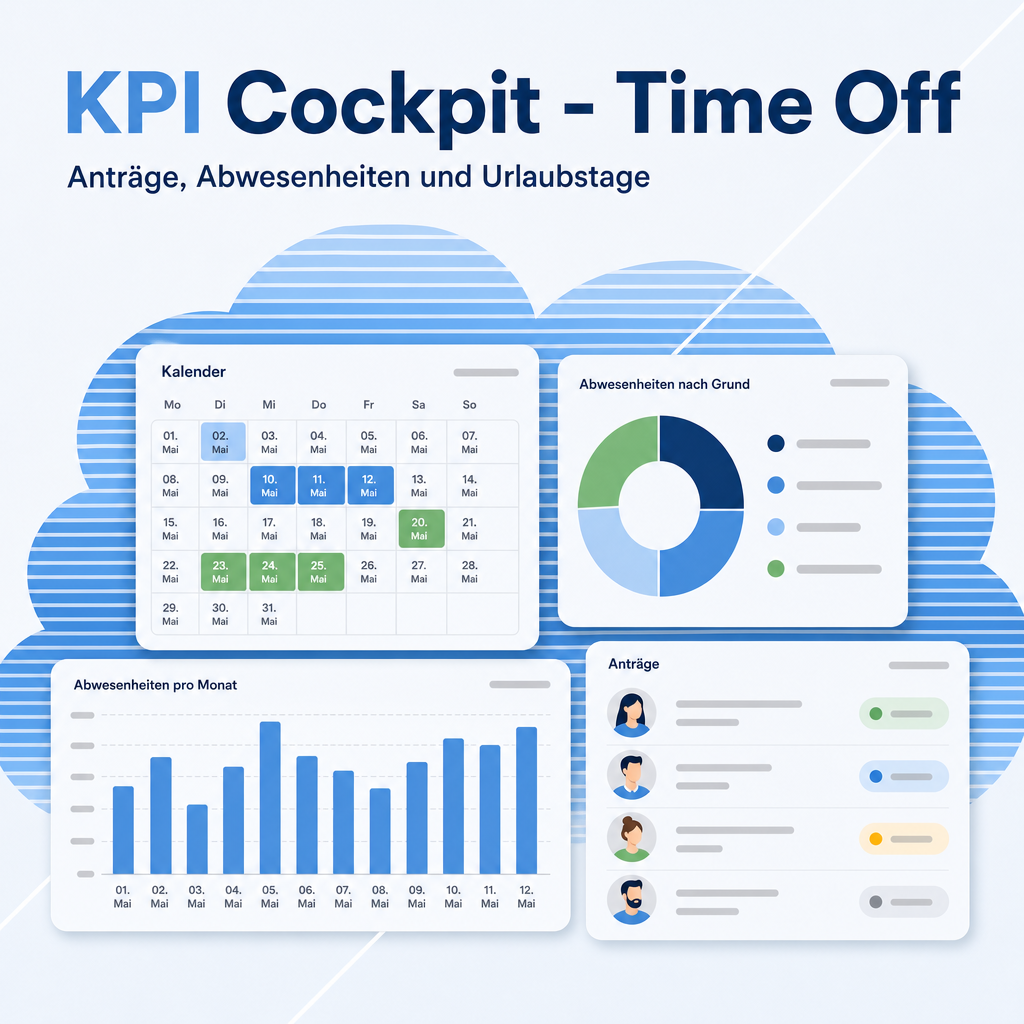
A ready-made time off board for the KPI Cockpit, plus additions to the HR overview. It shows which leave requests wait for a decision, who is out today and in the coming week, and how the approved days are spread over leave types, departments and employees. A click on a figure opens the requests behind it. The module installs itself next to the HR overview and Time Off.
The help for this module is findable — for people and for AI
A help page ships with the module, in German and English. Full-text search finds it from inside Odoo.
|
People search
requests to decide
Time off board
On leave today: employees Odoo marks as absent today.
|
AI asks
eq.helper.doc.get_capability_card(
"eq_kpi_cockpit_hr_holidays") The module card lists the shipped boards, their source models and how each figure is defined, so an assistant knows what a figure means before it answers.
Who is on leave today?
|
Full-text search and the module card are provided by the module Help Docs (eq_helper). This module ships the content — no extra configuration.
Features
Decide first
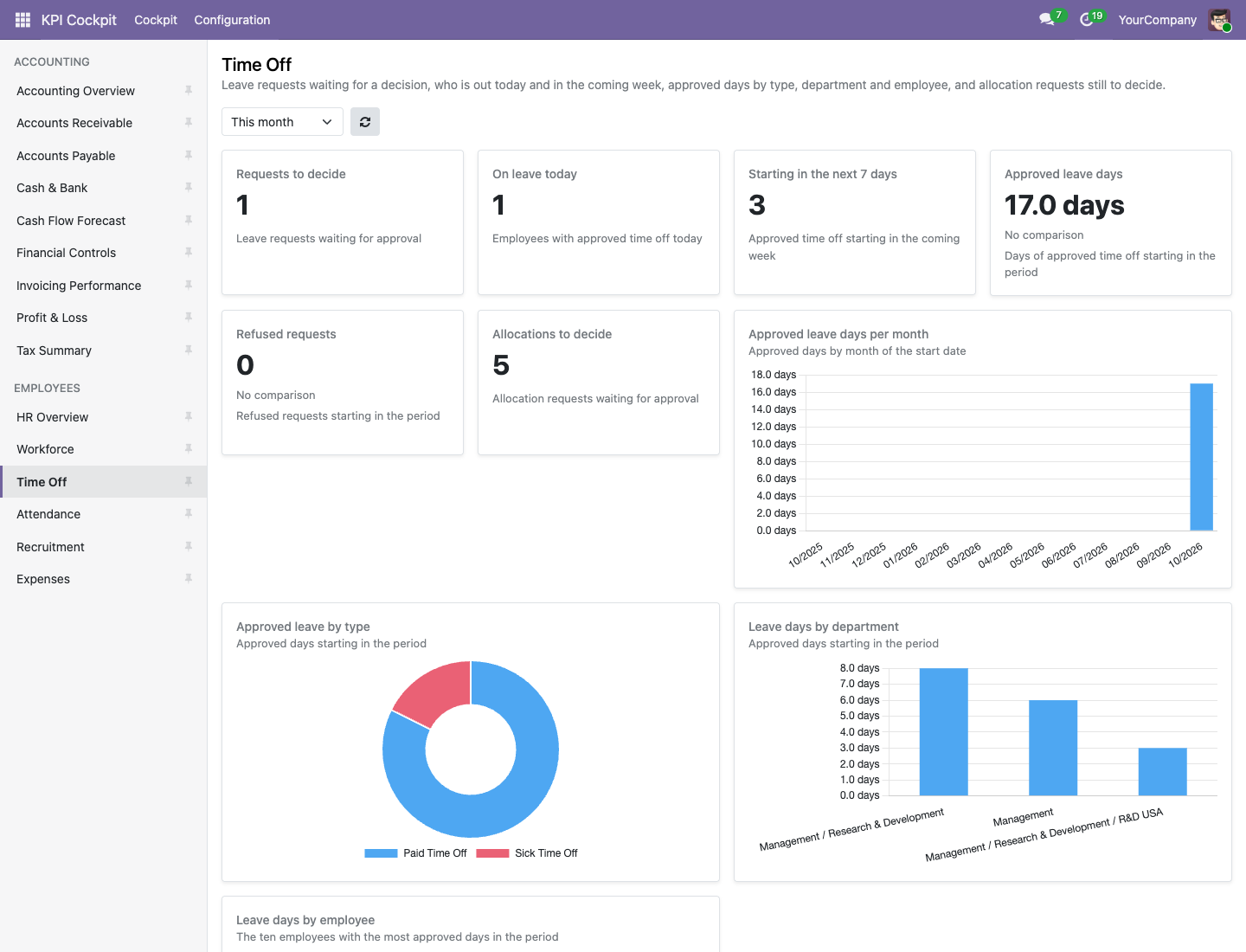
The board counts the leave requests and the allocation requests that wait for approval. A worklist shows the requests with the earliest start first, so the urgent ones come up top.
- Requests to decide and allocations to decide as figures
- Refused requests in the period as a figure of their own
- The same requests also appear on the HR overview
Who is out
On leave today counts the employees whom Odoo marks as absent today, using the "Absent Today" logic of Odoo itself. A second figure counts the approved time off that starts in the next 7 days.
- A worklist of the upcoming time off in the next 30 days
- On leave today on the HR overview as well
- Figures tied to today ignore the period selector
Leave days by type, department and employee
The approved days that start in the period are shown per month over 12 months, by leave type, by department and for the ten employees with the most days. A ranking lists approved days, requests, to decide and refused per leave type.
- Approved leave by type on the HR overview too
- A click on a bar opens exactly the requests of that group
- Officers who manage only their own employees see only those
Frequently Asked Questions
Which Odoo editions are supported?
The module runs on Odoo Community and Odoo Enterprise, version 19.0 — self-hosted or on Odoo.sh. Odoo Online, the hosted SaaS edition, does not accept apps from the store, so no third-party module can run there.
Which boards are included?
One board, "Time Off", with 13 widgets, plus 4 widgets that the module adds to "HR Overview". In a German interface the board is called "Abwesenheiten".
What are the dependencies?
Requires the Equitania module eq_kpi_cockpit_hr and the Odoo module hr_holidays (Time Off). Odoo installs them automatically; this module installs itself as soon as both are present. It needs no Python package.
Who sees the board?
Users of the KPI Cockpit who belong to the Time Off group "Officer: Manage all requests" or a group above it. The figures follow each user's own access rights and record rules.
How is "on leave today" counted?
With the "Absent Today" logic of Odoo itself: employees whom Odoo marks as absent today.
What do the leave days measure?
The days of approved requests that start in the period. The unit is days. Requests to decide and on leave today ignore the period selector.
Can I change the boards?
Yes, with the group "KPI Cockpit / Administrator" under KPI Cockpit → Configuration. The boards are loaded once, so your changes are kept when the module is updated.
What is the technical name?
eq_kpi_cockpit_hr_holidays.
Will it work after an Odoo update within the same major version?
Yes, within 19.0.x. Major version upgrades are delivered as a new module version.
Do you provide support?
Yes. Contact support@equitania.de or the support portal https://support.equitania.de.
Support · Kontakt
We are happy to support you · Wir unterstützen Sie gerne.


Weiherstraße 13
75173 Pforzheim
Deutschland · Germany
Telefon: +49 7231 16 604 0
Telefax: +49 7231 16 604 200
Homepage: www.ownerp.com
Support: support.equitania.de
E-Mail: support@equitania.de
EN · All information on this page is provided for product description purposes only and is not legally binding. It constitutes neither a guarantee of quality nor an assurance of any particular scope of functions, fitness for a particular purpose or specific results; only the contractual agreements and the scope of delivery of the version actually installed are authoritative. Screenshots show example configurations. This description was written with AI assistance and was reviewed and approved before publication; the German version prevails.