shipXpert Connector
From delivery order to label without leaving Odoo.
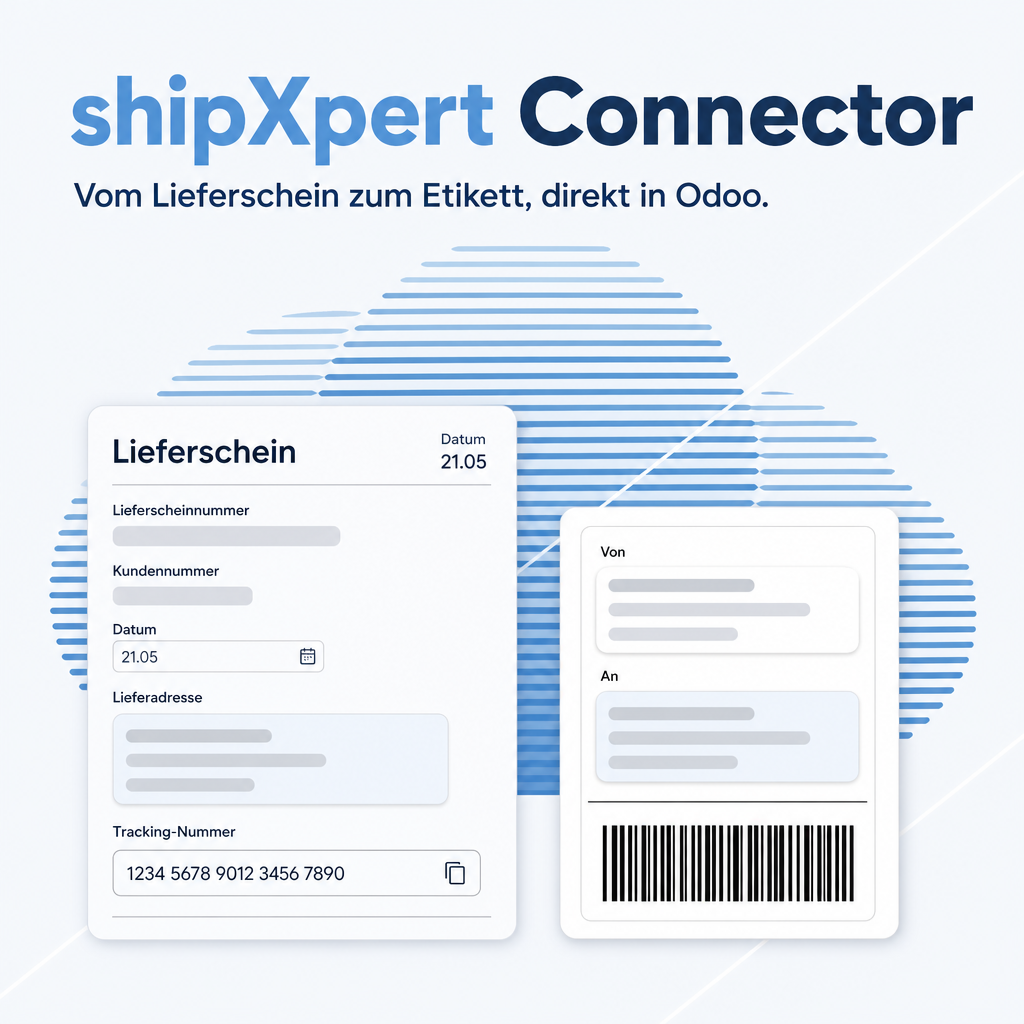
shipXpert Connector adds the shipXpert shipping platform to Odoo 18 as a delivery method. Warehouse staff build packages on the delivery order, ship, and find the label and tracking number right there. In daily work they no longer open the shipXpert interface.
What changes in shipping
- One screen: shipment, label, tracking and cancellation all run from the delivery order.
- No second catalogue: you set carrier and service once in shipXpert. Moving from DPD to DHL changes only the mapping there.
- Clear error messages: if an international shipment lacks an HS code, Odoo names the product before the shipment reaches shipXpert.

The shipping platform behind the connector
The connector links Odoo to shipXpert, the multi-carrier shipping software of ShipXpert GmbH. shipXpert talks to the parcel services and freight forwarders, produces the labels and covers shipping, customs and dangerous goods handling, proof of delivery and returns.
Figures from ShipXpert GmbH, November 2026.
Which of the functions below you can use depends on your shipXpert contract. Functions marked optional are additional shipXpert modules, and many of them are operated in the shipXpert application, not in Odoo.
Everyday shipping
- Quick mode: print the document number as a barcode, one scan triggers the shipment
- Packaging: store your packaging with dimensions once; the parcel automatic builds the packages from the packaging listed on the document
- References: you decide which reference texts go to the carrier and onto the label
- Neutral shipping: domestic shipments on behalf of third parties name your invoice recipient as sender
- Own transport: own vehicles and local couriers without an interface run in the same process, with a loading list that doubles as a route plan
Customs, dangerous goods, proof of delivery
- Customs handling for shipments abroad; shipXpert reads the customs data from Odoo, and the connector checks the HS codes first
- Dangerous goods under ADR (optional): the data travels with the shipment where the carrier supports it; the transport document is always produced
- Proof of delivery (optional): the full tracking history up to handover. Together with the document it meets the requirements for an entry certificate (Gelangensbestätigung) on tax-free EU deliveries
- Alert when a shipment has not been delivered within a set time window
Inform customers, check costs
- Shipping notification with tracking link, sent by the carrier or as your own e-mail in the recipient's language
- Address validation corrects typing errors and suggests alternatives for larger deviations, with a score and a map
- Shipment archive with tracking on double-click; shipXpert is not licensed per workstation, so customer service can use it as well
- Invoice check: a list of shipments per period, exportable to Excel, to reconcile the carriers' invoices
Packing station and extensions
- Scale integration (optional): the displayed weight goes into the shipment with one key press
- Consolidated shipping (optional): combine documents with the same delivery address into one shipment
- Mass shipping (optional): labels for catalogues, samples or gifts from an Excel import
- Automated packing station (optional) for shipping through third-party software
- User management with individual rights and additional labels (optional)
More than 150 parcel services and forwarders
Among them DHL Paket, DHL Express, DHL Freight, Deutsche Post, DPD, GLS, UPS, FedEx, Hermes, GO!, TNT Express, trans-o-flex, DB Schenker, Dachser, DSV, Kuehne + Nagel, Rhenus, Raben Group, Gebrüder Weiss, Hellmann, PostNL, Asendia. If your forwarder is missing, ShipXpert checks whether it can be connected. Full list: shipxpert.com/transportdienstleister
Operation and service
ShipXpert runs the web version on servers in Germany and offers API access for your own applications. The software is developed continuously. ShipXpert advises on setup and on maintaining dangerous goods data, trains your staff and supports you by phone and e-mail. More about the platform: shipxpert.com
Features
Shipment, label and tracking on the delivery order
When you ship, Odoo creates the shipment in shipXpert and writes the tracking number.
- One shipment item per package, plus one for unpacked goods; several tracking numbers are kept together on the delivery order
- Labels in PDF, ZPL and EPL are attached to the chatter with the right file extension
- The Tracking button opens the carrier's stored link
- Cancel withdraws the shipment in shipXpert and notes it in the chatter
Carrier and service in one place
Odoo keeps no catalogue. Each delivery method is mapped once to a carrier product in shipXpert.
- Odoo sends only the delivery order reference and the packages; shipXpert reads recipient and customs data from Odoo itself
- You name the delivery method freely, for example "Parcel shipping"
- When you change carrier, the delivery method and your Odoo processes stay the same
Actual shipping cost
The price is known as soon as the shipment exists, and it goes onto the delivery order.
- With the invoicing policy Real cost, the price flows into the invoice
- Quotations show 0.00 with a notice, because shipXpert prices a shipment only through its delivery order
- If the price cannot be retrieved, the shipment stands and the price stays at 0.00
Customs data checked before shipping
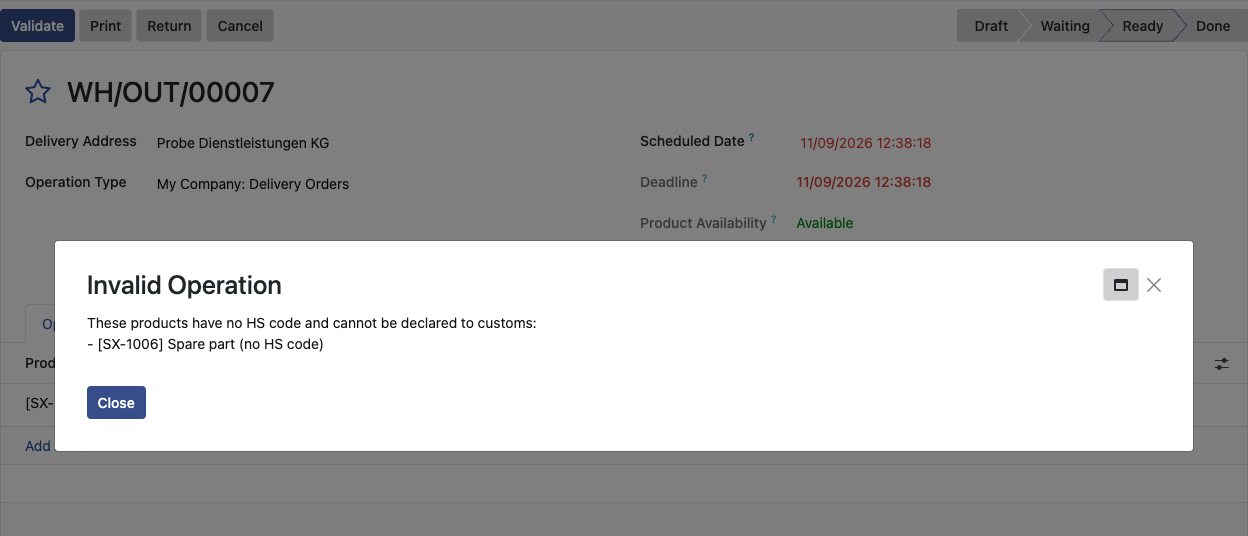
shipXpert rejects a customs shipment without an HS code but does not name the product. So Odoo checks first.
- For shipments abroad, Odoo names every product without an HS code
- The product form shows customs description and country of origin next to the HS code
Address problems without a hidden dialog
Address validation is set per delivery method.
- Default: skip validation, as shipXpert recommends; a reported problem appears as a warning in the chatter
- With validation on, a rejected address stops the shipment and shows up to five suggestions
Setup with a connection test
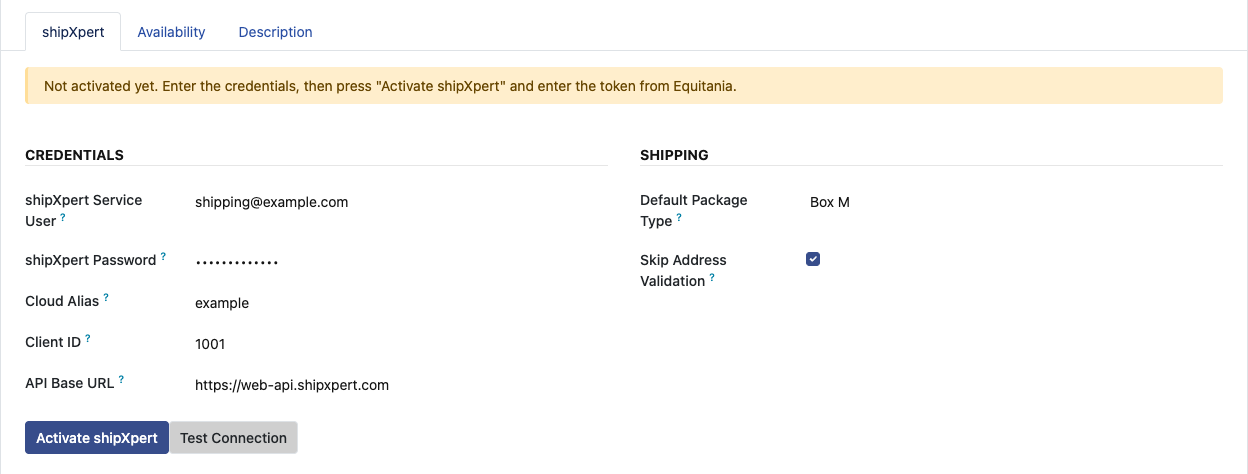
On the shipXpert tab of the delivery method, an administrator enters the credentials and checks them with one click.
- Test Connection reports the result at once and creates no shipment
- Password, API key and login token are stored encrypted in the database
- The credential fields are restricted to administrators
Frequently Asked Questions
What do I need to use it?
Odoo 18, a contract with shipXpert and a shipXpert client of the type Odoo 18. shipXpert must be able to reach your Odoo address over HTTPS, because it reads delivery orders and master data from Odoo itself.
How do I get access to the connection?
Send your request through the form at shipxpert.ownerp.io. With a valid shipXpert contract you receive a code from us that loads the API key into the app.
Which Odoo editions are supported?
The module runs on Odoo Community and Odoo Enterprise, version 18.0 — self-hosted or on Odoo.sh. Odoo Online, the hosted SaaS edition, does not accept apps from the store, so no third-party module can run there.
What are the dependencies?
Only Odoo standard modules (base_setup, product, stock, stock_delivery, delivery, mail), which Odoo installs itself. No additional Python packages are needed.
Where do I configure carriers and services?
Once, in shipXpert: there you map each Odoo delivery method to a carrier product. Moving from DPD to DHL changes only this mapping; Odoo stays as it is.
Why does the quotation show a shipping cost of 0.00?
shipXpert prices a shipment through its delivery order, which does not exist yet at quotation stage. The price is set when you ship. Set the delivery method's invoicing policy to Real cost.
How does a customs shipment work?
shipXpert reads the customs data from Odoo. Odoo checks first and names every product without an HS code.
How do I print the label?
The label is attached as a file to the delivery order's chatter (PDF, ZPL or EPL). Direct printing to a label printer is not part of the module.
How are the credentials protected?
They are stored encrypted in the database, and the fields are restricted to administrators.
Do I get support?
Yes, through support@equitania.de and the support portal support.equitania.de.
Support · Kontakt
We are happy to support you · Wir unterstützen Sie gerne.

Weiherstraße 13
75173 Pforzheim
Deutschland · Germany
Telefon: +49 7231 16 604 0
Telefax: +49 7231 16 604 200
Homepage: www.ownerp.com
Support: support.equitania.de
E-Mail: support@equitania.de
EN · All information on this page is provided for product description purposes only and is not legally binding. It constitutes neither a guarantee of quality nor an assurance of any particular scope of functions, fitness for a particular purpose or specific results; only the contractual agreements and the scope of delivery of the version actually installed are authoritative. Screenshots show example configurations. Product and company names mentioned are trademarks or registered trademarks of their respective owners; naming them implies neither affiliation with nor endorsement by those owners. This description was written with AI assistance and was reviewed and approved before publication; the German version prevails.