
SQL Exec with JSONRPC
Database queries from outside — behind a second password, and logged.
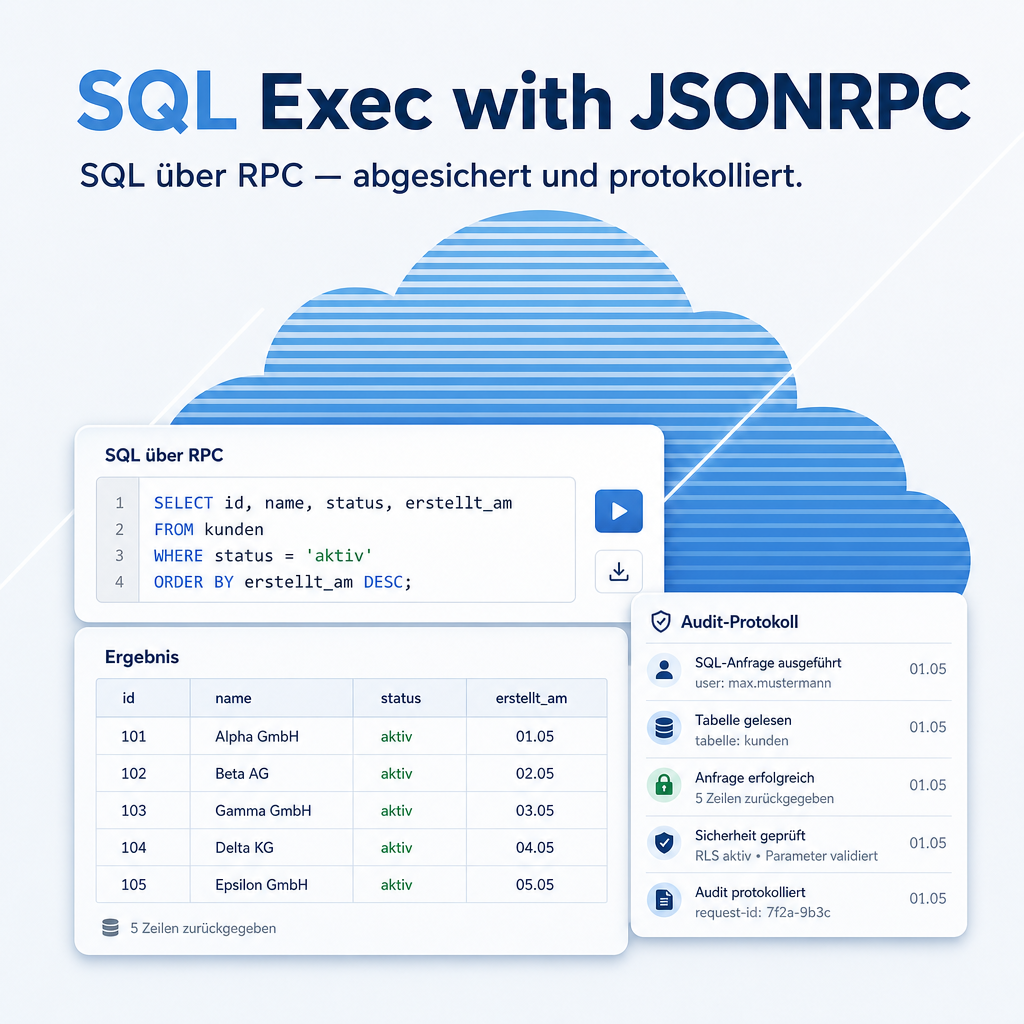
Some questions cannot be answered through the interface, and some corrections cannot sensibly be made one record at a time. This module lets an administrator run database statements through Odoo's normal external interface — guarded by a separate password, restricted to administrators, with destructive commands blocked and every call written to a log.
The help for this module is findable — for people and for AI
One help page in German and English, shipped inside the module. With Help Docs installed you search them in full text — and an AI assistant reads the same content through a machine-readable module card.
"eq_sql_exec")
Full-text search and module card come from Help Docs (eq_helper). This module ships the content — no extra configuration.
Features
Two locks, not one
Access requires administrator rights and, on top of that, a separate password that is configured independently of any user account. A stolen login alone is not enough to reach the database.
Destructive commands never reach the database
Statements that would drop structures or delete rows are recognised and rejected before they are executed. The module is built for reading and for controlled corrections, not for demolition.
Every call is on the record
Time, account and the statement itself are written to a log. When an auditor asks who changed what and when, that log is the answer — and it is the reason a tool like this can be used at all in a regulated environment.
No database account for external tools
Reporting and migration tools work through the same interface every other integration uses. Nobody needs a login on the database server itself — which is usually the harder permission to give out.
Helpers for invoicing after a data migration
The module ships routines that create invoices from existing sales and purchase orders — the typical follow-up work after importing a legacy order backlog.
Frequently Asked Questions
Is it safe to have this installed on a production system?
It is built for exactly that case: administrators only, a second password, destructive commands blocked, and a full log. As with any administrative tool, give the password only to the people who genuinely need it and review the log regularly.
Does it give end users a way to query the database?
No. There is no interface for end users. Only an administrator holding the separate password can call it, and only through the external interface.
Which Odoo editions are supported?
The module runs on Odoo Community and Odoo Enterprise, version 19.0 — self-hosted or on Odoo.sh. Odoo Online, the hosted SaaS edition, does not accept apps from the store, so no third-party module can run there.
Which other modules does it require?
It requires base_setup, sale, purchase. Odoo resolves and installs these dependencies itself when you install the module.
Under which license is the module published?
The module is published under the LGPL-3 open-source license.
Will it keep working after an Odoo update?
Yes, within 19.0.x. A move to the next major Odoo version is delivered as a new module version.
Where do I get support?
Write to support@equitania.de or use our support portal at support.equitania.de.
Can I see the module in action first?
We do not run a public demo instance. Write to support@equitania.deand we will walk you through it.
Support · Kontakt
We are happy to support you · Wir unterstützen Sie gerne.


Weiherstraße 13
75173 Pforzheim
Deutschland · Germany
Telefon: +49 7231 16 604 0
Telefax: +49 7231 16 604 200
Homepage: www.ownerp.com · odoo2fast.report
Support: support.equitania.de
E-Mail: support@equitania.de
EN · All information on this page is provided for product description purposes only and is not legally binding. It constitutes neither a guarantee of quality nor an assurance of any particular scope of functions, fitness for a particular purpose or specific results; only the contractual agreements and the scope of delivery of the version actually installed are authoritative. Screenshots show example configurations.