Website Contact Webhook
Collect, track and automatically forward every contact request.
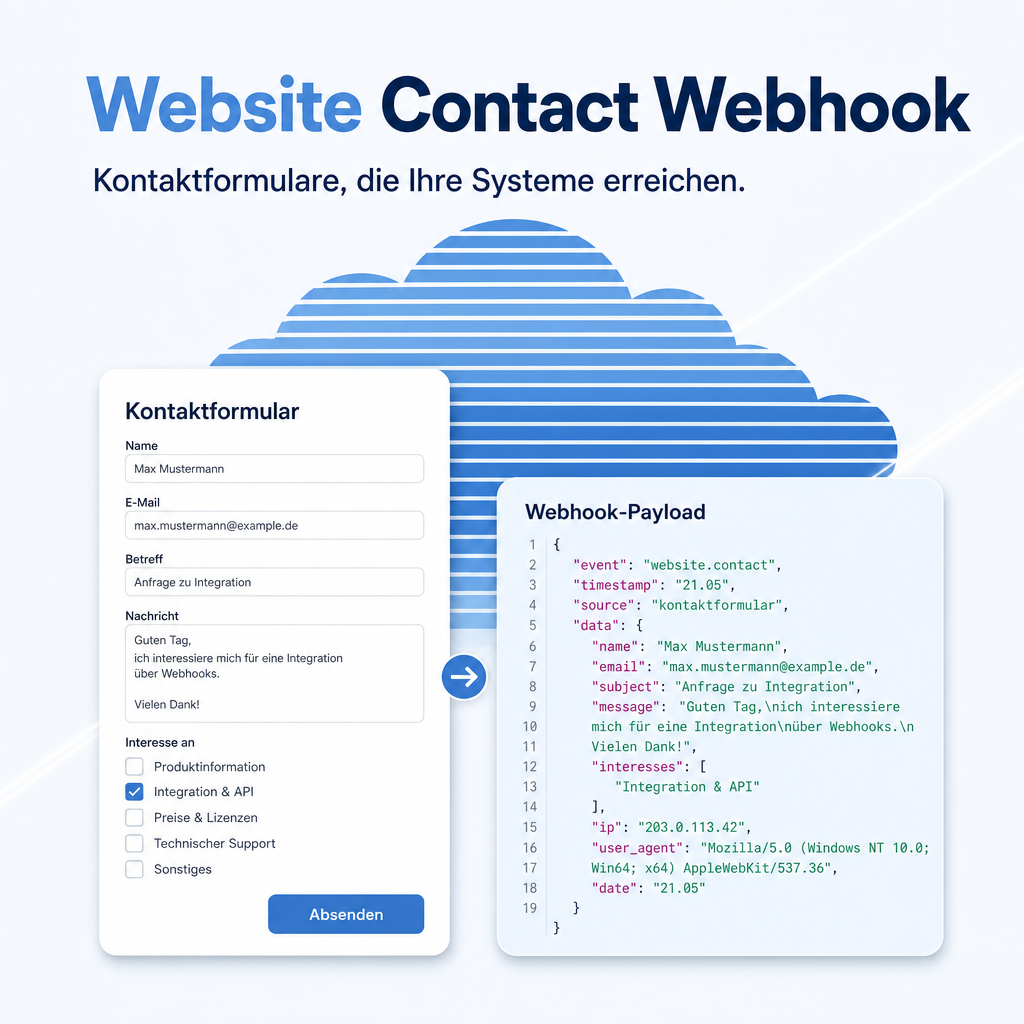
Website Contact Webhook adds configurable contact forms to your Odoo websites and a secured webhook endpoint for external systems, with optional forwarding to the LangDock AI platform. Each website gets its own form under a URL path of your choice, and its own key for the webhook endpoint. Every incoming request — from the form or the webhook — is logged with sender address, timestamp and status in a searchable trail, and a scheduled job forwards it to LangDock automatically. No CRM installation required.
The help for this module is findable — for people and for AI
Search the documentation yourself, or let an AI assistant read the module's capability card — both draw on the same pages.
"eq_website_contact_webhook")
Full-text search and the module card are provided by Help Docs (eq_helper). This module ships the content — no extra configuration.
Features
One installation, one form per website
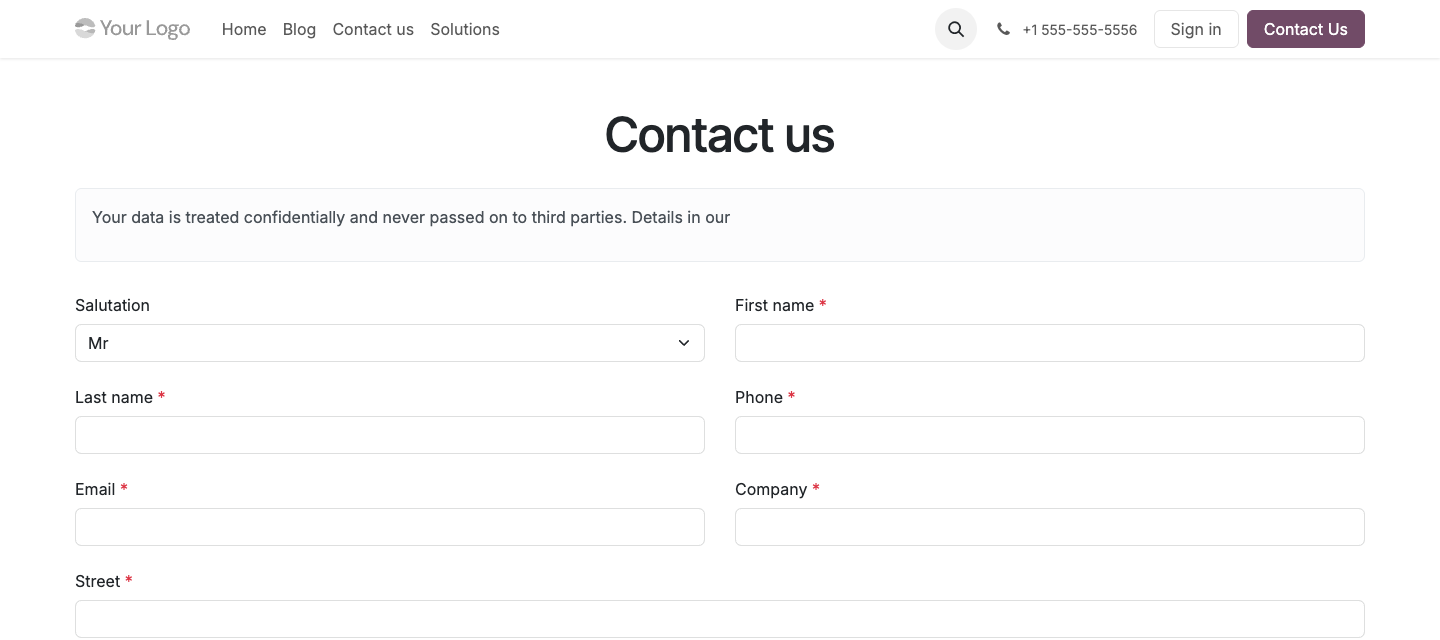
Each website gets its own contact form under a URL path you choose. Three paths ship ready to use — /kontakt, /contact and /kontaktieren — together with two example forms that show different interest lists.
- Form title, introduction text, success message, privacy notice and the submit button label are all editable per form.
- The salutation, contact-method and subject fields, and whether a message is required, can each be switched on or off.
Interest options that match the audience
Radio buttons or checkboxes with labels and an order you set — every form shows exactly the choices that fit its visitors.
- The two example forms use different interest lists: one lists Odoo editions, the other product categories.
- A selected interest becomes part of the stored record, not just of the submitted form.
Changes apply on the next page load
Rename a form, hide a field, reorder an interest option — every change in the backend shows up on the website immediately. No restart, no deployment step.
A separate key for every website
Each website gets its own access to the webhook endpoint. Run several websites from one installation and their requests stay cleanly separated — a compromised key never affects more than one website.
The full raw record stays available
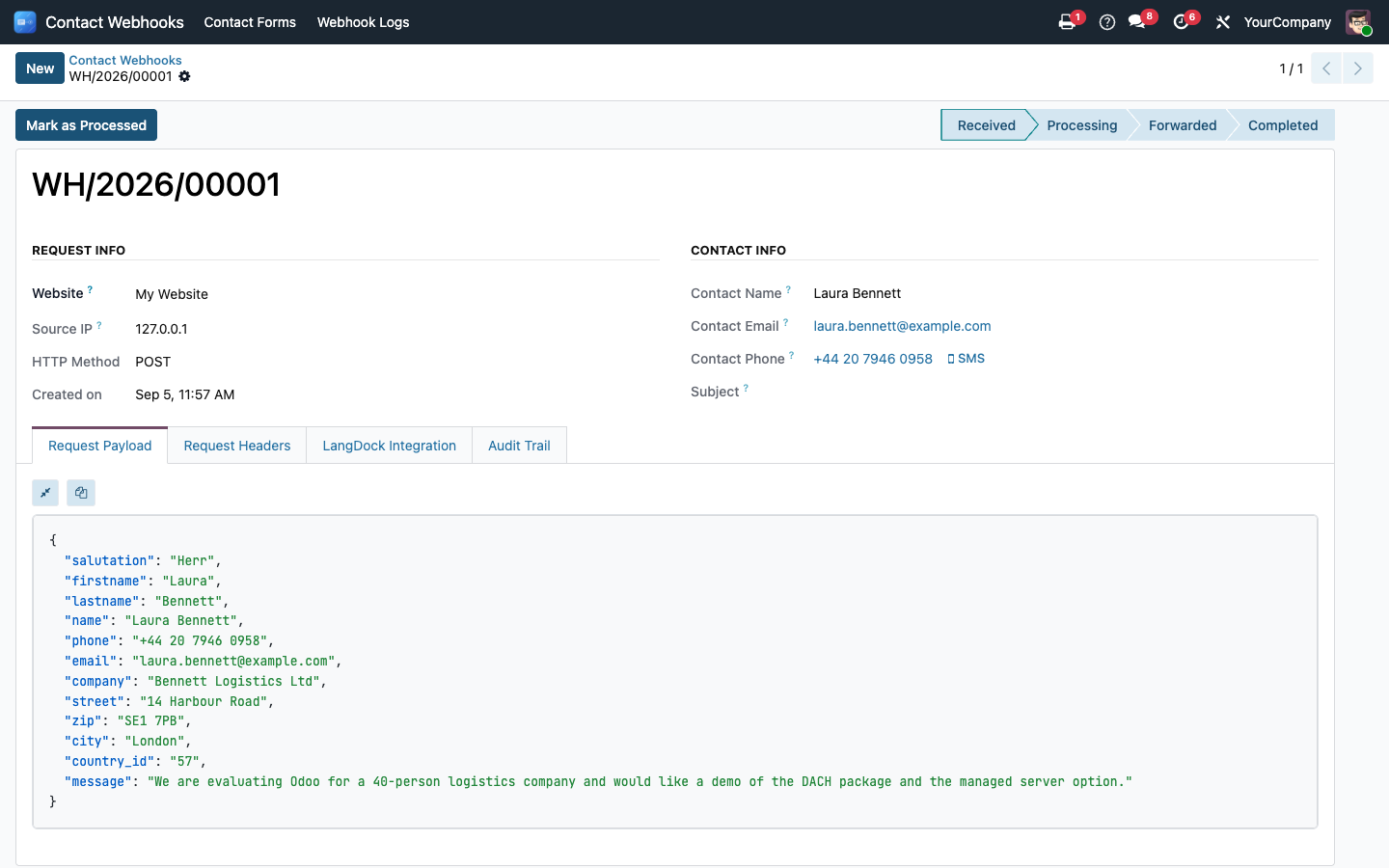
Every request — from the form or the webhook — appears in the log with name, e-mail, phone and subject at a glance, plus the complete JSON payload with syntax highlighting, the request headers and the sender's IP address.
- "Mark as processed" closes a request, "Retry" triggers the LangDock forwarding again — even after the retry limit has been reached.
- Sensitive headers are stripped automatically before the record is stored.
Automatic forwarding to LangDock
A scheduled job forwards new requests to LangDock every two minutes and retries a failed attempt up to five times before marking it as failed. Without a LangDock connection the log simply stays the sole record — no request is lost.
Safeguards that are on from the start
The webhook key is visible to administrators only and compared in constant time, so a timing attack learns nothing. The LangDock target address is checked against internal network ranges, so the webhook cannot become a way into your own infrastructure.
- CSRF protection stays active for the frontend forms; the webhook endpoint authenticates with the API key instead.
- The module works entirely without a CRM installation — skip it and you still lose no request.
Frequently Asked Questions
Which Odoo editions are supported?
The module runs on Odoo Community and Odoo Enterprise, version 19.0 — self-hosted or on Odoo.sh. Odoo Online, the hosted SaaS edition, does not accept apps from the store, so no third-party module can run there.
What are the dependencies?
Requires the Odoo modules base, web, website and eq_web_json_widget, which Odoo installs automatically.
Does the module need additional Python packages?
Yes — requests, used to call the LangDock webhook. Odoo installs module dependencies by itself, but not Python packages: your administrator installs it once on the server. Without it the module cannot be installed.
How is that package installed?
Self-hosted (own server, Docker): install the package into the same Python
environment Odoo runs in and restart the service —
pip install requests. In a Docker setup, add the same line to your image
so it survives a container rebuild.
Odoo.sh: add requests to a requirements.txt in your
repository — either in the branch root or in the folder that contains your addons.
Odoo.sh installs it on the next build; a pip install typed into the shell would be
lost with the next one. The installation appears in the build log
(~/logs/pip.log).
The package is published on PyPI and needs no license key of its own.
Does the module require a CRM?
No. Contact requests use their own data model — install eq_website_contact_webhook on its own, with no CRM dependency at all.
Is the stored contact data personal data?
Yes. The log stores names, e-mail addresses, phone numbers and IP addresses. Treat it as personal data: restrict who can read it and delete entries according to your own retention rules.
How is the webhook secured?
Each website authenticates with its own API key, compared in constant time. Sensitive request headers are stripped before storage, and the LangDock target address is checked against private, loopback and cloud-metadata ranges before use.
What happens if LangDock is unreachable?
The job retries a failed forwarding attempt up to five times before marking it as failed. The request itself is never lost — it stays in the log, and "Retry" triggers another attempt at any time.
Do I need to configure rate limiting myself?
Yes. /webhook/contact is reachable from the public internet and the API key is only checked once a request arrives, so put a rate limit in front of it — a ready-to-adapt nginx example ships in the module's documentation.
Do you provide support?
Yes, contact support@equitania.de.
Will it keep working after Odoo updates?
Yes, within 19.0.x. A major-version upgrade is delivered as a new module version.
Support · Kontakt
We are happy to support you · Wir unterstützen Sie gerne.


Weiherstraße 13
75173 Pforzheim
Deutschland · Germany
Telefon: +49 7231 16 604 0
Telefax: +49 7231 16 604 200
Homepage: www.ownerp.com
Support: support.equitania.de
E-Mail: support@equitania.de
EN · All information on this page is provided for product description purposes only and is not legally binding. It constitutes neither a guarantee of quality nor an assurance of any particular scope of functions, fitness for a particular purpose or specific results; only the contractual agreements and the scope of delivery of the version actually installed are authoritative. Screenshots show example configurations. Product and company names mentioned are trademarks or registered trademarks of their respective owners; naming them implies neither affiliation with nor endorsement by those owners. This description was written with AI assistance and was reviewed and approved before publication; the German version prevails.