
Website Manipulate
Editorial control over publishing dates, per-language page URLs and every change made to your content.
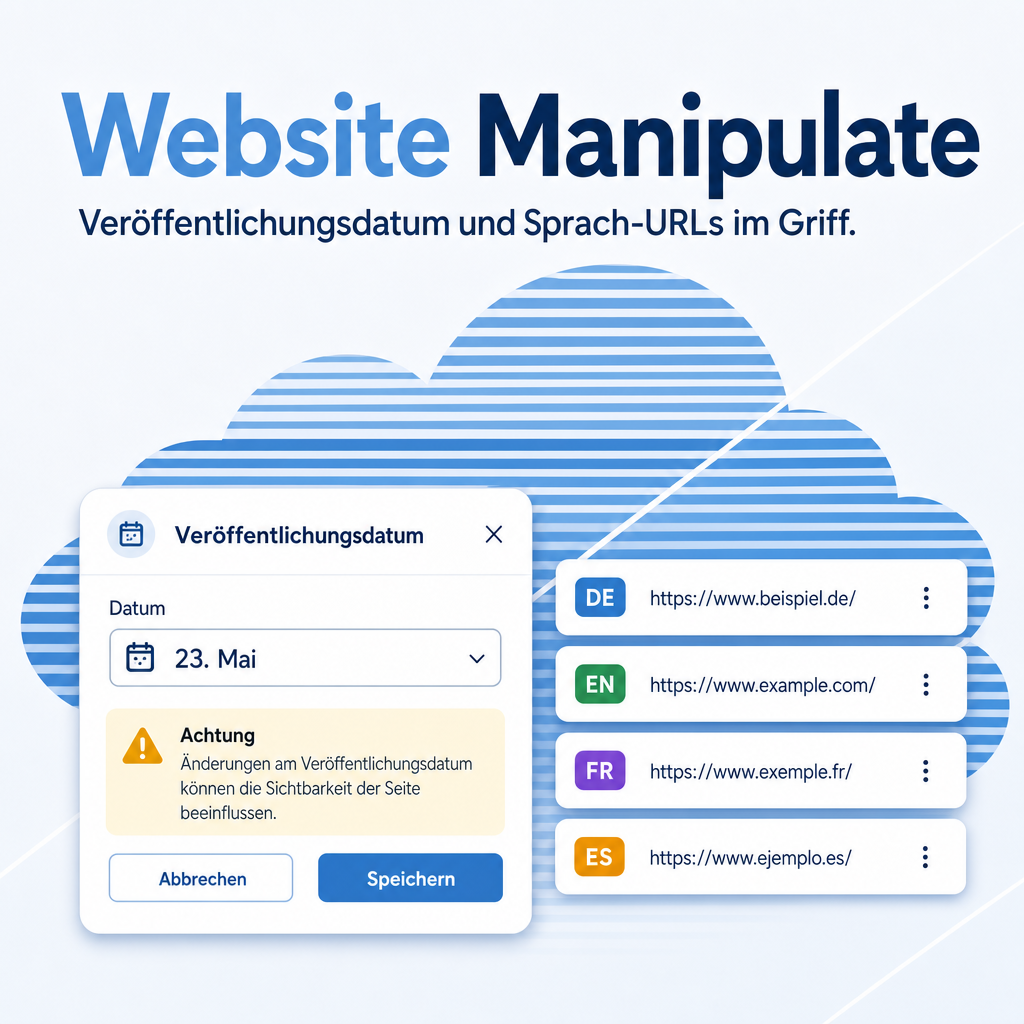
Website Manipulate adds three things Odoo's own website apps do not provide: setting the publishing date of any number of blog posts or website pages from one dialog, and giving a website page its own address in every website language. A page stored as /datenschutzerklaerung can be served in English as /en/privacy-policy — served directly with HTTP 200, while the original address redirects permanently onto it. Menus, internal links, the language switcher, hreflang tags and the sitemap all pick up the localized address automatically. And every change to a page, blog post, view, menu or alias is recorded as a complete version — who changed what, when and from where, with a diff and one click back to an earlier state.
The help for this module is findable — for people and for AI
Two help pages in German and English, shipped inside the module. With Help Docs installed you search them in full text — and an AI assistant reads the same content through a machine-readable module card.
"eq_website_manipulate")
Full-text search and module card come from Help Docs (eq_helper). This module ships the content — no extra configuration.
Features
Correct many records in one dialog
Select any number of blog posts or website pages in the backend list and open Actions → Set Publishing Date. One dialog sets, or clears, the date for all of them at once — no opening each record individually.
- Works from the blog post list and the website page list
- Leaving the date empty resets it
The date means something different on each model
A blog post's date is what visitors see and what sorting uses — it does not affect whether the post is published. A website page's date is a go-live gate: a future date hides an already published page. The dialog explains the difference and warns before applying a future date that would hide a live page.
One address per language
Select one or more website pages and open Actions → URLs per Language. The dialog shows one row per active website language, prefilled with a slug proposed from the page name. Adjust each row, or clear it to remove that language's address.
- The alias is served directly with HTTP 200
- The page's own address redirects permanently (301) onto the alias
Nothing breaks when an address changes
Rename or remove an alias and a permanent redirect is left behind automatically — onto the new address, or back onto the page's own address. Bookmarked and indexed links keep resolving without any manual redirect rule.
Localized everywhere, automatically
Once an alias exists, Odoo's own menus, internal links, the language switcher, hreflang tags and the sitemap all use it — no template edits, no manual link maintenance. Aliases can also be reviewed centrally under Website → Configuration → URL Aliases, filterable by language, page or website.
Blog posts need no alias
A blog post's address already comes from its translatable title, so it localizes on its own — the alias feature exists for website pages, whose address is not translatable.
Every change is on the record
Each change to a page, blog post, view, menu or alias is stored as a complete version — who, when, and where it came from: the website builder, the backend or an import.
See what changed, and put it back
Compare any two versions: changed values side by side, text changes highlighted line by line, in every language. One click writes an earlier version back — and even a deleted page can be recreated from its last recorded state.
The history stays honest
Restoring adds a new entry instead of overwriting the old ones, and nobody can delete entries by hand. Retention is configured per website and applied by a nightly clean-up.
Frequently Asked Questions
How much storage does the change history need?
Each version is stored compressed in the file store, not in the database. A page of 80 KB takes roughly 8–12 KB compressed; 200 pages with 50 versions each come to about 100 MB. The number of versions and the retention period are configurable per website (default 50 versions / 365 days) and applied by a nightly clean-up.
Does the history show changes made before I installed the module?
No. The first time an existing record is edited, its state at that moment is stored as the initial version, so the first comparison has a reference point. Anything before that cannot be reconstructed. Changes made directly in the database, bypassing Odoo, are not captured either.
Who may view the history and restore an earlier version?
The "Website/Editor" group may view and compare; only "Website/Designer" may restore. Nobody can delete entries by hand — that is left to the nightly clean-up. Because the history records which person changed what and when, introducing it in Germany regularly requires works council agreement; the configurable retention period lets you honour an agreed limit technically.
Which Odoo editions are supported?
Works on Odoo Community and Enterprise, version 19.0 — self-hosted or on Odoo.sh. Odoo Online, the hosted SaaS edition, does not accept apps from the store, so no third-party module can run there.
What are the dependencies?
Requires the Odoo modules website and website_blog, which Odoo installs automatically. No external Python packages are needed.
Does the module translate the URL for me?
No. It lets you set a distinct URL per language; the wizard proposes one starting slug — the same one in every row, because the page name it derives from is not a translatable field — and you adjust it per language yourself.
What happens to old links when I rename a URL alias?
They keep working. A permanent (301) redirect is created automatically for the old address, for every website the page belongs to.
Do blog posts need a URL alias too?
No. A blog post's address already comes from its translatable title and localizes on its own.
Will it work after an Odoo update within the same major version?
Yes, within 19.0.x. Major version upgrades are delivered as a new module version.
Do you provide support?
Yes, contact support@equitania.de.
Can I see it in action?
Contact support@equitania.de for a guided walkthrough.
Support · Kontakt
We are happy to support you · Wir unterstützen Sie gerne.


Weiherstraße 13
75173 Pforzheim
Deutschland · Germany
Telefon: +49 7231 16 604 0
Telefax: +49 7231 16 604 200
Homepage: www.ownerp.com
Support: support.equitania.de
E-Mail: support@equitania.de
EN · All information on this page is provided for product description purposes only and is not legally binding. It constitutes neither a guarantee of quality nor an assurance of any particular scope of functions, fitness for a particular purpose or specific results; only the contractual agreements and the scope of delivery of the version actually installed are authoritative. Screenshots show example configurations.