AI SEO Optimization
"Fill with AI" contains no AI. Until now.
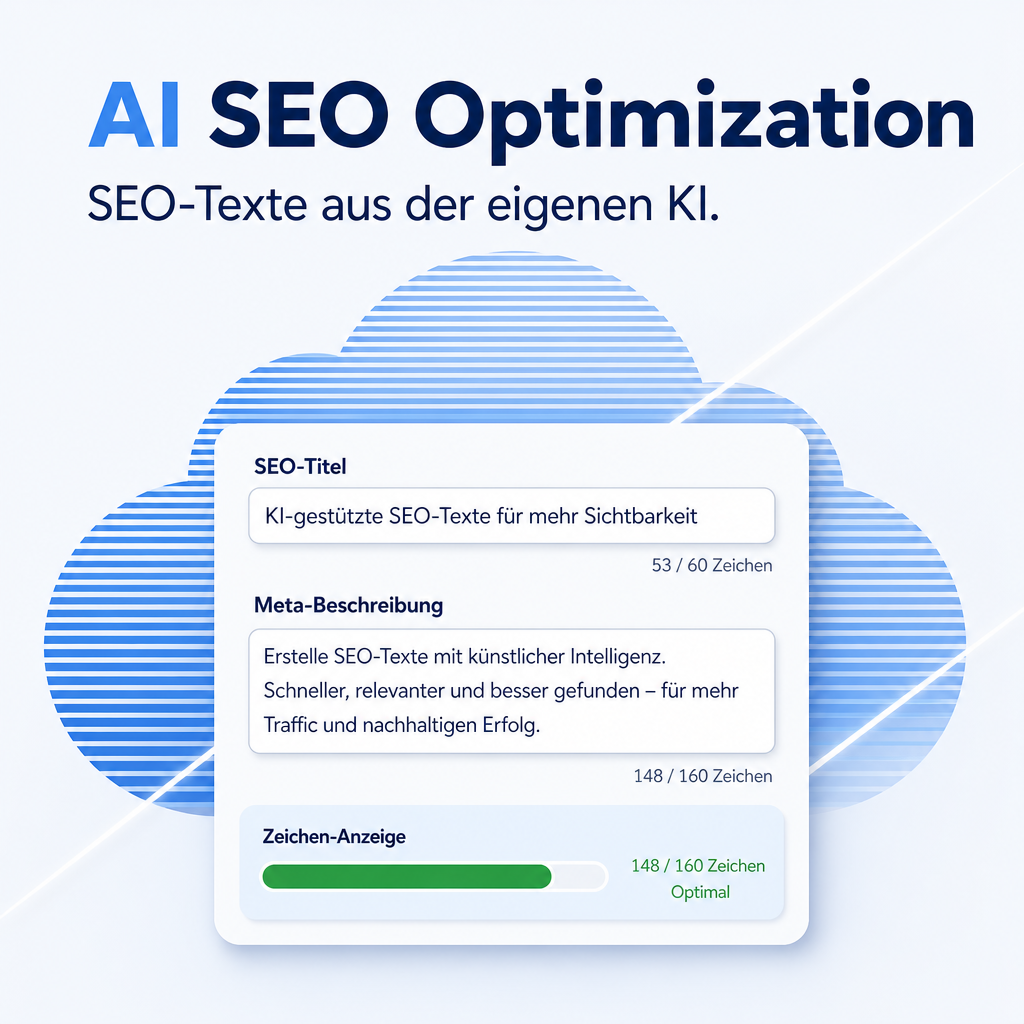
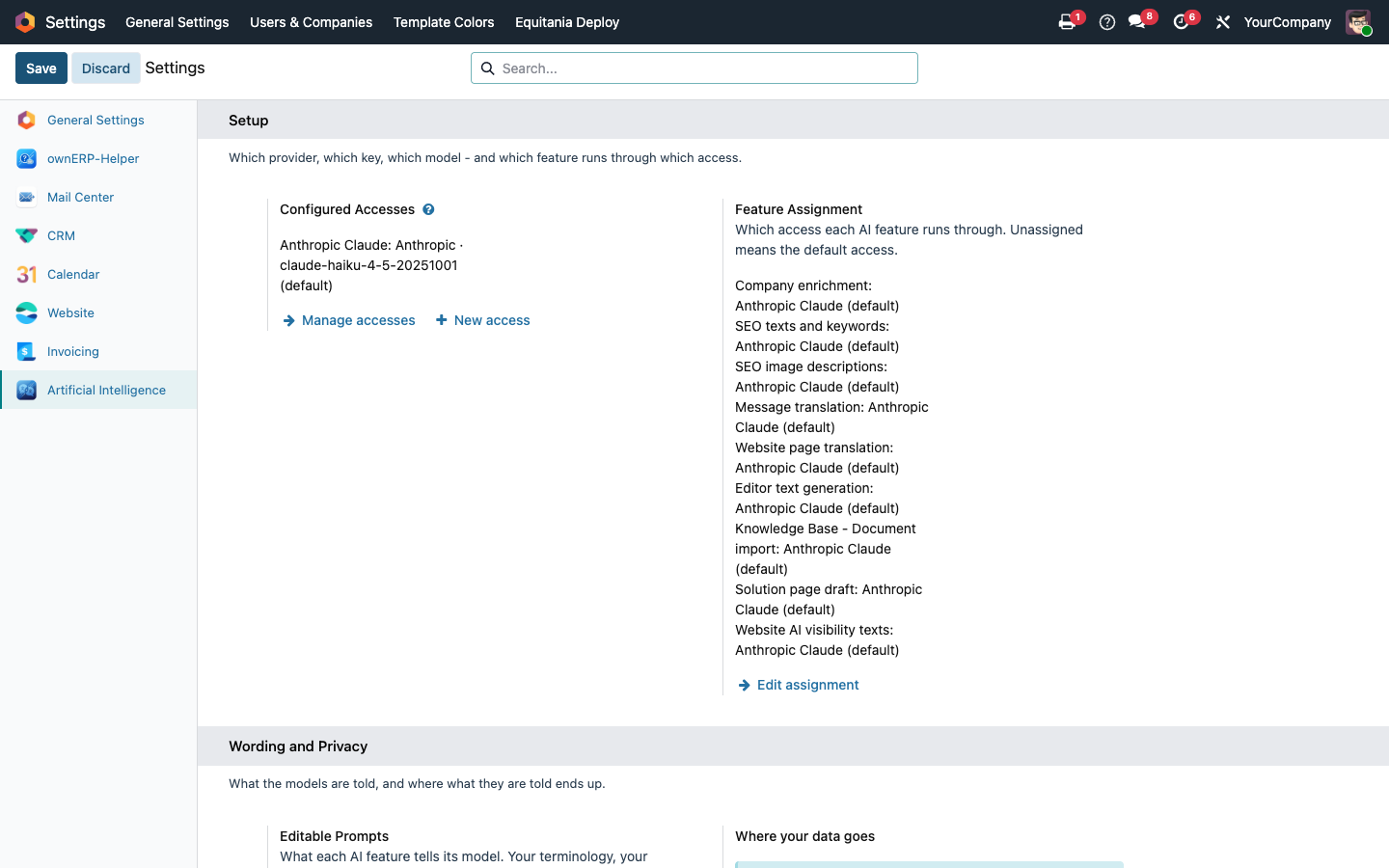
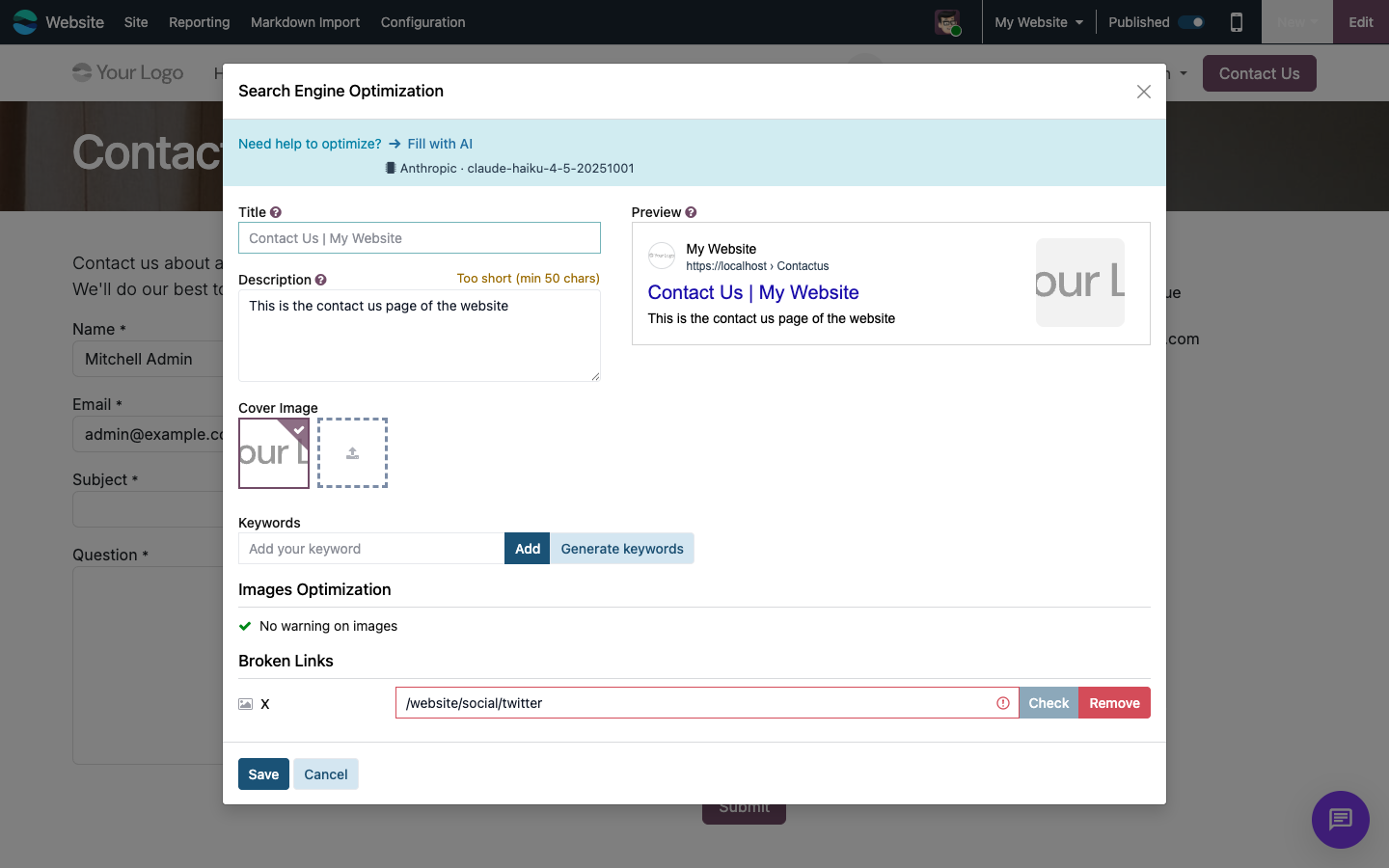
Odoo's "Fill with AI" button in the SEO dialog copies the page title and stitches subtitles together — which is why the same dialog then flags the result as too short or too long. This module puts an actual language model behind it: the one you assigned under Settings › Artificial Intelligence — texts and images may even use different models. The title stays under 65 characters, the description between 50 and 160 — checked and re-requested when it misses, not merely asked for in the prompt. Image alt texts are written for a whole page in one pass, and keyword suggestions come from your own provider instead of Google's autocomplete.
The help for this module is findable — for people and for AI
One help page in German and English, shipped inside the module. With Help Docs installed you search it in full text — and an AI assistant reads the same content through a machine-readable module card.
"eq_ai_seo")
Full-text search and card delivery are provided by Help Docs (eq_helper); this module ships the page and the card.
Features
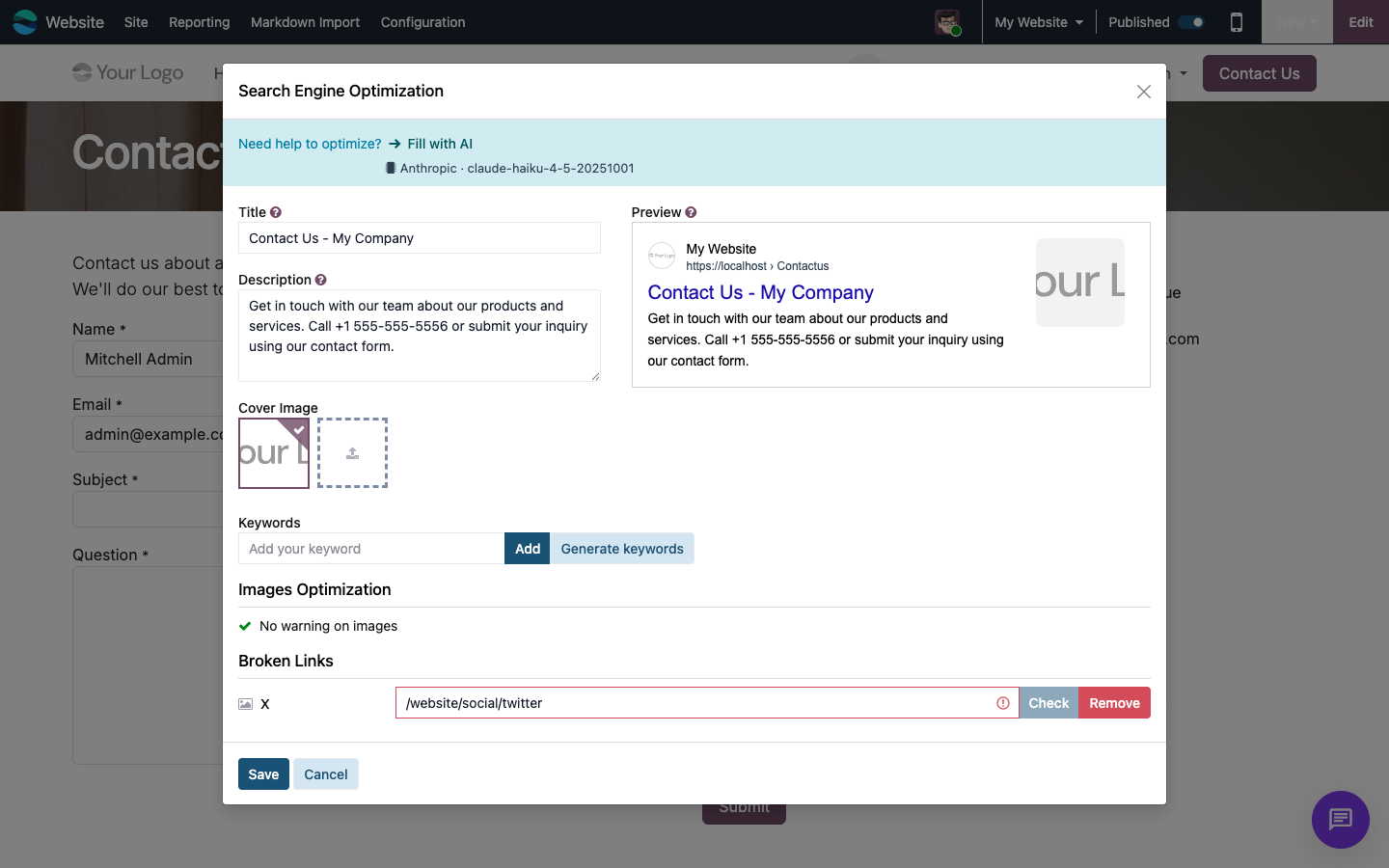
Meta texts that respect the character limits
Title and description are written from what the page actually offers, not from copied headings. The module measures the answer: 65 characters for the title, 50 to 160 for the description. If it misses by a wide margin, the module asks again quoting the real character counts, then cuts at a word boundary — never mid-word.
- No more "Too short (min 50 characters)" complaints from the SEO dialog
- Three stages: instruction, verification, targeted re-request
Alt texts for a whole page in one click
A vision-capable model describes every image on the page that has no alt text yet — up to twelve per pass, telling you how many are still open. One more click continues. Texts you wrote yourself stay untouched. If the model considers an image purely decorative, it marks it as such instead of inventing a description.
- Separate vision model setting — the translation model usually cannot read images
- Retrofit accessibility without typing hundreds of alt texts
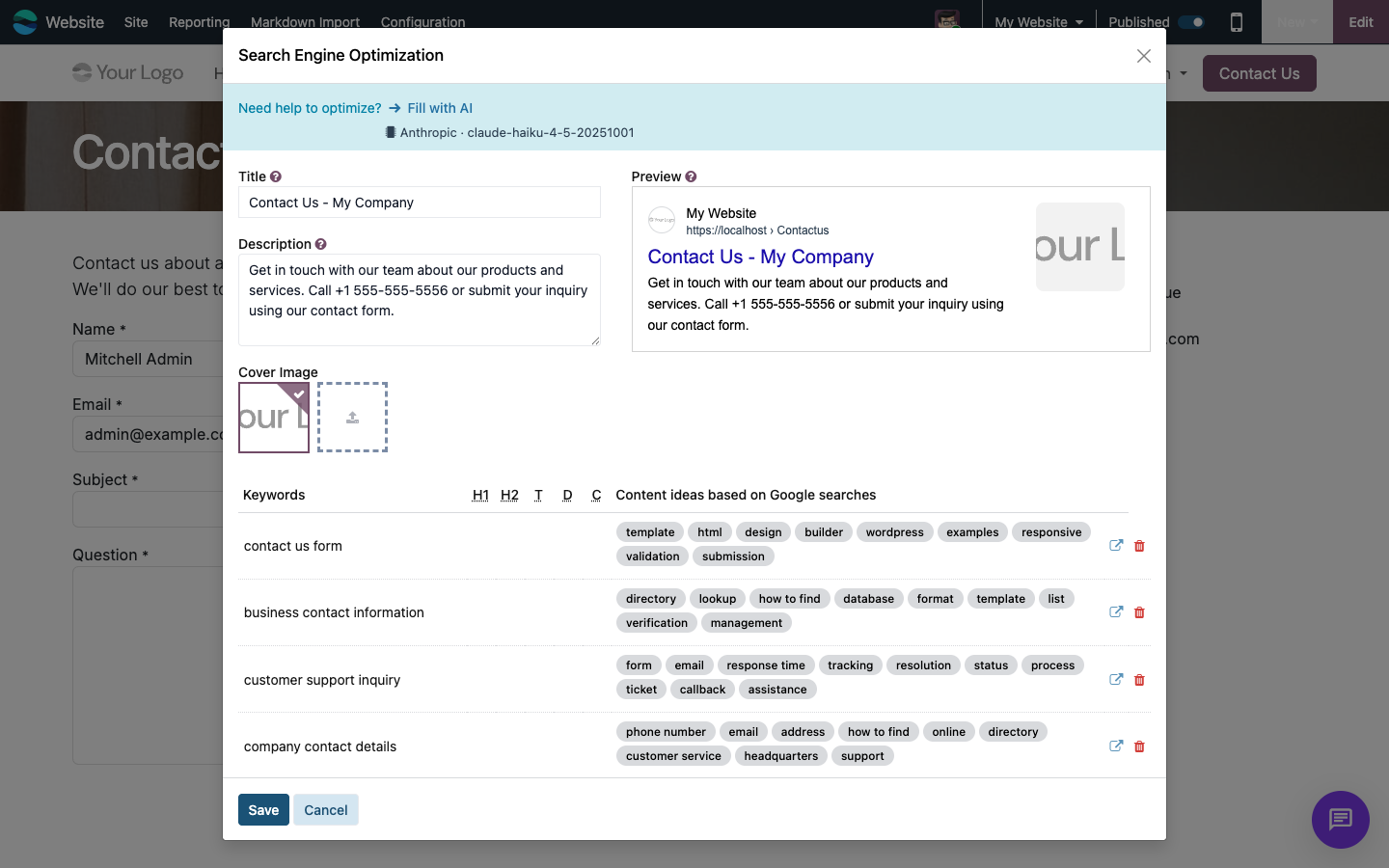
No search term reaches Google
Keyword suggestions and the related search terms per keyword come from your configured provider. Odoo otherwise queries Google's autocomplete — every term you type leaves the house that way. Here it stays on the route you already chose for translation.
- No Odoo IAP credits, no second API key
- The settings state exactly what the provider gets to see
Your house style lives in the settings
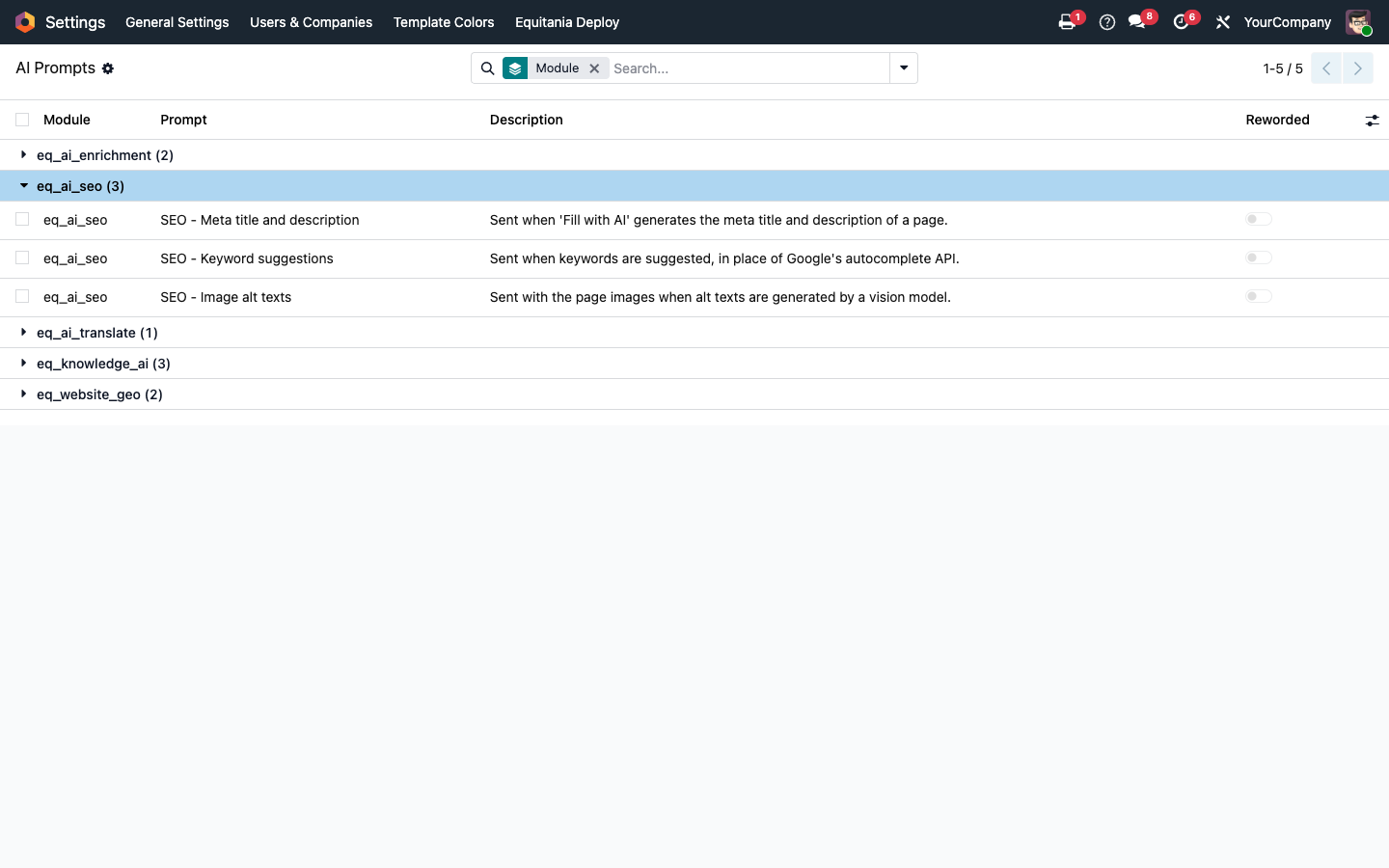
Three prompts under Settings › Artificial Intelligence: one for meta texts, one for keywords, one for alt texts. Tone, spellings and terms that must not be changed go in there. Each prompt has its own button that restores the shipped version.
- The response format is appended by the module itself — nothing there can break
- The "?" beside the settings block opens bilingual help inside Odoo
It stays usable when something is missing
With no AI provider configured, both buttons behave exactly as they did in Odoo. When a request fails, the message names the reason — rejected key, rate limit, overloaded provider, request too large, or a model that cannot read images. Instead of a click that does nothing.
- Both buttons show progress while the request runs; a second click is blocked
Frequently Asked Questions
Installation & requirements
Which Odoo editions are supported?
Community and Enterprise, version 19.0 — self-hosted or on Odoo.sh. Odoo Online, the hosted SaaS edition, does not accept apps from the store, so no third-party module can run there.
What else is required?
The modules Website, AI Foundation (eq_ai_base) and ownERP-Helper (eq_helper) — Odoo installs these by itself. AI Foundation carries the provider profiles and the encrypted API keys; ownERP-Helper serves the help page behind the "?". In addition, one Python package has to be installed on the server — see the next two entries.
Does the module need additional Python packages?
Yes — eq-chatbot-core, which talks to the AI providers. Odoo installs module dependencies by itself, but never a Python package: your administrator installs that one once on the server. Without it the module cannot be installed.
How is that package installed?
Self-hosted (own server, Docker): install it into the same Python environment Odoo runs in and restart the service — pip install eq-chatbot-core. In a Docker setup, add the same line to your image so it survives a container rebuild.
Odoo.sh: add eq-chatbot-core to a requirements.txt in your repository — either in the branch root or in the folder that contains your addons. Odoo.sh installs it on the next build; a pip install typed into the shell would be lost with the one after. The installation shows up in the build log (~/logs/pip.log).
The package is published on PyPI and needs no license key of its own.
Which AI provider is used?
The one you assigned under Settings › Artificial Intelligence. Texts and image descriptions are assigned separately, so a strong model can write the public copy while a vision model handles the alt texts. No second contract is needed, and no Odoo IAP credits are consumed.
Why a separate model for images?
A model that writes good copy usually cannot read images. So "SEO texts" and "SEO image descriptions" are assigned separately under Settings › Artificial Intelligence and may even sit at different providers. If the assigned model is not known to read images, the assignment list warns you — a hint, not a block, because the guess comes from the model name.
Privacy & behaviour
What data goes to the provider?
The page text on every generation, plus the downscaled images when alt texts are requested. A note about this sits right in the settings. Nothing goes to Google — not even the keywords you type.
Does it overwrite existing text?
No. Images that already have an alt text are left alone, and every suggestion lands in the form first. Nothing is stored until you save.
What happens with no provider configured?
Both buttons behave as they did in Odoo. The module blocks nothing — it simply steps back.
License & support
Under which license is the module published?
OPL-1 (Odoo Proprietary License v1.0). Recurring costs arise only with the AI provider you choose.
Do you provide support?
Yes — via support@equitania.de and the portal support.equitania.de. Please have your proof of purchase ready. We do not offer a service level agreement with guaranteed response times.
Will it keep working after an Odoo update?
Within 19.0.x, yes. A major version change ships as a new module version.
Can I see it in action first?
We do not run a demo instance. For a guided walkthrough, write to support@equitania.de.
More solutions from Equitania · Weitere Lösungen von Equitania
Support · Kontakt
We are happy to support you · Wir unterstützen Sie gerne.

Weiherstraße 13
75173 Pforzheim
Deutschland · Germany
Telefon: +49 7231 16 604 0
Telefax: +49 7231 16 604 200
Homepage: www.equitania.de · www.ownerp.com · odoo2fast.report
Support: support.equitania.de
E-Mail: support@equitania.de
EN · All information on this page is provided for product description purposes only and is not legally binding. It constitutes neither a guarantee of quality nor an assurance of any particular scope of functions, fitness for a particular purpose or specific results; only the contractual agreements and the scope of delivery of the version actually installed are authoritative. Screenshots show example configurations.