Translate websites, products & messages with your own AI provider!
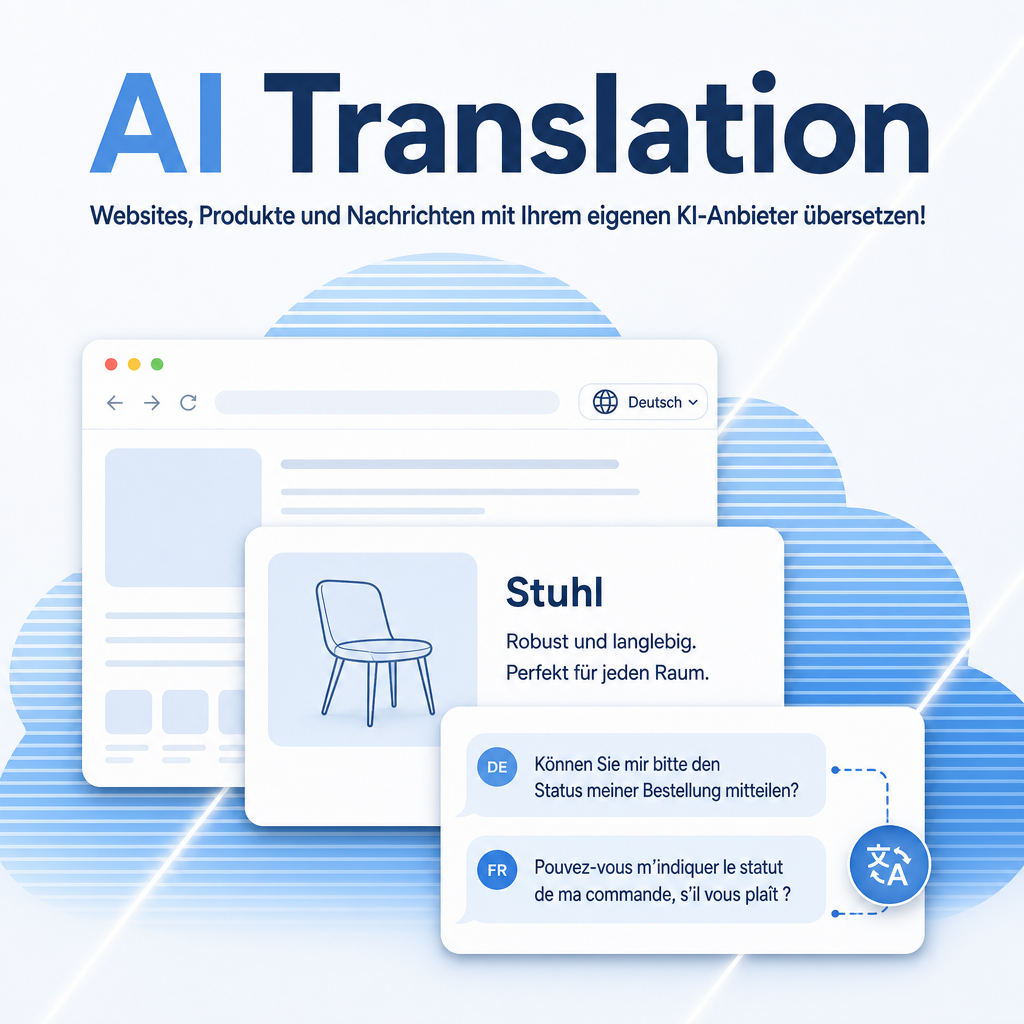
AI Translation replaces Odoo's built-in Google Translate integration with a language model of your choice. The familiar "Translate" link on every message stays exactly where it is — but the translation now comes from LangDock (EU data centers), OpenAI, Anthropic, or a local model on your own hardware. Each message is translated once per language and cached, your API key is stored encrypted, and with a local provider no message ever leaves your network.
The module optionally also serves the AI translation in the website builder and the text editor — requests Odoo otherwise sends to its own paid AI service. The builder’s translation panel then names the provider and model doing the work.
The help for this module is findable — for people and for AI
Three help pages in German and English, shipped inside the module. With Help Docs installed you search them in full text — and an AI assistant reads the same content through a machine-readable module card.
"eq_ai_translate")
Full-text search and module card come from Help Docs (eq_helper). This module ships the content — no extra configuration.
Features
One click, one translation
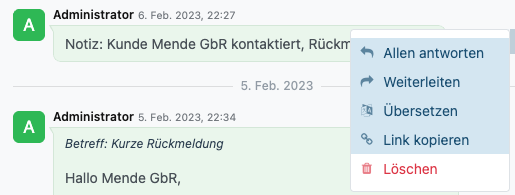
The "Translate" link on messages in Discuss and in the chatter of quotations, orders and invoices works as before — including automatic source-language detection and a "Translated from" note in the user's own language.
- Formatting, links and emojis are preserved
- Each message is translated once per language, then served from cache — one API call instead of many
Your provider, your rules
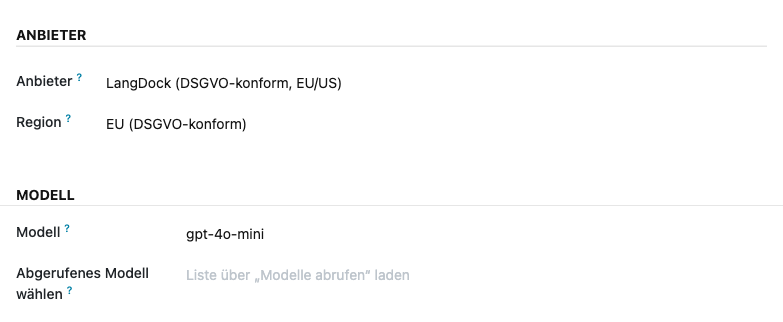
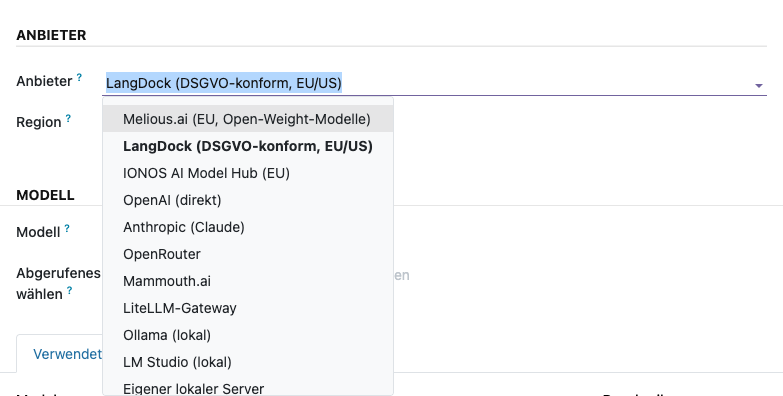
Pick the translation engine under Settings › Artificial Intelligence: Melious.ai (sovereign EU hosting, the default), LangDock (EU/US), IONOS, OpenAI, Anthropic, OpenRouter, Mammouth, LiteLLM — or Ollama and LM Studio running on your own servers. Model and region are configured on the same page, no code required.
- 11 provider options, from sovereign EU hosting to fully local
- Built-in connection test: checks key and model with one request and reports the exact cause on failure
- Free model choice, e.g. gemma-4-31b or gpt-4o-mini for low cost per translation
GDPR without compromise
Choose where your message content is processed: LangDock with region EU keeps data in European data centers; Ollama or LM Studio keep it entirely inside your network. The settings page states plainly which provider processes data where.
- EU region for European data residency
- Fully local operation possible — no cloud account needed
Encrypted API key
The provider key is stored Fernet-encrypted in the database and is never displayed again after saving. Only administrators can manage it; a stored-key indicator and a "Clear API Key" button keep the state visible at all times.
- Encryption key can live outside the database (environment variable)
- Existing plain-text keys are encrypted automatically on update

Website builder without extra AI credits
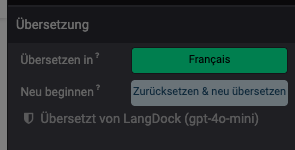
Odoo sends the page translation in the website builder and the "Translate with AI" toolbar item to its own paid AI service. Switch that over to your configured provider — one checkbox in the settings. The builder’s translation panel then names the provider and model doing the work, so nobody has to guess.
- No AI credits consumed — the content goes to the provider you already pay for
- Switch it off and Odoo’s own service stays in charge; the editor keeps working either way
Overview instead of guesswork
An overview under Settings › Technical › Translations shows, per content item and language, how many text fragments are already translated: as a list with a percentage, and as a matrix that puts content and languages side by side. Four states are visible at a glance: not translated, partially translated, fully translated, and no translatable text. The overview’s action menu queues translation for several items at once — either fill in what is missing or discard everything and translate again. The runs work in the background and block no session; each job carries its outcome when it finishes, or the plain-text reason if it failed.
- Website pages, blog posts and products are already registered as content types; further models can be added without programming
- Filterable and groupable by language, state and content type — the overview opens filtered to "not fully translated" by default
Translate products where they are, not where the settings are
Select the rows in the product list, open the action menu, choose "Translate with AI" — a dialog asks for the target languages and the texts, and the run joins the queue. Name, internal note, sales, purchase and stock descriptions go through in one pass instead of record by record.
- The dialog is bound to no model: one checkbox on a content type puts the same entry into the list of partners, quotation texts or any other registered model — no programming
- A large catalogue costs nothing when idle: for products the hourly check is switched off, and rows appear only for what someone actually asked to translate
- Limits are stated, not hit: an oversized selection, a record without translatable text or a missing write permission is reported straight away instead of becoming a row of failed jobs
Frequently Asked Questions
Which Odoo editions are supported?
Odoo Community and Enterprise, version 19.0 — self-hosted or on Odoo.sh. Odoo Online, the hosted SaaS edition, does not accept apps from the store, so no third-party module can run there.
What are the dependencies?
The Odoo modules Discuss (mail), AI Foundation (eq_ai_base) and ownERP-Helper (eq_helper) — Odoo installs those by itself. In addition, one Python package has to be installed on the server: see the next two entries.
Does the module need additional Python packages?
Yes — eq-chatbot-core, which talks to the AI providers. Odoo installs module dependencies by itself, but never a Python package: your administrator installs that one once on the server. Without it the module cannot be installed.
How is that package installed?
Self-hosted (own server, Docker): install it into the same Python environment Odoo runs in and restart the service — pip install eq-chatbot-core. In a Docker setup, add the same line to your image so it survives a container rebuild.
Odoo.sh: add eq-chatbot-core to a requirements.txt in your repository — either in the branch root or in the folder that contains your addons. Odoo.sh installs it on the next build; a pip install typed into the shell would be lost with the one after. The installation shows up in the build log (~/logs/pip.log).
The package is published on PyPI and needs no license key of its own.
Does it work without an external AI provider?
Yes. With Ollama or LM Studio the translation runs on your own hardware — no API key, no cloud account, no data leaving your network.
Is it GDPR-compliant?
You decide: LangDock with region EU processes messages in European data centers; a local provider keeps them in-house. The privacy notice in the settings names the data location for every option.
How is my API key protected?
It is stored Fernet-encrypted, is never shown again after saving, and only administrators can change or remove it. The encryption key can be kept outside the database via an environment variable.
What happens to Google Translate?
The module replaces the Google Translate integration in the settings. You no longer need a Google Cloud account or Google API key.
Does this cover every AI feature in Odoo?
No, and we say so plainly. Covered are the message translation in Discuss, the page translation in the website builder and the "Translate with AI" editor item. Three features stay with Odoo’s own service because Odoo calls it directly in server code, where no module can intervene: placeholder texts in the website configurator, job descriptions in Recruitment and the CRM business card scanner.
Can product texts be translated too?
Yes. Products ship as a registered content type, and the product list carries a "Translate with AI" entry in its action menu — covering name, internal note, sales, purchase and stock descriptions. Any other model with translatable fields is enabled the same way: register it as a content type and tick "Offer in the action menu". One run covers up to 2000 combinations of record and language.
Do you provide support?
Yes — via support@equitania.de and the support portal support.equitania.de.
Will it keep working after Odoo updates?
Yes, within Odoo 19.x. Major version upgrades are delivered as a new module version.
More solutions from Equitania · Weitere Lösungen von Equitania


Support · Kontakt
We are happy to support you · Wir unterstützen Sie gerne.

Weiherstraße 13
75173 Pforzheim
Deutschland · Germany
Telefon: +49 7231 16 604 0
Telefax: +49 7231 16 604 200
Homepage: www.equitania.de · www.ownerp.com · odoo2fast.report
Support: support.equitania.de
E-Mail: support@equitania.de
EN · All information on this page is provided for product description purposes only and is not legally binding. It constitutes neither a guarantee of quality nor an assurance of any particular scope of functions, fitness for a particular purpose or specific results; only the contractual agreements and the scope of delivery of the version actually installed are authoritative. Screenshots show example configurations. Product and company names mentioned are trademarks or registered trademarks of their respective owners; naming them implies neither affiliation with nor endorsement by those owners. This description was written with AI assistance and was reviewed and approved before publication; the German version prevails.