
Who sees what, decided in one place.
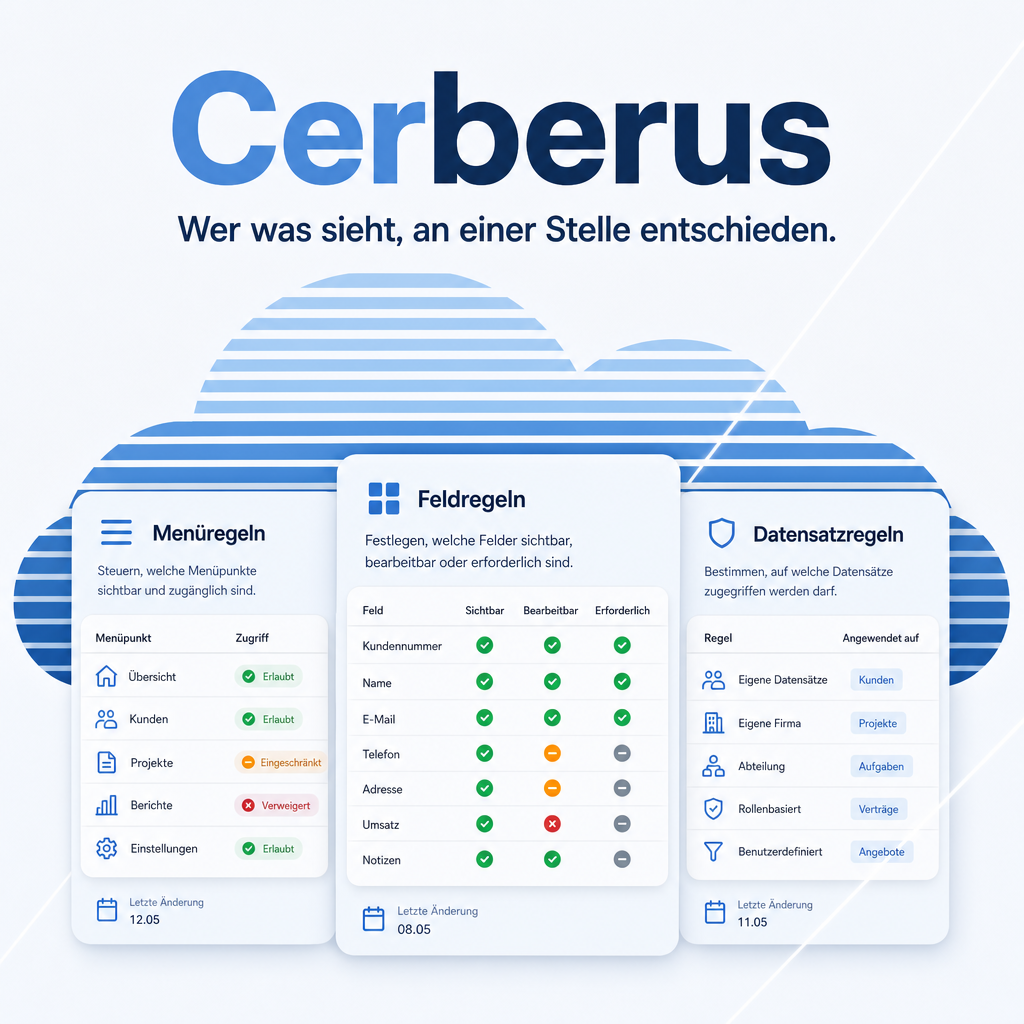
Odoo's access rights work per model. What they cannot express is the ordinary request: this group should not see that menu, this field must stay read-only for the warehouse, this department may create but not delete. Cerberus collects those decisions in named policies — menus, fields and record operations together — and enforces them on the server, not just in the interface.
Labels and messages ship in English, German, French and Spanish, and the help is in the product rather than on a website. Further languages need a translation file, nothing in the code.
The help for this module is findable — for people and for AI
Sixteen help pages in German and English, shipped inside the module. With Help Docs installed you search them in full text — and an AI assistant reads the same content through a machine-readable module card.
"eq_cerberus")
Full-text search and module card come from Help Docs (eq_helper). This module ships the content — no extra configuration.
Features
The manual sits inside the product
Every tab carries its own help page, opened by the question mark next to it — inside Odoo, without switching to a browser and without searching a documentation site that may describe another release.
Sixteen topics cover the six areas, a thirty-minute introduction and the transfer between systems. The question mark in the header opens the overview; the one on a tab opens exactly the topic being worked on.
Enforced on the server
A field hidden in the interface is a suggestion — anyone who knows the external interface walks around it. Cerberus hooks into create, write and unlink on the base model and refuses the operation with a message that names the policy.
The same restriction therefore holds for the interface, for XML-RPC and for any call from your own Python code.

A write refused in the data layer — the message names the policy.
Tidied up or locked — you decide per rule
A hidden button and a refused operation look the same to the user and are worlds apart in security. Four settings therefore carry a switch of their own: a protected field, the create/edit/delete lock per model, the method behind a hidden button, and the export. Without it they tidy the screen; with it the server refuses, whichever route asks.
That closes the gap between „may edit the course but must not publish it“ and a blanket write lock — the field is refused, the rest of the record stays editable.
Policies follow the role, not the name list
A policy is assigned to users, to groups, or to both. Bound to a group it takes effect the moment somebody receives that role and ends when they lose it — including for members who hold the role only through another group that implies it.
Nobody has to remember to maintain a list of names when a colleague changes department.
Effective rights at a glance
For any user, one window answers what took three screens and developer mode before: which groups are in force and through which other group each one arrives, which access rights and record rules follow from them, and which policies apply.
Each policy is listed with the reason it applies and with what it enforces in the data layer — so the difference between a tidy screen and a real restriction is readable, not guessed. The window only reads; it changes nothing.
Menus, fields and operations in one policy
A role gets described in one breath: „the warehouse sees stock, edits quantities, deletes nothing“. Cerberus lets exactly that be written down as one named policy — six areas in a single form, instead of the same role scattered across groups, record rules and view tweaks.
Users are assigned to the policy, and one policy can serve any number of them.
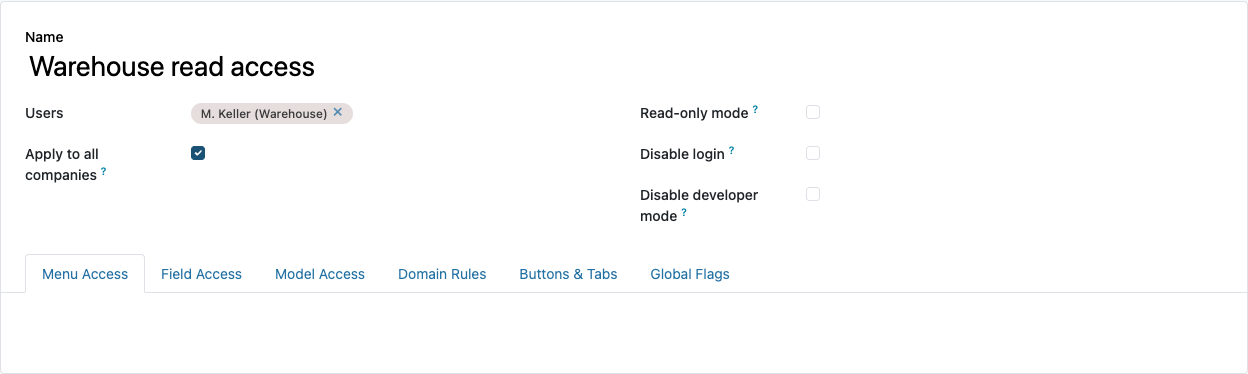
One policy, six areas: menus, fields, model access, domains, controls, global switches.
Menu visibility without detours
Menu entries to hide are picked directly; the policy points at the menu records themselves, with no mirror or intermediate table.
A hidden entry disappears from the navigation and from the web client's menu payload — not merely from the rendering.
Field rights in three steps
Per model and field you decide: invisible, read-only or required. The rule is applied while the view is assembled, so it holds in form, list and search views alike.
On relational fields the jump to the linked record can be removed as well, so a restricted area does not stay open through the detour of a reference.
Record operations per model
Create, edit, delete, archive and duplicate are controlled separately — five checkboxes instead of one blanket write lock.
In the same step you decide which view types a model offers at all, and which reports and server actions disappear from the action menu.
Record-level rules through domains
Where per-model control is too coarse, a domain takes over: own records only, own company only, orders of one department only.
Read, create, write and delete each carry their own checkbox — so a selection can be visible without being editable. The domain is merged into Odoo's own record rules and therefore applies to every query.
Buttons, tabs and kanban links
Individual buttons, notebook tabs and kanban links can be hidden — including the statistics buttons at the head of a form.
Nobody has to type the element names: Cerberus reads the views of the chosen model and stores what it finds as a catalogue to pick from.
Global switches
Four switches act across every model: export, import, „insert in spreadsheet“ and „add property“.
Two more concern access itself: developer mode can be suppressed, and a user's login can be blocked without archiving the account.
Read-only access with one checkbox
A single checkbox puts the assigned users into read access across all models.
That is the account for an audit, for onboarding and for external observers — one that would otherwise have to be assembled from a dozen individual rights.
Locking yourself out is not possible
A policy that would make an administrator read-only or block their login is refused — on creation, on change and on reactivation.
The one mistake whose repair would need database access cannot be made.
Several companies in one database
A policy either applies regardless of the active company or only to selected companies.
A shared database can therefore carry different role cuts per company without duplicating user accounts.
Moving policies between systems
Policies can be exported as JSON and read in elsewhere — either as a new record or as an update to an existing policy.
References to menus, fields and actions are written as XML ID and technical name, not as a database id. Whatever is missing on the target system is logged and skipped instead of aborting the import.
Changes stay traceable
The policy model is attached to the chatter: who set or withdrew which restriction, and when, is recorded on the record itself.
That is the first question an audit asks — and it can be answered without database access.
Frequently Asked Questions
Which Odoo editions are supported?
The module runs on Odoo Community and Odoo Enterprise, version 19.0 — self-hosted or on Odoo.sh. Odoo Online, the hosted SaaS edition, does not accept apps from the store, so no third-party module can run there.
Which other modules does it require?
It requires base, web, mail and eq_helper, which carries the built-in help viewer. Odoo resolves and installs these dependencies itself when you install the module. There is no Python package to add.
Under which license is the module published?
The module is published under the Odoo Proprietary License v1.0 (OPL-1), the licence Odoo provides for paid apps.
Will it keep working after an Odoo update?
Yes, within 19.0.x. A move to the next major Odoo version is delivered as a new module version.
Where do I get support?
Write to support@equitania.de or use our support portal at support.equitania.de.
Can I see the module in action first?
We do not run a public demo instance. Write to support@equitania.deand we will walk you through it.
In which languages is the module available?
Labels and messages are translated into English, German, French and Spanish. The built-in help is available in German and English. Further languages can be added later: the module ships a complete translation template, so a new language needs only its translation file — nothing in the code has to change.
Support · Kontakt
We are happy to support you · Wir unterstützen Sie gerne.


Weiherstraße 13
75173 Pforzheim
Deutschland · Germany
Telefon: +49 7231 16 604 0
Telefax: +49 7231 16 604 200
Homepage: www.ownerp.com · odoo2fast.report
Support: support.equitania.de
E-Mail: support@equitania.de
EN · All information on this page is provided for product description purposes only and is not legally binding. It constitutes neither a guarantee of quality nor an assurance of any particular scope of functions, fitness for a particular purpose or specific results; only the contractual agreements and the scope of delivery of the version actually installed are authoritative. Screenshots show example configurations.
EN · All information on this page is provided for product description purposes only and is not legally binding. It constitutes neither a guarantee of quality nor an assurance of any particular scope of functions, fitness for a particular purpose or specific results; only the contractual agreements and the scope of delivery of the version actually installed are authoritative. Screenshots show example configurations.
FR · Toutes les informations figurant sur cette page servent à la description du produit et n'ont pas de valeur juridiquement contraignante. Elles ne constituent ni une garantie de qualité ni l'assurance d'un périmètre fonctionnel déterminé, d'une adéquation à un usage particulier ou d'un résultat donné ; seuls les accords contractuels et l'étendue de la livraison de la version effectivement installée font foi. Les illustrations présentent des configurations à titre d'exemple.
ES · Toda la información de esta página tiene carácter descriptivo y no es jurídicamente vinculante. No constituye una garantía de calidad ni el aseguramiento de un alcance funcional determinado, de la idoneidad para un fin concreto o de un resultado específico; únicamente son determinantes los acuerdos contractuales y el alcance de suministro de la versión efectivamente instalada. Las imágenes muestran configuraciones de ejemplo.