ownERP-Chatbot
A full AI assistant living right inside your Odoo backend.
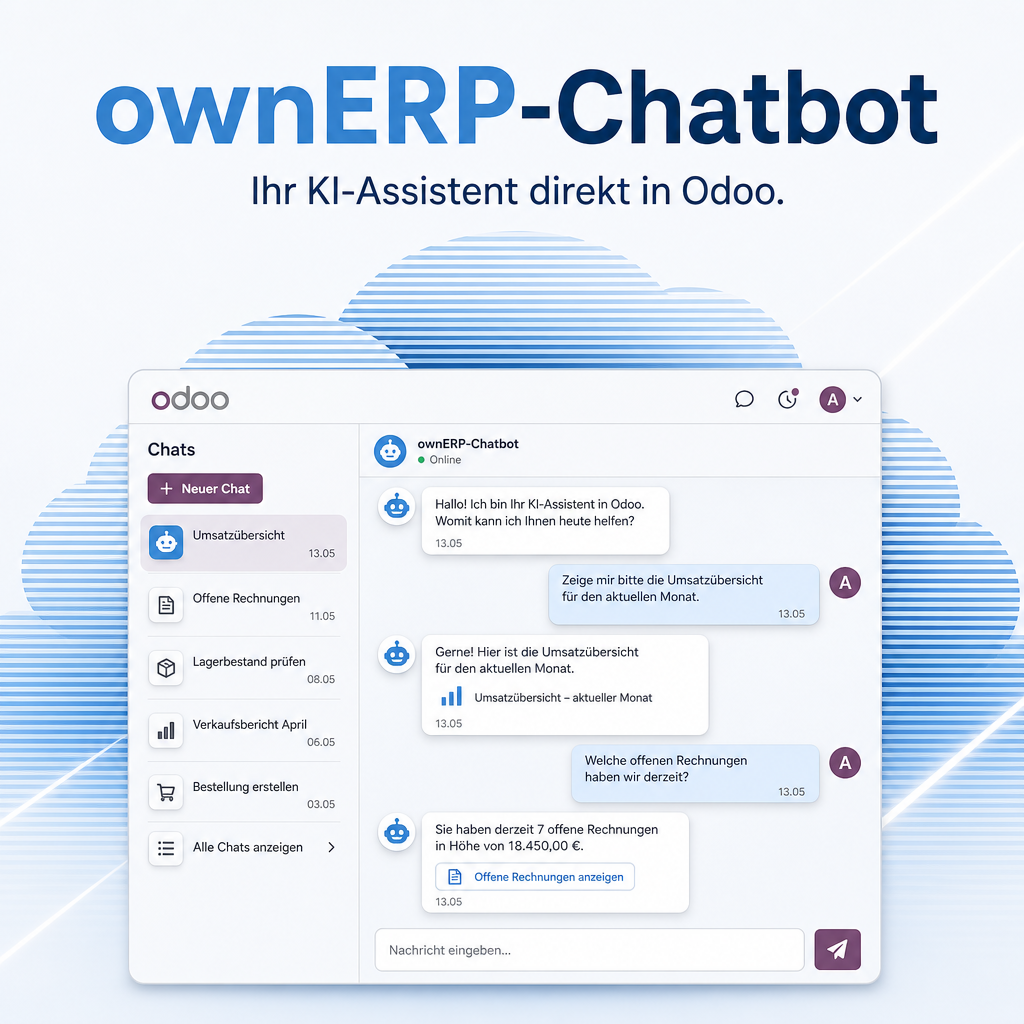
ownERP-Chatbot brings enterprise-grade AI chat directly into Odoo 19. Your staff chat with leading models from ten providers, watch answers stream in real time, and let the assistant work with real Odoo data — contacts, products, documents and more. API keys are encrypted, usage is capped per user and company, and every action is logged. Choose your provider, keep full control, and run on-premise with a local model when data must never leave the house.
Modules in this bundle
This is the main module of the Chatbot bundle (package: AI). It includes:
The help for this module is findable — for people and for AI
Ten help pages in German and English, shipped inside the module. With Help Docs installed you search them in full text — and an AI assistant reads the same content through a machine-readable module card.
"eq_chatbot")
Full-text search and module card come from Help Docs (eq_helper). This module ships the content — no extra configuration.
Features
AI assistant right inside Odoo
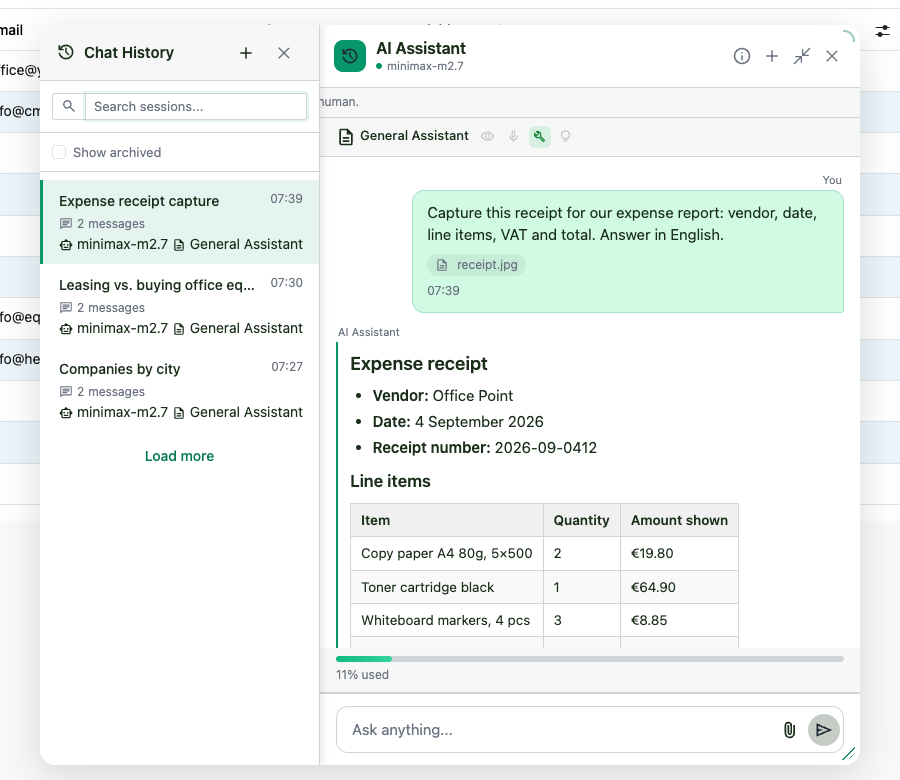
The assistant sits as a chat icon in the Odoo top bar — no second application, no context switch. Just click, ask, get an answer.
- Run several conversations in parallel and reopen older ones
- Session history panel for quick access
Your choice of provider and model
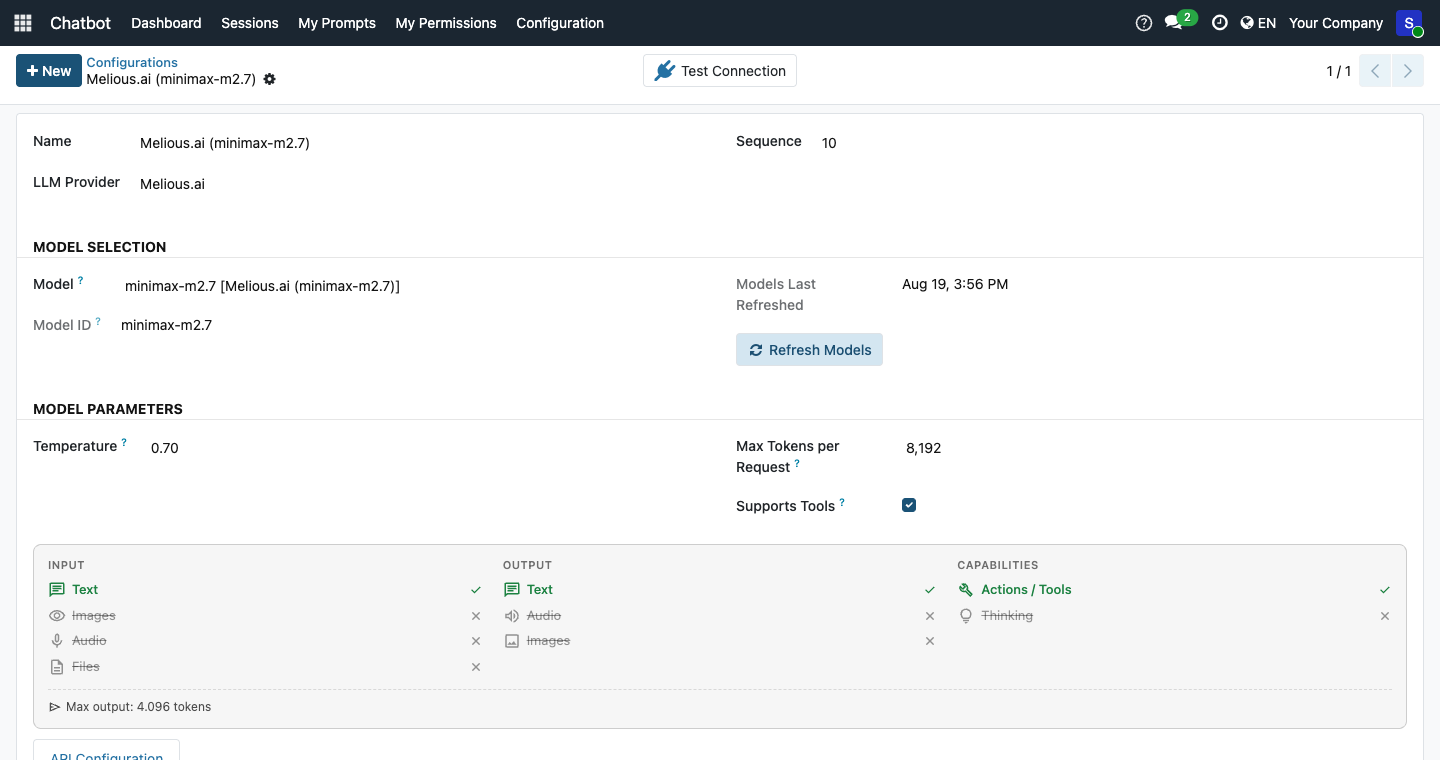
Use OpenAI, Anthropic Claude, LangDock, OpenRouter, Mammouth AI, Melious.ai, LiteLLM, IONOS AI or a local model — and switch any time.
- Available models load automatically from each provider
- Nothing hard-coded, nothing to maintain by hand
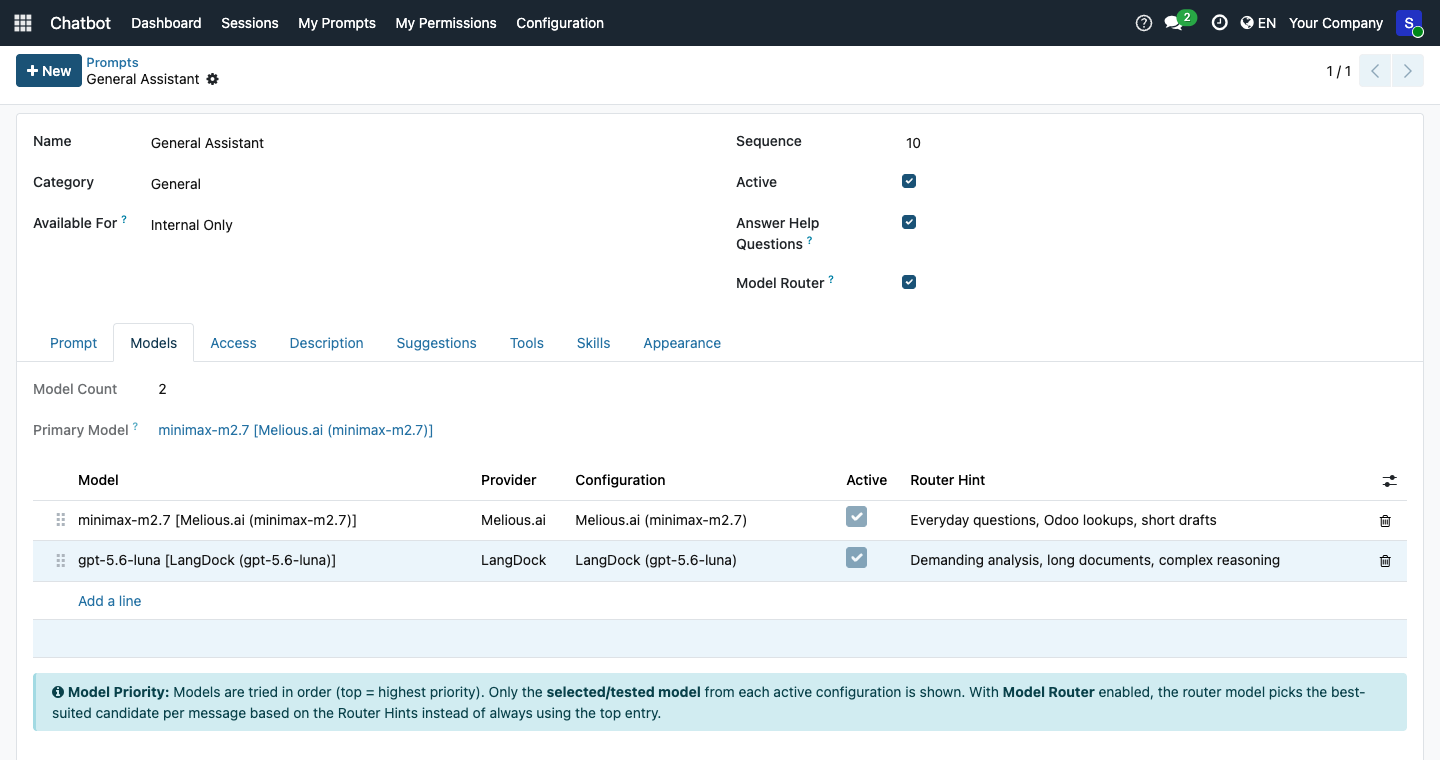
The right model for every message
A small, fast router model reads each message and hands it to the most suitable model on the prompt's list — simple questions go to the economical model, demanding work to the capable one. Short hints per model tell the router what each one is good at; the prompt wizard writes them for you.
- Cuts token cost without anyone changing how they work — also in the website widget
- Optional: tool-heavy turns finish on a cheaper sibling model, background jobs run on a dedicated utility model
- On any doubt the proven priority order applies — a router issue never interrupts a chat
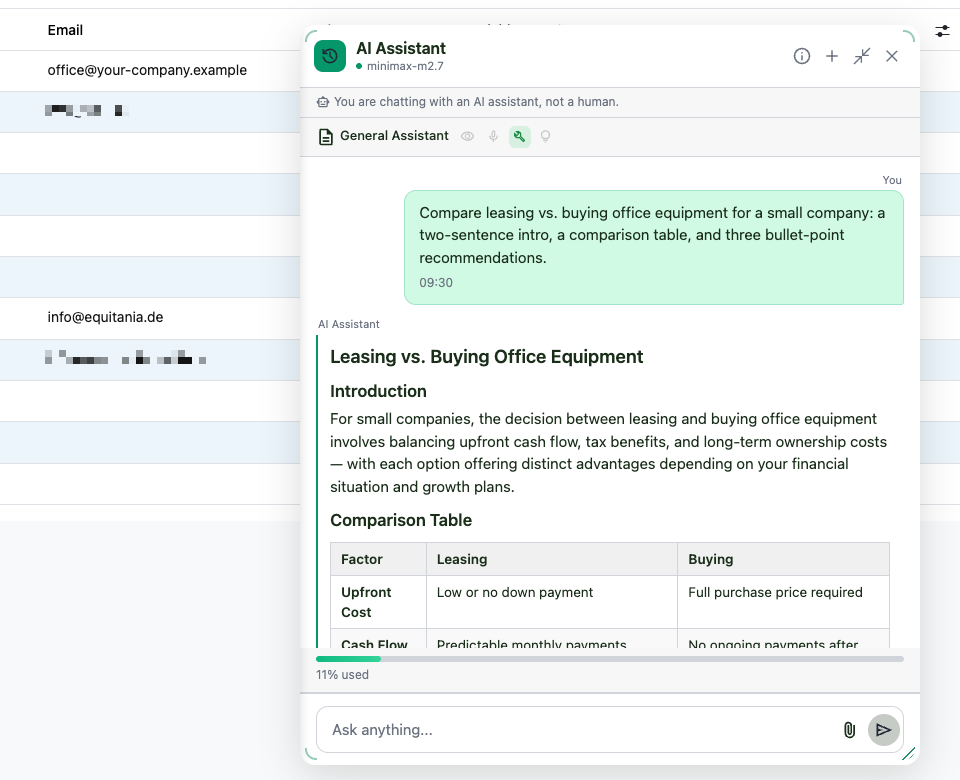
Real-time, beautifully formatted answers
Replies appear word by word as they are generated, rendered cleanly with headings, lists, tables and code blocks.
- Server-Sent Events with automatic polling fallback
- No waiting for a finished block of text
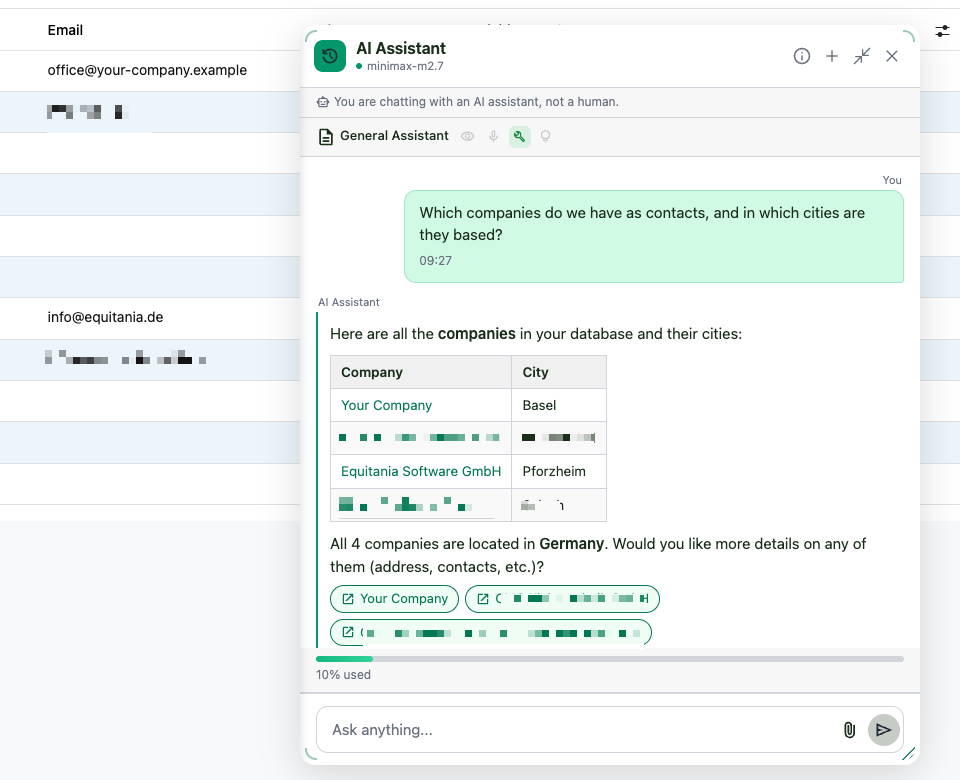
The assistant knows your Odoo data
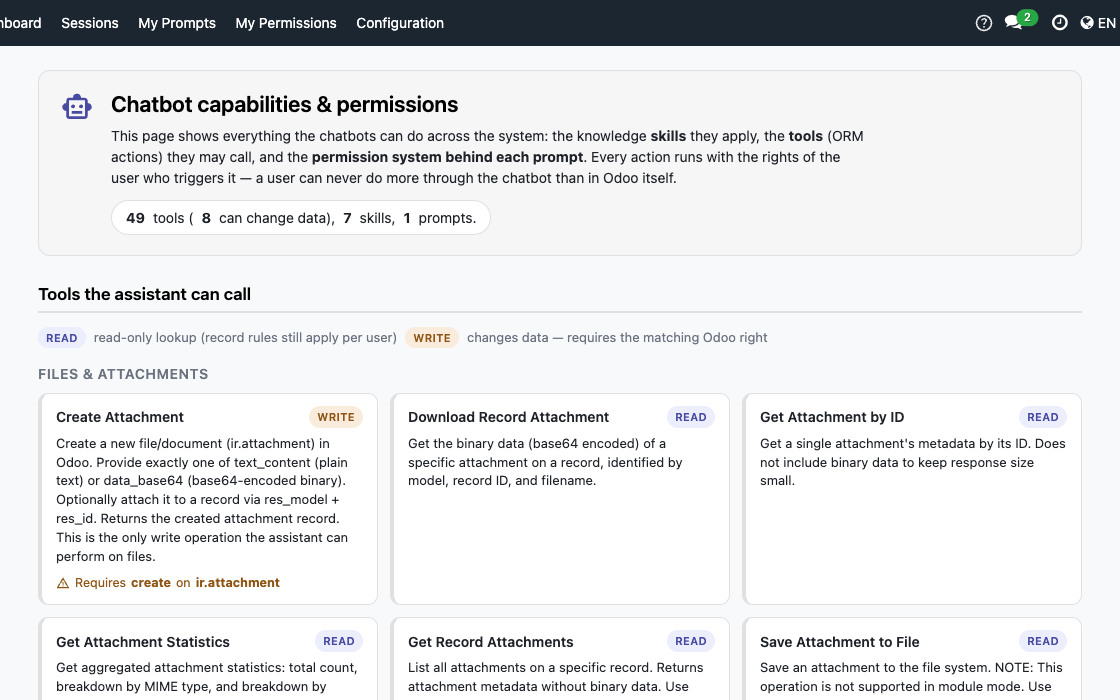
On request, the assistant answers from real records — finding contacts, looking up products, locating attachments or resolving locations. You decide which data areas each chatbot may use.
- Concrete, verified answers instead of generic phrases
- Powered by the bundled ownERP AI Odoo Tools
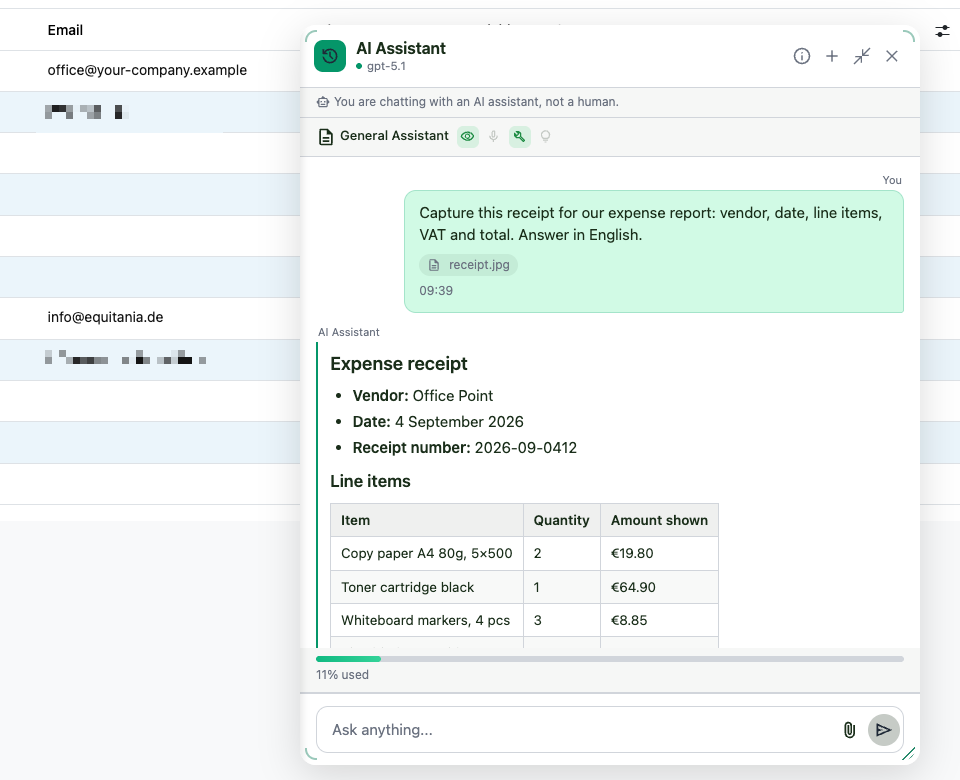
Understands images and PDFs
Upload a picture or PDF and let a vision-capable model read it — for example to capture an invoice or describe a photo.
- Secure upload with multi-layer file validation
- Works with GPT-4o, Claude and Gemini vision models
Secure and under control
Access keys are stored encrypted, usage is capped per user and company, and every interaction is logged — with complete data isolation across companies.
- Prompt-injection protection and rate limiting
- Per-message and per-session cost tracking
Remembers what matters — personal memory
The assistant adapts to each user: it suggests memory facts learned from conversations — nothing is stored without explicit confirmation, protected by a double opt-in (company AND user). Tone and level of detail are personal settings.
- Confirm or dismiss every suggested memory fact
- Frequent actions are recognised for faster help
- Tone (formal/neutral/casual) and detail level per user
Interfaces at a glance
Ten LLM interfaces ship with the module. You bring your own provider account; the endpoints below are pre-filled, the model list is fetched live from the provider on every refresh. Two more interfaces come with the add-on modules.
| Interface | Endpoint / operation | Vendor documentation |
|---|---|---|
| OpenAI | api.openai.com/v1 | platform.openai.com/docs/api-reference |
| Anthropic Claude | api.anthropic.com | docs.claude.com/en/api |
| LangDock | api.langdock.com | docs.langdock.com |
| OpenRouter | openrouter.ai/api/v1 | openrouter.ai/docs |
| Mammouth AI | api.mammouth.ai/v1 | mammouth.ai |
| Melious.ai | api.melious.ai/v1 | melious.ai/docs |
| IONOS AI | openai.inference.de-txl.ionos.com/v1 | docs.ionos.com/cloud/ai/ai-model-hub |
| LiteLLM | your own gateway URL | docs.litellm.ai |
| Ollama | localhost:11434/v1 | docs.ollama.com |
| LM Studio | localhost:1234/v1 | lmstudio.ai/docs/app/api |
| Interfaces of the add-on modules | ||
| Qdrant | your own server or cloud | qdrant.tech/documentation |
| Model Context Protocol (MCP) | your own MCP servers | modelcontextprotocol.io |
Ollama and LM Studio run on your own hardware — no key, no request leaves the network. IONOS hosts in Germany, Melious in the EU.
Documentation links point to the vendors; Equitania has no influence on their content.
Frequently Asked Questions
Which Odoo editions are supported?
Both Odoo Community and Enterprise, version 19.0 — self-hosted or on Odoo.sh. Odoo Online, the hosted SaaS edition, does not accept apps from the store, so no third-party module can run there.
Which AI providers can I use?
OpenAI, Anthropic Claude, LangDock, OpenRouter, Mammouth AI, Melious.ai, LiteLLM, IONOS AI, and local models via Ollama or LM Studio — ten interfaces in total.
Which models can I choose?
Whichever ones your provider account holds. The chatbot fetches the model list live from the provider — it ships no fixed list that could go stale. A new model at the vendor shows up after one click on "Refresh Models".
Which features work on which interface?
Streaming answers work everywhere. Tool calls into Odoo depend on the model, not the interface: some models cannot call functions, and not every vendor discloses that. If a model refuses, the chatbot repeats the request without tools, answers anyway, and remembers the model for next time — instead of showing an error. Image input depends on the model as well.
Do I need an account with every provider?
No, one is enough. You can maintain several configurations in parallel — for example a cloud model for everyday work and a local one for sensitive data — and assign a different interface per prompt.
Do I need my own AI key?
Yes — you use your own provider account and API key. With a local model (Ollama / LM Studio) no key is required at all.
Is my data sent to third parties?
Requests go to the AI provider you configure. If data must never leave your premises, run a local model — then processing stays entirely in-house.
What are the dependencies?
The bundled modules ownERP AI Odoo Tools and Markdown widget, plus the Python package eq-chatbot-core. These are installed alongside the module.
How are updates delivered?
Updates are published through the Odoo App Store and installed like any other app update.
Do you provide support?
Yes — visit support.equitania.de or email support@equitania.de. Updates within the 19.0.x series are included; major version upgrades ship as a new module version.
Support · Kontakt
We are happy to support you · Wir unterstützen Sie gerne.


Weiherstraße 13
75173 Pforzheim
Deutschland · Germany
Telefon: +49 7231 16 604 0
Telefax: +49 7231 16 604 200
Homepage: www.equitania.de · www.ownerp.com
Support: support.equitania.de
E-Mail: support@equitania.de
EN · All information on this page is provided for product description purposes only and is not legally binding. It constitutes neither a guarantee of quality nor an assurance of any particular scope of functions, fitness for a particular purpose or specific results; only the contractual agreements and the scope of delivery of the version actually installed are authoritative. Screenshots show example configurations. Product and company names mentioned are trademarks or registered trademarks of their respective owners; naming them implies neither affiliation with nor endorsement by those owners. This description was written with AI assistance and was reviewed and approved before publication; the German version prevails.