Knowledge Base
Company knowledge in one place — versioned, searchable, and reviewed before anyone sees it.
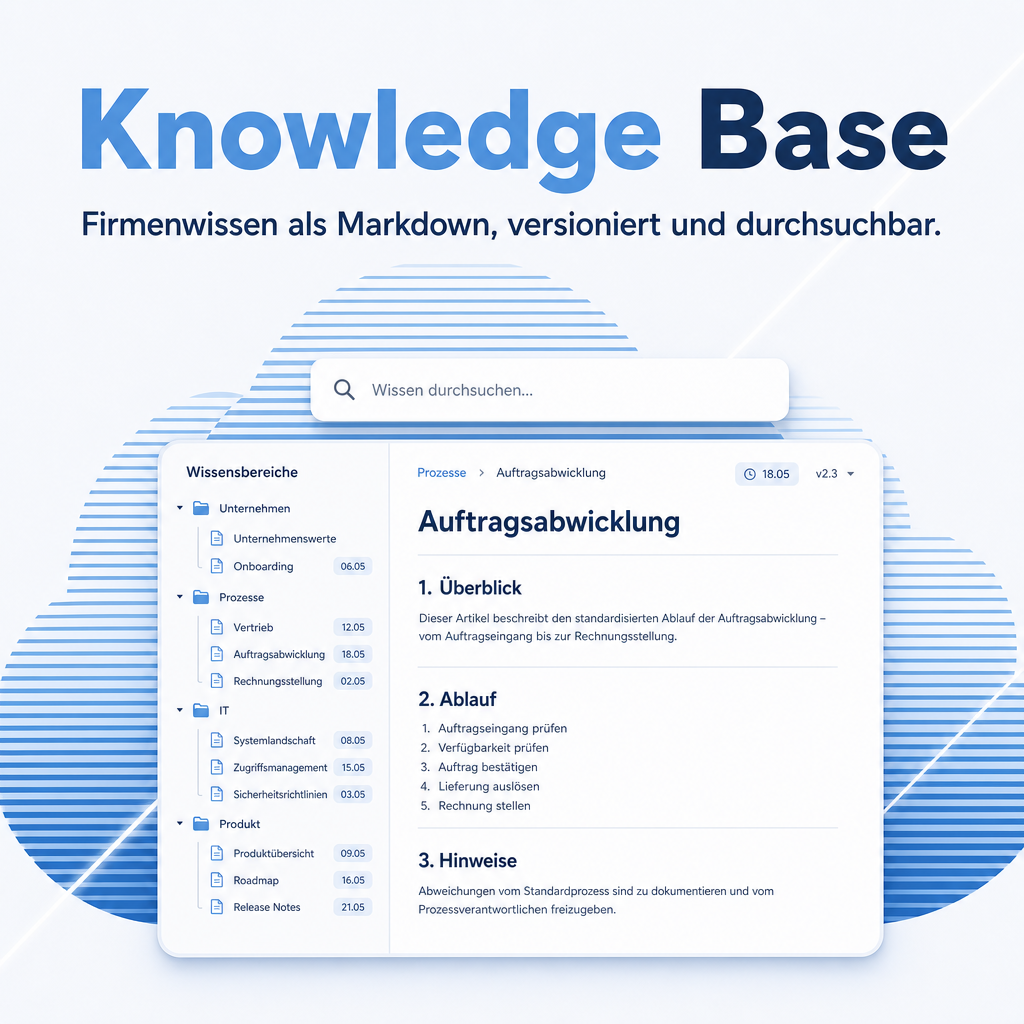
Work instructions live in folders on individual machines, and the person who wrote them is the only one who knows which version is current. Knowledge Base puts them into Odoo: written in plain markup, sorted into categories and tags, linked to each other, and released through a draft-to-published workflow. Every edit is kept as its own version, so a passage deleted by mistake can be brought back.
The help for this module is findable — for people and for AI
Five help pages in German and English, shipped inside the module. With Help Docs installed you search them in full text — and an AI assistant reads the same content through a machine-readable module card.
"eq_knowledge")
Full-text search and module card come from Help Docs (eq_helper). This module ships the content — no extra configuration.
Features
See what hangs together
A list shows which articles exist; the graph shows which ones know about each other. Every article is a dot, every link a line — colour marks the area, size the number of articles pointing at it. One click highlights the neighbourhood, a double-click opens the article. The answer nobody gets from a list: who relies on this page — worth knowing before rewriting it. Articles nothing points at sit in a strip of their own, which is where a knowledge base quietly loses things.
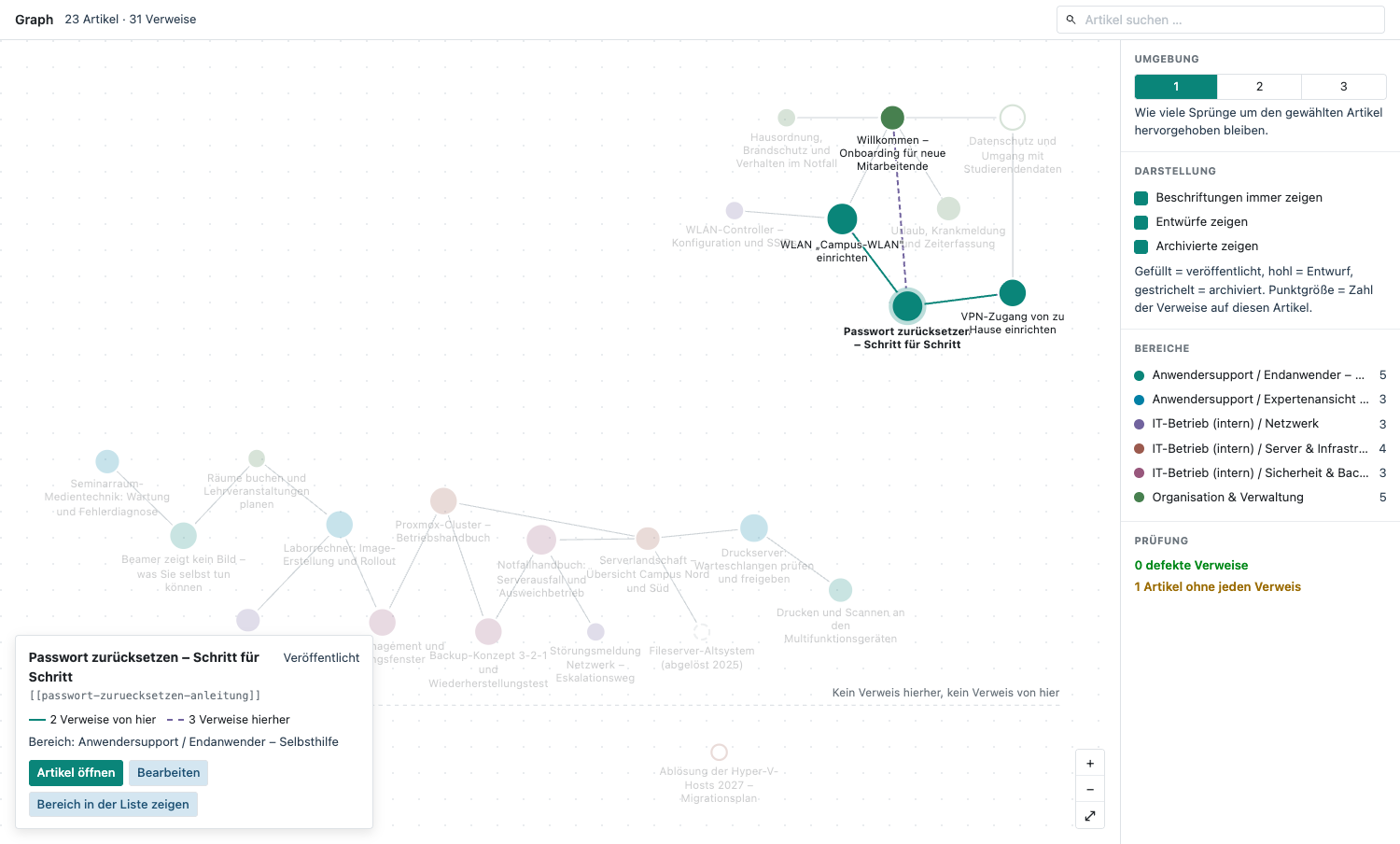
One article selected: solid lines lead away from it, dashed ones point at it. The panel on the right hides areas, drafts and archived articles; the strip along the bottom holds what nothing points at.
A large collection stays readable
The sidebar is grouped by top-level area: each carries a heading with its article count, its sub-areas sit indented inside it, and one click folds the whole area away until the next visit. A filter above the list hides areas that are not the subject today. Searching overrides both — a hit inside a folded area is a hit nobody would see.
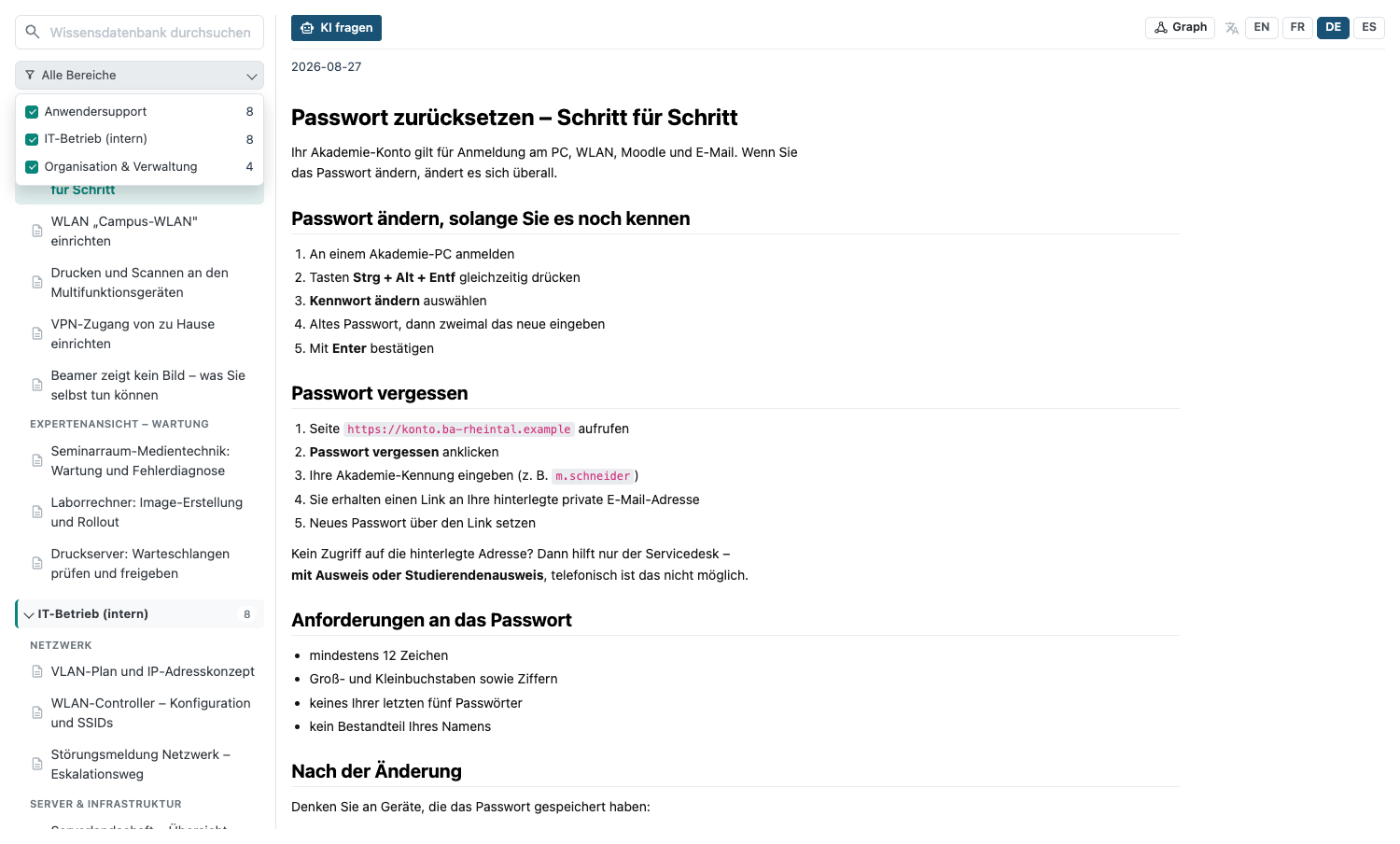
The area filter is open; every area starts ticked because every area is shown. „IT Operations“ below it is folded away and keeps its heading and its count. Top right, the reader offers every language installed in this database.
Articles in plain markup, with real structure
Headings, lists, tables and images are written without a formatting toolbar; the presentation follows automatically. That keeps the source readable and diff-able — and it means an article written years ago still opens correctly.
Draft, published, archived
An article becomes visible only when someone with the right to publish releases it. Half-finished texts do not circulate, and an instruction that no longer applies is archived rather than deleted — still findable, no longer binding.
Full version history, per language
Every earlier state of every language version is kept and can be restored individually. For a documented procedure this is not a convenience — it is what makes the documentation presentable in an audit.
Links between articles
An article refers to another with a simple notation and the link is created automatically. Someone reading a work instruction reaches the underlying basics from there instead of searching for them.
A reading view separate from editing
The viewer offers a category tree, a search field and a readable presentation. People who only consult the knowledge base never meet the editing interface.
Export and import as a package
A whole set of articles, images included, can be exported and read back into another environment — for handing a documented process over to a subsidiary, or for moving from a test system to production.
Frequently Asked Questions
How is this different from Odoo's own Knowledge app?
This module is markup-first: articles are plain text with structure, which keeps them readable, comparable and portable. It adds a publish workflow with a manager gate, a full per-language version history with restore, and package export/import.
Can articles be maintained in several languages?
Yes. Each language version has its own text and its own version history, so a German revision does not silently invalidate the English one.
Which Odoo editions are supported?
The module runs on Odoo Community and Odoo Enterprise, version 19.0 — self-hosted or on Odoo.sh. Odoo Online, the hosted SaaS edition, does not accept apps from the store, so no third-party module can run there.
Which other modules does it require?
It requires base, web, mail, eq_web_markdown. Odoo resolves and installs these dependencies itself when you install the module.
Under which license is the module published?
The module is published under the Odoo Proprietary License v1.0 (OPL-1).
Will it keep working after an Odoo update?
Yes, within 19.0.x. A move to the next major Odoo version is delivered as a new module version.
Where do I get support?
Write to support@equitania.de or use our support portal at support.equitania.de.
Can I see the module in action first?
We do not run a public demo instance. Write to support@equitania.deand we will walk you through it.
Support · Kontakt
We are happy to support you · Wir unterstützen Sie gerne.


Weiherstraße 13
75173 Pforzheim
Deutschland · Germany
Telefon: +49 7231 16 604 0
Telefax: +49 7231 16 604 200
Homepage: www.ownerp.com · odoo2fast.report
Support: support.equitania.de
E-Mail: support@equitania.de
EN · All information on this page is provided for product description purposes only and is not legally binding. It constitutes neither a guarantee of quality nor an assurance of any particular scope of functions, fitness for a particular purpose or specific results; only the contractual agreements and the scope of delivery of the version actually installed are authoritative. Screenshots show example configurations.