AI Lead Scoring
Know why a lead will close — not just a percentage.
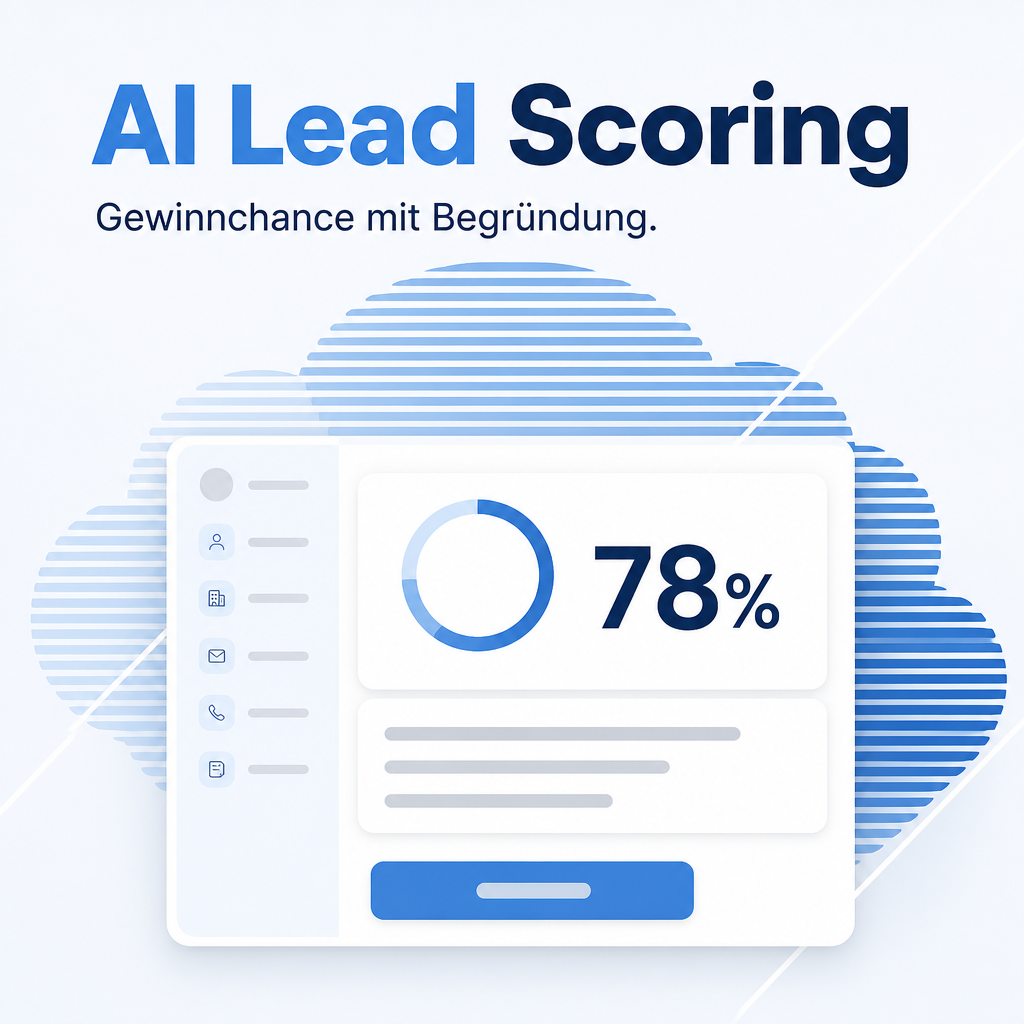
A language model rates the win probability of a lead and explains the rating in up to three sentences — grounded in the customer's own sales history, not an anonymous black-box calculation. The rating lands in its own field first; only a deliberate click on Apply Rating transfers it into Odoo's sales forecast. Odoo's own predictive lead scoring disappears only from the view — its calculation keeps running unchanged in the background.
The help for this module is findable — for people and for AI
Two help pages in German and English, shipped inside the module. With Help Docs installed you search them in full text — and an AI assistant reads the same content through a machine-readable module card.
"eq_ai_lead_scoring")
Full-text search and module card come from Help Docs (eq_helper). This module ships the content — no extra configuration.
Features
One button, one model call
The AI Rating button on the lead form triggers a single call to the language model behind your own AI access and writes the score, the reasoning and the timestamp onto the record — no batch job, no schedule.
Grounded in the lead and its chatter
Designation, company, expected revenue, source, sales team, country, stage and creation date feed the rating, together with the most recent chatter messages — up to 15, capped at 4000 characters.
- Includes internal notes, not only customer correspondence — keep that in mind before a confidential remark is added to a lead.
This customer's own closing rates
Computed on demand from the customer's finished leads — overall, and by source, country, sales team and revenue class, each with its case count, so the model weighs a rate from three cases differently from one built on three hundred. No prior history? The model is told so explicitly instead of assuming a rate that does not exist.
- Archived (lost) leads count too — a query that only saw the active ones would report a misleadingly perfect closing rate.
Enriched company data, when available
If eq_ai_enrichment_crm happens to be installed and the lead has already
been enriched, its website, address and phone number join the context. Nothing about
this module requires that bridge to be present.
The team keeps control
The rating never touches Odoo's own probability field by itself. It lands
in its own field, and only the Apply Rating button transfers it — a run
that goes wrong changes nothing about the sales forecast until someone deliberately
agrees with it.
Traceable in the chatter
Every rating is posted to the lead's chatter as one entry with score, reasoning and timestamp — built as formatted text, not escaped tags, so a later reviewer can read it as intended.
Odoo's own predictive scoring steps aside
The AI icon, the tooltip and the automated-probability percentage disappear from the views, while Odoo's own computation keeps running untouched underneath. Uninstalling this module brings the original display back unchanged.
No silent failures
A missing AI profile, a failed model call, or an answer that does not parse as the
expected {"score": ..., "reason": ...} JSON each raise a clear error naming the
cause — instead of leaving a stale rating on the record.
Frequently Asked Questions
Which Odoo editions are supported?
Community and Enterprise, Odoo version 19.0 — self-hosted or on Odoo.sh. Odoo Online, the hosted SaaS edition, does not accept apps from the store, so no third-party module can run there.
What does the module depend on?
The Odoo modules crm and eq_ai_base, which Odoo installs
automatically. Rating a lead additionally needs a configured AI access under
Settings → Artificial Intelligence — you choose the provider and store
your own API key.
Do I need eq_ai_enrichment_crm as well?
No. If it happens to be installed and the lead has already been enriched, its website, address and phone number join the context. The module works fully without it.
Are internal notes sent to the model?
Yes. The chatter history sent to the model includes internal notes, not only the correspondence with the customer — keep that in mind before adding a confidential remark to a lead.
What if this customer has no prior closing history?
The model is told explicitly that no lead of this customer has been finished yet, instead of assuming a rate that does not exist.
Does a rating immediately change the sales forecast?
No. It lands in its own field first; only a click on Apply Rating
transfers the percentage into Odoo's probability field.
What happens to Odoo's own predictive lead scoring?
Only its display is removed from the views; the computation keeps running in the background. Uninstalling this module restores the original display unchanged.
Does the purchase cover every Odoo version?
Bought through the Odoo App Store, the licence covers one Odoo version — moving to a newer Odoo version means buying the module again. Purchased directly from Equitania, a software maintenance agreement covers the follow-up versions: you receive the module for the new Odoo version at no extra charge. Requests to your own AI provider are billed by that provider, not by Equitania.
Do you provide support?
Yes, contact support@equitania.de or the support portal.
Will it keep working after an Odoo update within 19.x?
Yes, within Odoo 19.x. Major version upgrades are delivered as a new module version.
Support · Kontakt
We are happy to support you · Wir unterstützen Sie gerne.


Weiherstraße 13
75173 Pforzheim
Deutschland · Germany
Telefon: +49 7231 16 604 0
Telefax: +49 7231 16 604 200
Homepage: www.ownerp.com · odoo2fast.report
Support: support.equitania.de
E-Mail: support@equitania.de
EN · All information on this page is provided for product description purposes only and is not legally binding. It constitutes neither a guarantee of quality nor an assurance of any particular scope of functions, fitness for a particular purpose or specific results; only the contractual agreements and the scope of delivery of the version actually installed are authoritative. Screenshots show example configurations.