KPI Cockpit - Accounting
Receivables and payables at a glance.
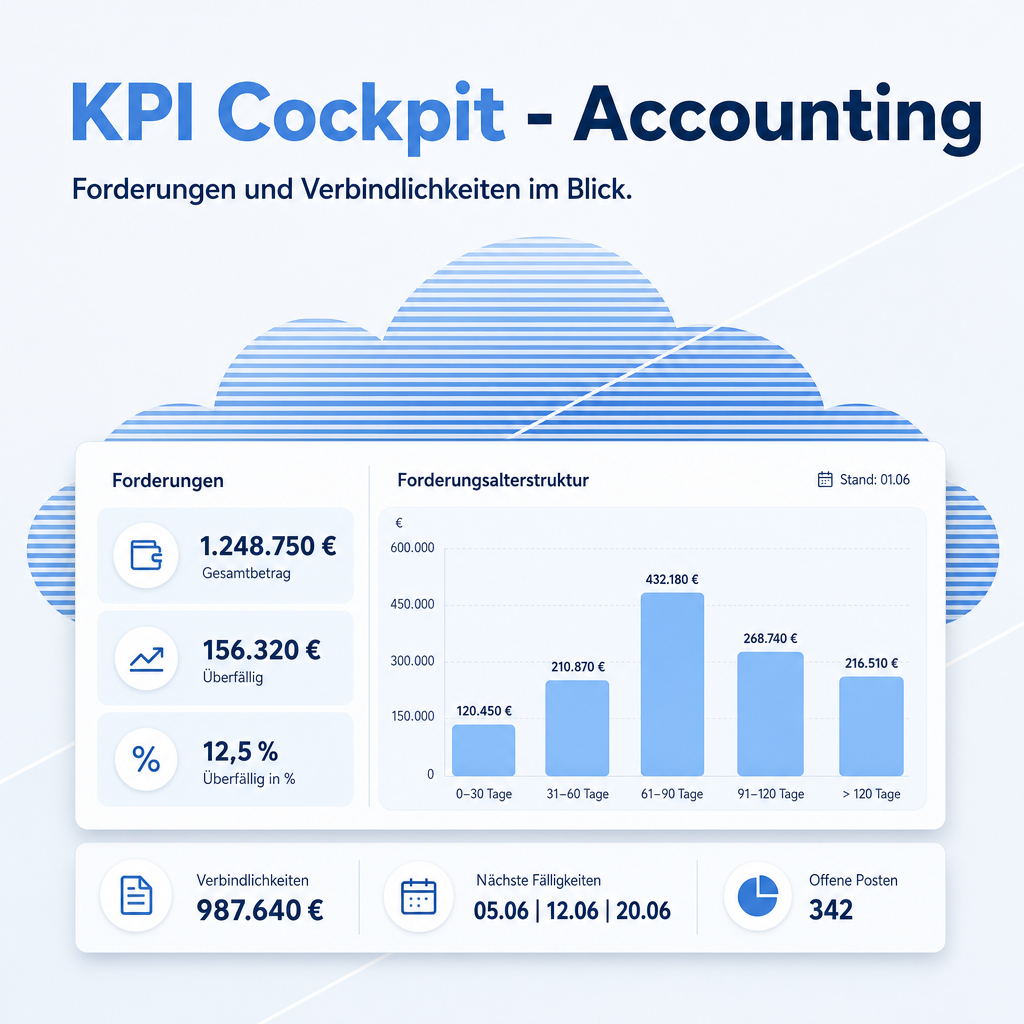
Nine ready-made accounting boards for the KPI Cockpit: an overview, receivables, payables, cash and bank, a cash flow forecast, financial controls, invoicing performance, profit and loss and a tax summary. Receivables and payables come with ageing in five buckets and the average days to pay. A click on a figure opens the invoices behind it. The module installs itself next to the cockpit and Accounting.
The help for this module is findable — for people and for AI
A help page ships with the module, in German and English. Full-text search finds it from inside Odoo.
|
People search
ageing buckets
Accounting boards
“Receivables by age” and “Payables by age” group open amounts by days past the due date.
|
AI asks
eq.helper.doc.get_capability_card(
"eq_kpi_cockpit_account") The module card lists the shipped boards, the source models and the special computations, so an assistant knows what each figure means before it answers.
“Where do I see overdue vendor bills?”
|
Full-text search and the module card are provided by the module Help Docs (eq_helper). This module ships the content — no extra configuration.
Features
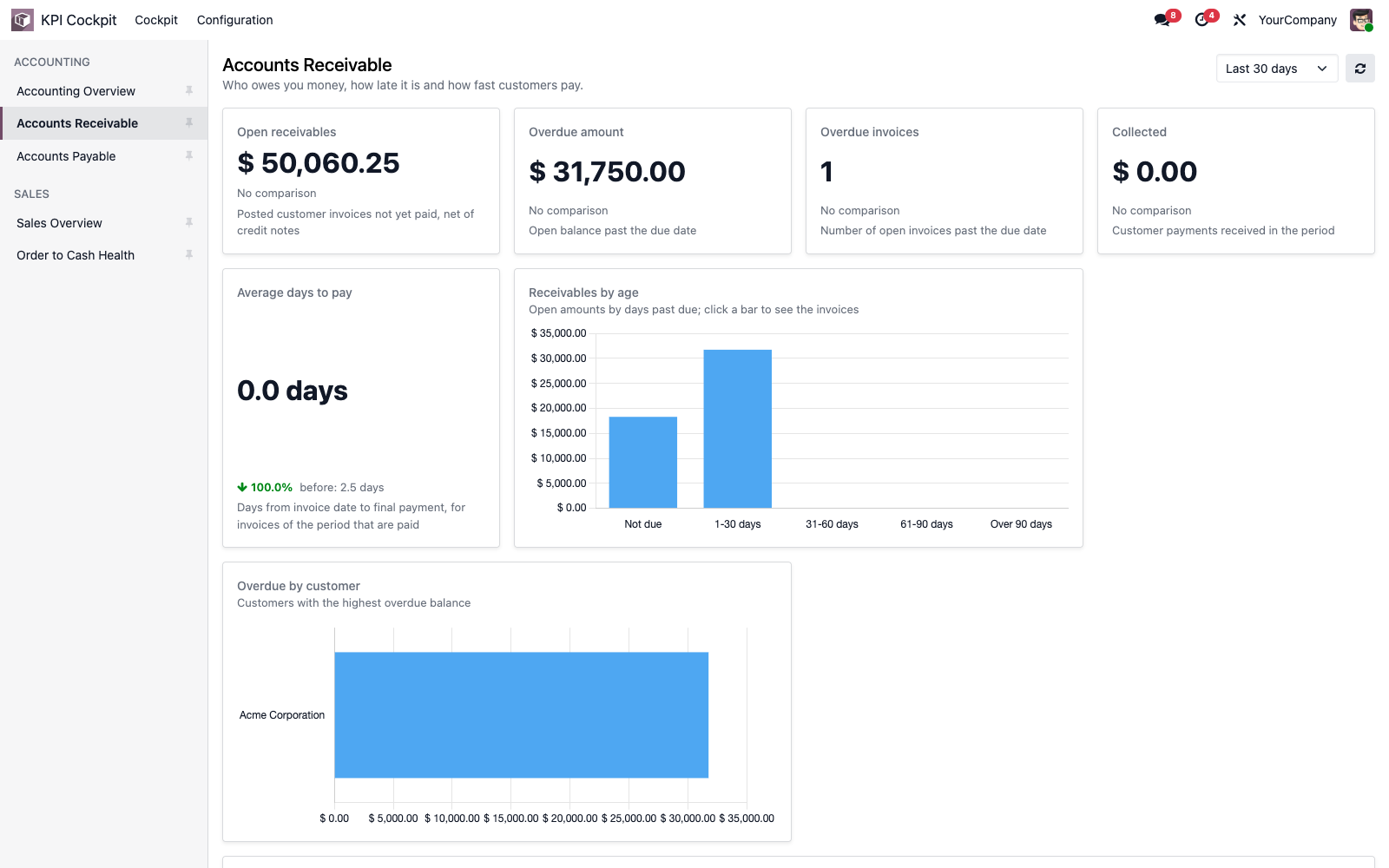
Who owes you money, and how late
The receivables board shows the open balance, the overdue amount, the collections of the period and how many days customers take to pay. Charts split open amounts by age and by customer.
- Ageing in five buckets: not due, 1-30, 31-60, 61-90, over 90 days
- Average days to pay for customer invoices and vendor bills
- A click on a bar opens exactly the invoices of that bucket
Worklists to act on
Numbers alone do not collect money. The boards carry worklists: overdue customer invoices with the oldest due date first, vendor bills due within 14 days, draft bills waiting to be checked.
- Open invoices by due date and the largest open invoices
- Bills to pay, earliest due date first
- A click on a row opens the invoice
Cash, controls, profit and tax
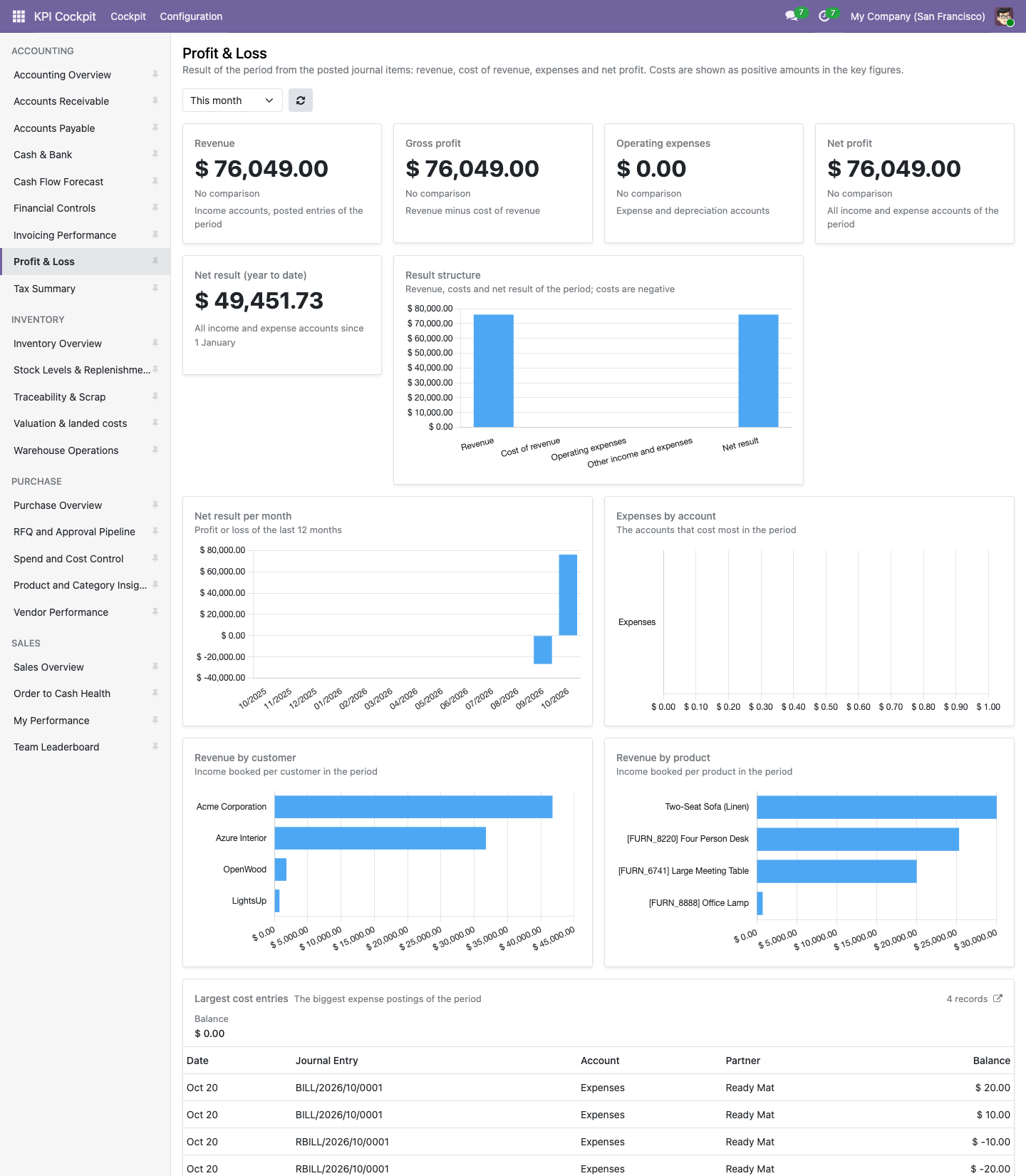
Six more boards cover the daily work of accounting: bank and cash balance with reconciliation rate, the expected inflow and outflow, checks that find problems before the closing, invoicing performance, profit and loss and the tax position.
- Cash flow forecast: projected balance over 13 weeks and early-payment discount opportunities
- Financial controls: drafts, drafts in a closed period, unreconciled bank lines, sequence gaps, items without partner, invoice lines without tax, companies without lock date
- Profit and loss with revenue, gross profit, operating expenses and net profit; tax summary with sales tax, purchase tax and tax position by rate
- Where Enterprise reports are installed, cards link to the matching report (aged receivable and payable, cash flow statement, bank reconciliation, profit and loss, tax report)
For accounting users, adaptable without code
The boards are visible to the accounting groups only, and each figure still follows the user's own access rights. Administrators change filters, columns and layout in normal forms; changes survive module updates.
- Amounts of vendor bills shown as positive liabilities
- Company currency, with a hint when several currencies are summed
- Copy a board as the template for your own variant
Frequently Asked Questions
Which Odoo editions are supported?
The module runs on Odoo Community and Odoo Enterprise, version 19.0 — self-hosted or on Odoo.sh. Odoo Online, the hosted SaaS edition, does not accept apps from the store, so no third-party module can run there.
Which boards are included?
Nine, together 94 widgets: Accounting Overview, Accounts Receivable, Accounts Payable, Cash & Bank, Cash Flow Forecast, Financial Controls, Invoicing Performance, Profit & Loss and Tax Summary. In a German interface the first three are called "Buchhaltung im Überblick", "Offene Posten Debitoren" and "Offene Posten Kreditoren". Not included: bank-feed data, budgets, a balance sheet and cash runway.
What are the dependencies?
Requires the Odoo modules eq_kpi_cockpit (KPI Cockpit, Equitania) and account (Accounting). Odoo installs them automatically; this module installs itself as soon as both are present. It needs no Python package. Cards of receivables, payables, cash, reconciliation, profit and loss and tax link to the matching Enterprise report when the Enterprise module account_reports is installed; the module does not depend on it, and on Community nothing extra is shown.
Who sees the boards?
Users of the KPI Cockpit who belong to the accounting groups "Invoicing" or "Show Accounting Features - Readonly". The figures follow each user's own access rights.
Can I change the boards?
Yes, with the group "KPI Cockpit / Administrator" under KPI Cockpit → Configuration. The boards are loaded once, so your changes are kept when the module is updated.
What is the technical name?
eq_kpi_cockpit_account.
Will it work after an Odoo update within the same major version?
Yes, within 19.0.x. Major version upgrades are delivered as a new module version.
Do you provide support?
Yes. Contact support@equitania.de or the support portal https://support.equitania.de.
Support · Kontakt
We are happy to support you · Wir unterstützen Sie gerne.

Weiherstraße 13
75173 Pforzheim
Deutschland · Germany
Telefon: +49 7231 16 604 0
Telefax: +49 7231 16 604 200
Homepage: www.ownerp.com
Support: support.equitania.de
E-Mail: support@equitania.de
EN · All information on this page is provided for product description purposes only and is not legally binding. It constitutes neither a guarantee of quality nor an assurance of any particular scope of functions, fitness for a particular purpose or specific results; only the contractual agreements and the scope of delivery of the version actually installed are authoritative. Screenshots show example configurations. This description was written with AI assistance and was reviewed and approved before publication; the German version prevails.