
Microsoft 365 Outlook
Odoo writes, Outlook delivers — one connection for mail, calendar and contacts.
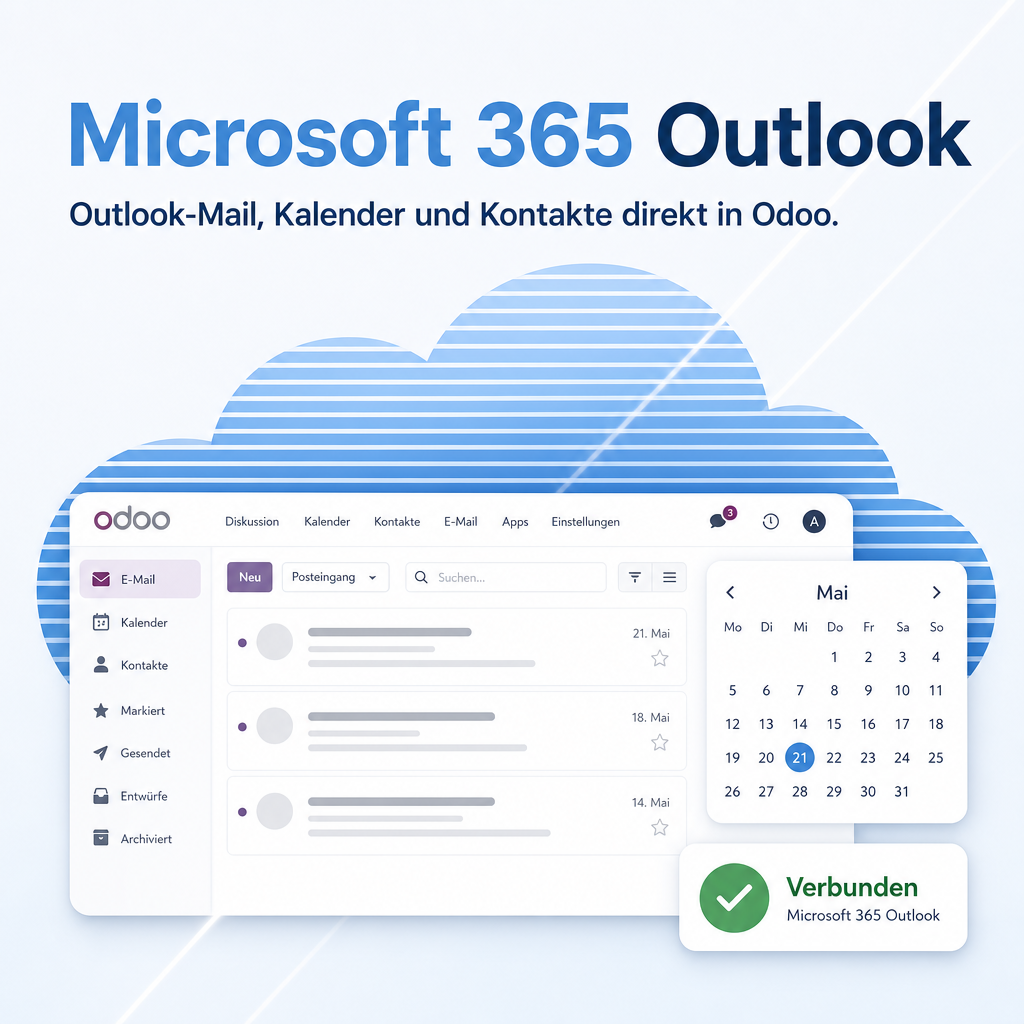
Microsoft 365 Outlook connects Odoo 18 to your company’s Microsoft 365 account. E-mails from any document go out through Outlook or wait as a draft in the mailbox, quotations leave from the sales mailbox and invoices from accounting, contacts and appointments stay in sync in both directions. A single, centrally configured connection carries all of it — no sign-in per user, encrypted credentials, every operation traceable in the log.
Modules in this bundle
This is the main module of the Outlook365 bundle (package: Microsoft 365). It includes:
Features
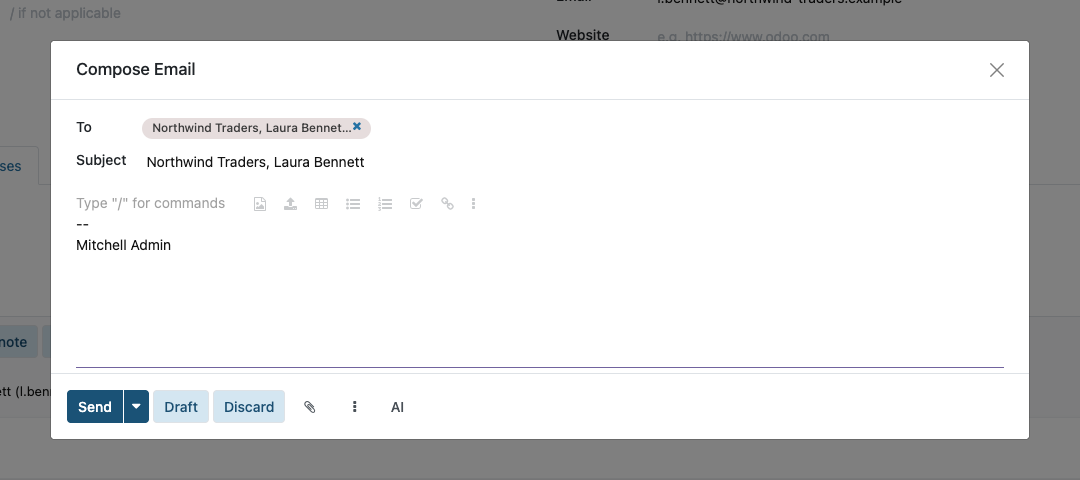
Send e-mails from Odoo through Outlook
Every outgoing message — quotation, order confirmation, invoice — goes through the company’s Microsoft 365 account and sits cleanly in Outlook’s Sent folder. No second mail server, no separate sender identity.
- Send right from the chatter, the mail composer and the invoice send dialog
- Customer replies arrive in the mailbox the team already works in
Check first, send later: the Outlook draft
Instead of sending immediately, the Draft button files the message as an Outlook draft. Polish the text, add an attachment, release it at leisure — the document keeps a note linked to the draft.
- Available in the full mail composer and in the chatter
- Invoice drafts automatically carry the invoice PDF and every manual attachment
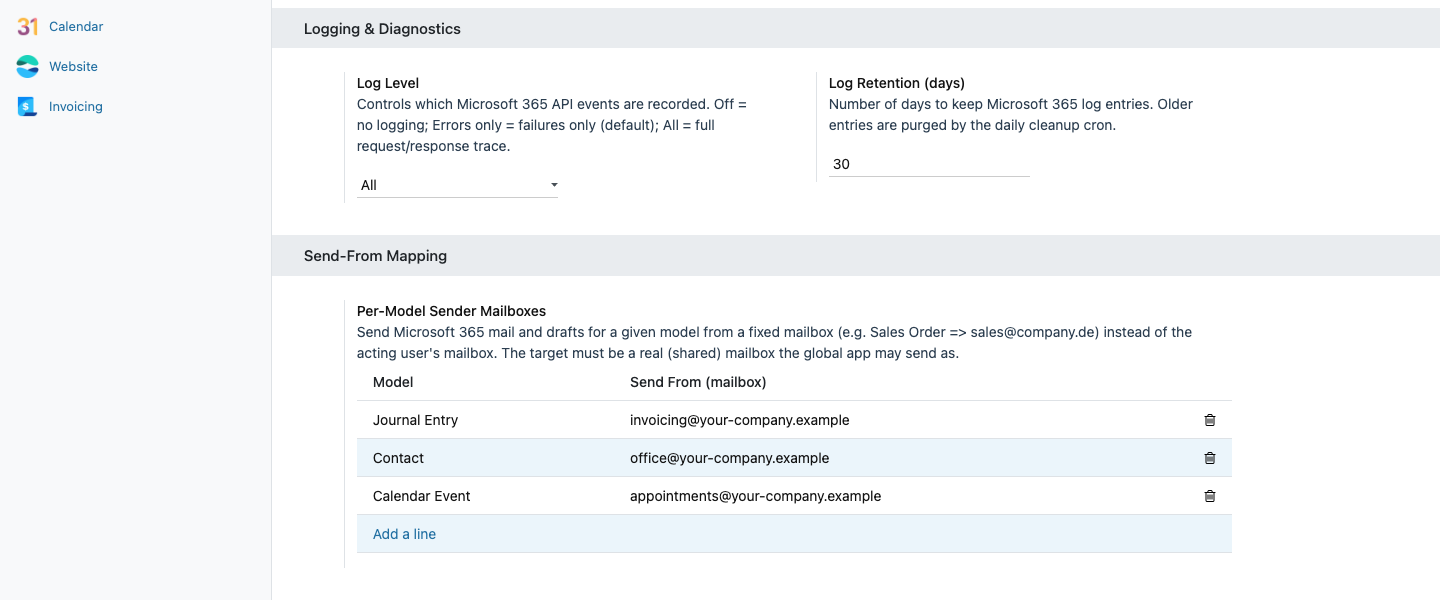
The right sender for every line of business
Per document type and company you set a fixed send-from mailbox: orders from the sales mailbox, invoices from the accounting mailbox. Without a mapping the acting user’s address is used.
- Mapped in the Microsoft 365 settings, no programming
- Optional signature per mailbox
Two-way contact sync
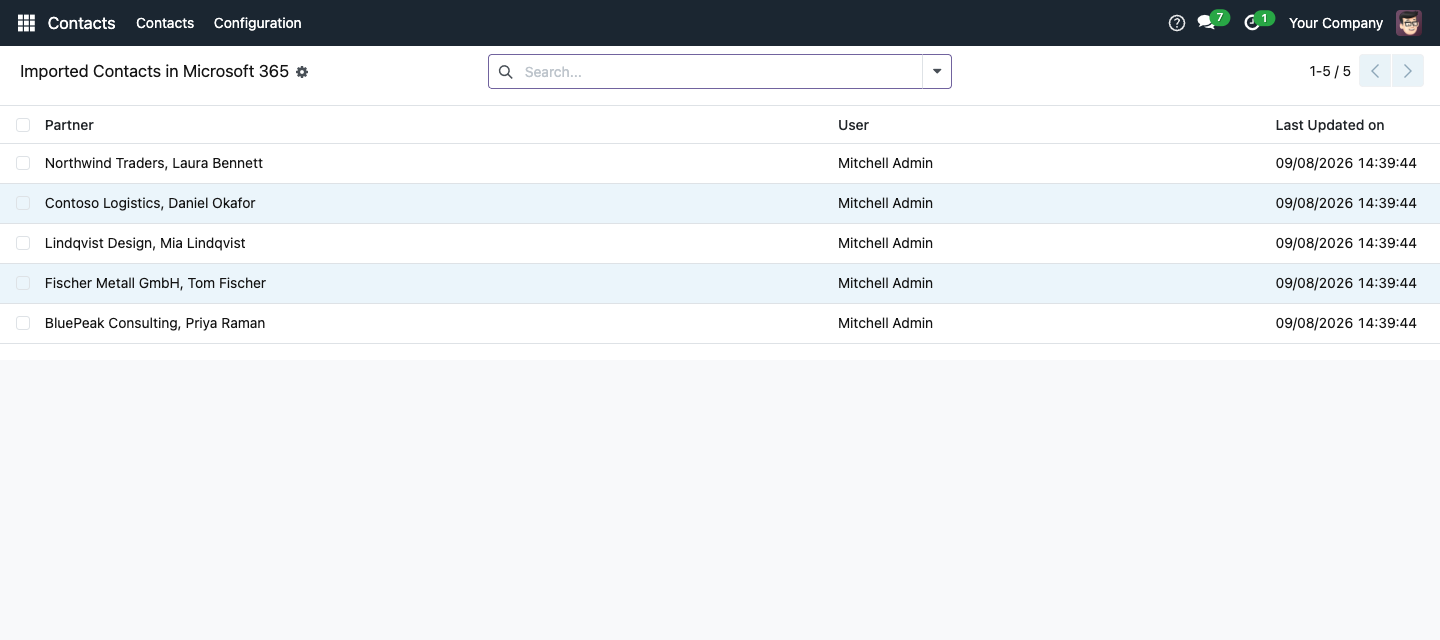
Contacts are kept in sync between Odoo and Outlook automatically — all contacts or only selected ones, at intervals you choose.
- Maintain them in Odoo or in Outlook, both systems stay on the same level
- Imported contacts are visible in Odoo as a list of their own
Appointments in the Outlook calendar
Calendar entries from Odoo are transferred to the Microsoft 365 calendar — including weekly or monthly recurring appointments. Field staff see planned appointments on their phone.
- Recurring appointments are created as a series, not as single events
- Sync runs automatically in the background
Dedicated Odoo folders in the mailbox
On request the module creates dedicated Odoo folders in the personal Outlook mailbox, so messages from Odoo stay neatly separated.
- Enabled per user
- The folder structure is created once and reused afterwards
One connection, encrypted, logged
The Microsoft 365 connection is set up once for the whole company. Credentials are stored encrypted, a connection test names the concrete cause of a failure, and the activity log shows every operation with duration and result.
- No sign-in per user, no setup effort per employee
- Credentials are removed automatically when the database is copied for tests
Frequently Asked Questions
Which Odoo editions are supported?
Odoo Community and Enterprise, version 18.0 — self-hosted or on Odoo.sh. Odoo Online, the hosted SaaS edition, does not accept apps from the store, so no third-party module can run there.
What do I need on the Microsoft side?
A company Microsoft 365 account with Exchange Online and a registered application with application permissions for mail, contacts and calendar. The Microsoft 365 App Registration module in this bundle does the registration with one click; your Microsoft 365 administrator confirms the permissions through a consent link.
Do employees have to sign in individually?
No. The connection is stored once, centrally, for the company. Which mailbox acts as sender is decided by the mapping per document type; without a mapping the acting user’s e-mail address is used. The target mailbox has to be a real (possibly shared) mailbox in the Microsoft 365 tenant.
Which modules belong to it?
Microsoft 365 Core (connection, log) is required and installed alongside. Microsoft 365 App Registration, Microsoft 365 Outlook Mass Mailing and Microsoft 365 Equitania are optional additions. The Equitania module for encrypted passwords, which protects the credentials, is required as well.
Where does my data go?
Only to Microsoft 365 through the Microsoft Graph interface of your own tenant. There is no intermediate Equitania service; credentials stay encrypted in your Odoo database.
What happens when the database is copied?
When a copy is created for tests or training, the Microsoft 365 credentials are removed automatically. A test system therefore never sends mail through the real company account.
Are newsletters sent through Microsoft 365 too?
Yes, with the optional Microsoft 365 Outlook Mass Mailing module. Mailings from Odoo Email Marketing then take the same route as daily correspondence.
How are updates delivered?
Updates are published through the Odoo App Store and installed like any other app update. Updates within the 18.0.x series are included; a move to a new Odoo major version ships as a new module version.
Do you provide support?
Yes — visit support.equitania.de or email support@equitania.de.
Support · Kontakt
We are happy to support you · Wir unterstützen Sie gerne.


Weiherstraße 13
75173 Pforzheim
Deutschland · Germany
Telefon: +49 7231 16 604 0
Homepage: www.equitania.de · www.ownerp.com
Support: support.equitania.de
E-Mail: support@equitania.de
EN · All information on this page is provided for product description purposes only and is not legally binding. It constitutes neither a guarantee of quality nor an assurance of any particular scope of functions, fitness for a particular purpose or specific results; only the contractual agreements and the scope of delivery of the version actually installed are authoritative. Screenshots show example configurations. Product and company names mentioned are trademarks or registered trademarks of their respective owners; naming them implies neither affiliation with nor endorsement by those owners. This description was written with AI assistance and was reviewed and approved before publication; the German version prevails.